5 months ago
Update: Resolved Google Performance Max (PMAX) Reporting
The previously identified reporting differences between Digivizer and Google Ads native reporting for some Performance Max (PMAX) campaigns have now been resolved.

The previously identified reporting differences between Digivizer and Google Ads native reporting for some Performance Max (PMAX) campaigns have now been resolved.
We are currently reviewing reporting differences between Digivizer and Google Ads native reporting for some Performance Max (PMAX) campaigns.
Our investigation indicates that Google supplies portions of PMAX data in aggregated “Cross-network” reporting before later reallocating this activity into final placement and channel-level reporting. As a result, recent or intra-day PMAX data may temporarily differ between Digivizer and Google’s native platform while Google completes its reporting reconciliation process.
Based on observed behavior and available Google Ads API documentation, PMAX reporting may take several days to fully stabilize and finalize.
We are actively working on enhancements to ensure Digivizer continues to provide the most accurate and trusted representation of Google PMAX reporting data possible.
What's new! You can now view enhanced metrics for LinkedIn Personal Profiles, including period on period growth for:
These metrics can be analyzed over any selected date range and compared side-by-side with company pages, other social media, search, paid, and web accounts.
This release involves new LinkedIn permissions, and requires all users who previously connected LinkedIn accounts to:
When you reconnect your personal account, the last 40 posts will be populated. Note, follower tracking and growth performance starts being recorded from the day you connect.
LinkedIn Enhanced Personal Metrics are available on ALL paid Digivizer plans effective immediately.
For information on how to connect your LinkedIn account, see our Help Centre guide.
Period-on-Period (PoP) comparisons are now available across all metrics in the paid table. Easily compare current performance against the previous period selected in the date picker, with percentage changes clearly highlighted in green or red - at the account, campaign, adset, and ad (advert) level.
PoP comparisons will also apply when the filtering function for inclusions and/or exclusions are applied.
All Digivizer users have access to the new changes.
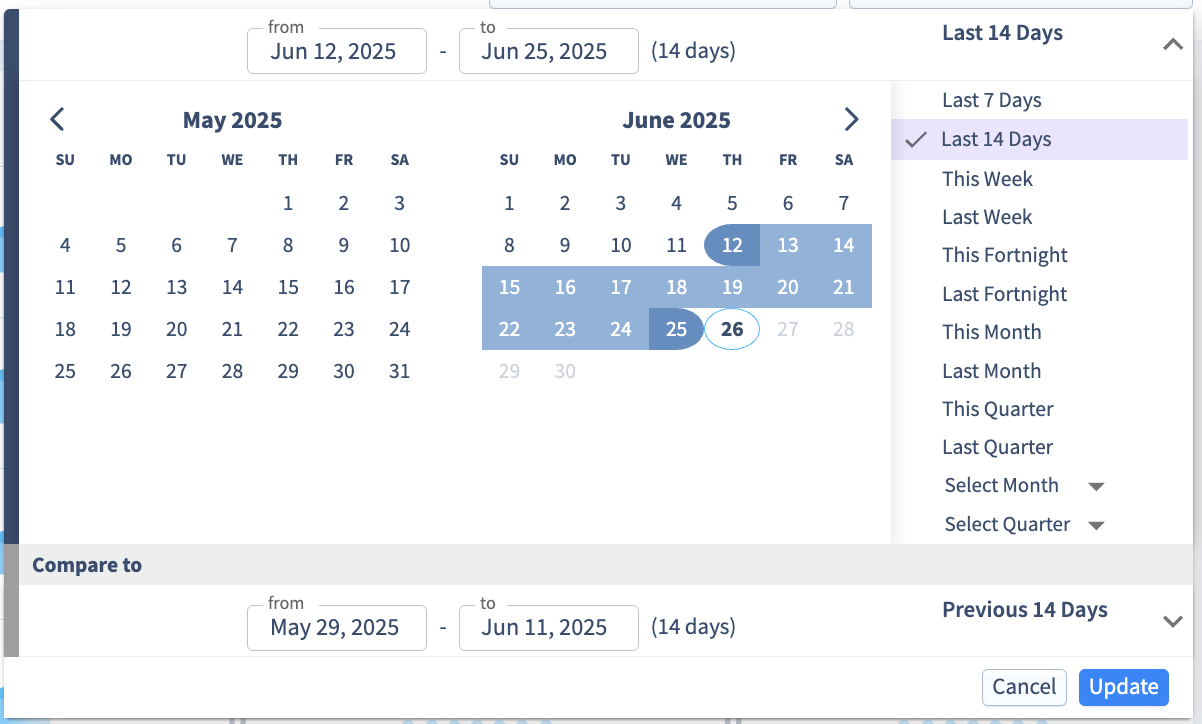
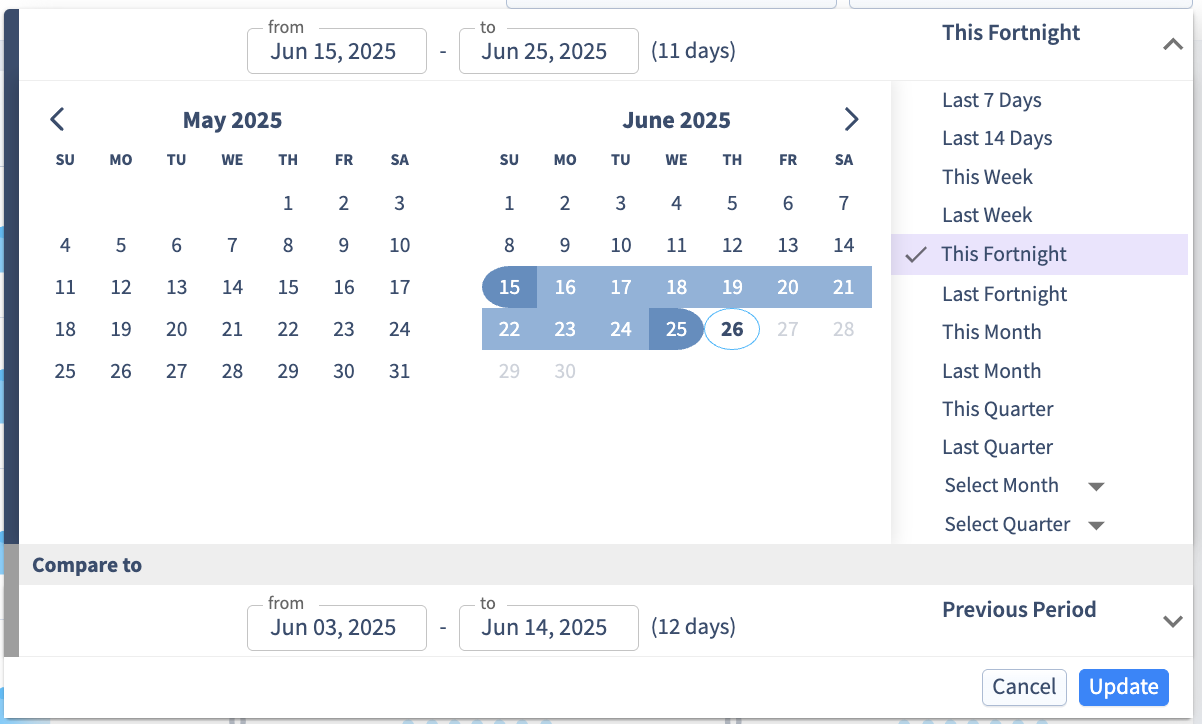
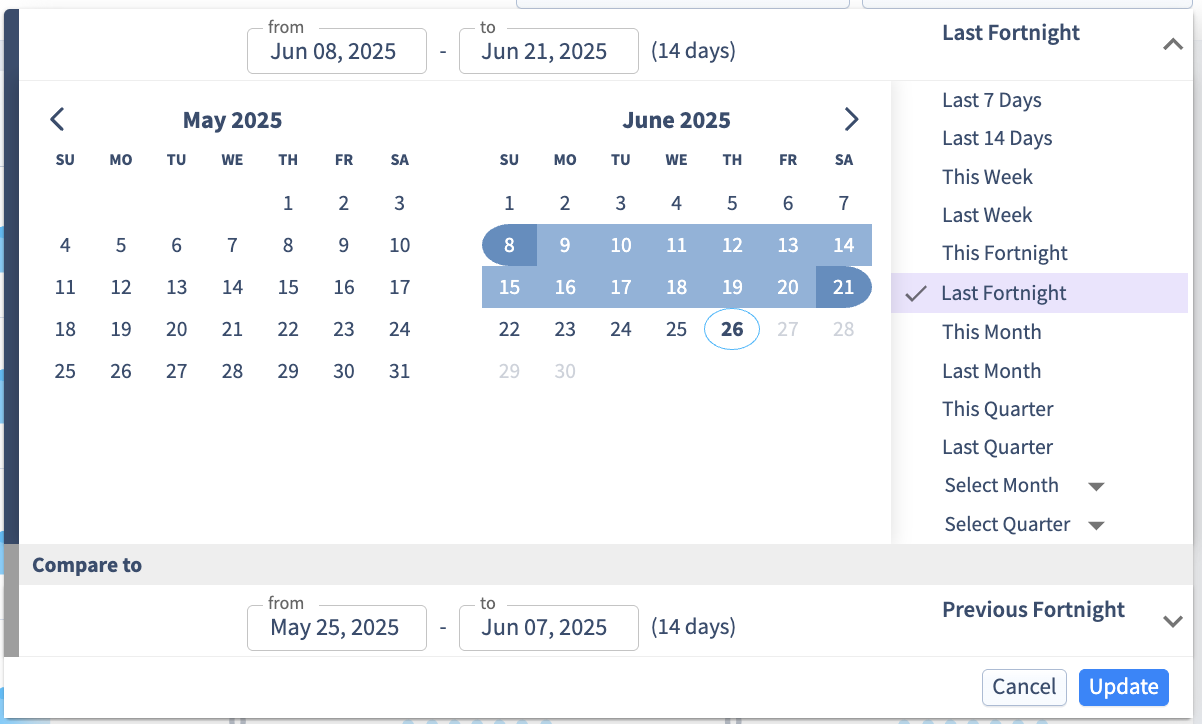
There are three new presets introduced for the date picker:
This allows you to quickly analyze two weeks and the prior comparison period without having to manually select the date range from the picker.
Last 14 days selects the last 14 days (excluding today). The previous period will automatically update and select the last 28 to 14 days as the comparison period.
This fortnight selects the last week plus this week so far. The previous period will automatically calculate how many days this has selected for the same number of days for comparison purposes.
Last fortnight selects the last 2 weeks (excluding this week). The previous period will automatically update and select the last 4 to 2 weeks as the comparison period.
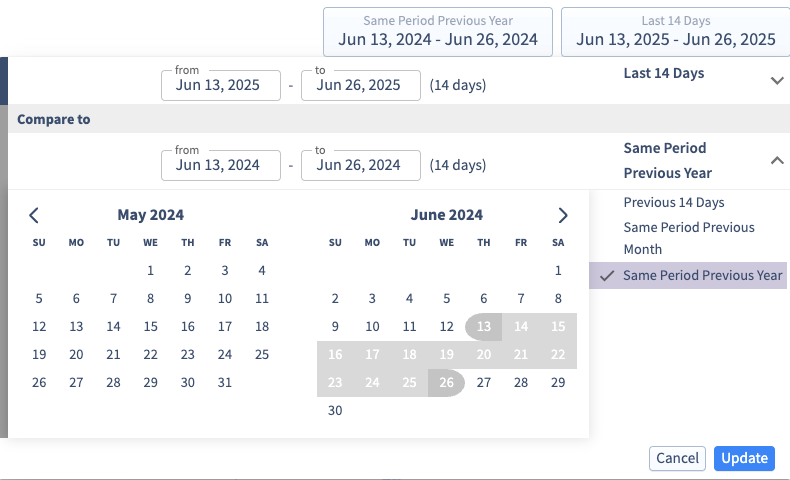
If you have been a long time user of Digivizer and thus have enough data, you can also compare any prior period, including the same period for last year.
Paid Table: You can now view the breakdown of Conversion Count, Conversion Value, Targeted Conversion Count, and Targeted Conversion Value in the Paid Table. This includes your Custom Conversions. Hover over a metric to see the specific conversions that make up each count and value.
All Digivizer users have access to the new changes that apply to conversions here.
The issue with the Google Search Console data has been resolved. All recent data is in the process of being downloaded and is available in the app.
Some brandspaces currently may still see a small gap of one day of data (4 June) which is currently being filled in.
We expect all data to be available by midnight Saturday, 14 June 2025 AEST.
We’re experiencing issues with the Google Search Console data in the Search tab. The Google API which provides this data is not providing any data past June 3 2025. This seems to be a problem with the API that is affecting other integrations as well.
We are looking into this issue and closely monitoring the situation, and will provide an update once we know more.
There are new updates to the Paid Table across Accounts, Campaigns, Adsets, and Adverts — designed to give you deeper visibility into conversion performance. With Meta and Google now allowing you to add Custom Conversions you can now find:
Paid Section Overview, Metrics Card on Paid tab and Reporting
Paid Table Updates (Accounts, Campaigns, Adsets and Adverts)
The Conversions column (and related columns conversion value, cost per conversion and conversion rate) has been updated to include:
New columns have been added for Targeted Conversions and related columns Targeted Conversion Value, Targeted Cost per Conversion, Targeted conversion rate and Targeted ROAS)
All Digivizer users have access to the new changes that apply to conversions here.
Paid Tab
You can now filter Paid charts and Paid Table data in Digivizer by platform, currency and keyword search (applies to name column). The keyword search supports advanced options like “INCLUDES/EXCLUDES”, and “AND”/”OR” logic for greater flexibility.
All Digivizer users have access to the Paid Filtering here.
Owned Tab
You can now filter ‘Owned’ Posts in Digivizer Platform by platform and keyword search on the post content (all copy). This allows you to see only the filtered posts and corresponding performance metrics that relate to the keywords selected to include or exclude.
All Digivizer paid users have access to the Owned Filtering here.
Earned Tab
You can now filter ‘Earned’ Posts in Digivizer Platform by platform, Mentions, Hashtag and keyword search on the post content. The keyword search supports advanced options like “INCLUDES/EXCLUDES”, and “AND”/”OR” logic for greater flexibility.
All Digivizer users have access to the Earned Filtering here.