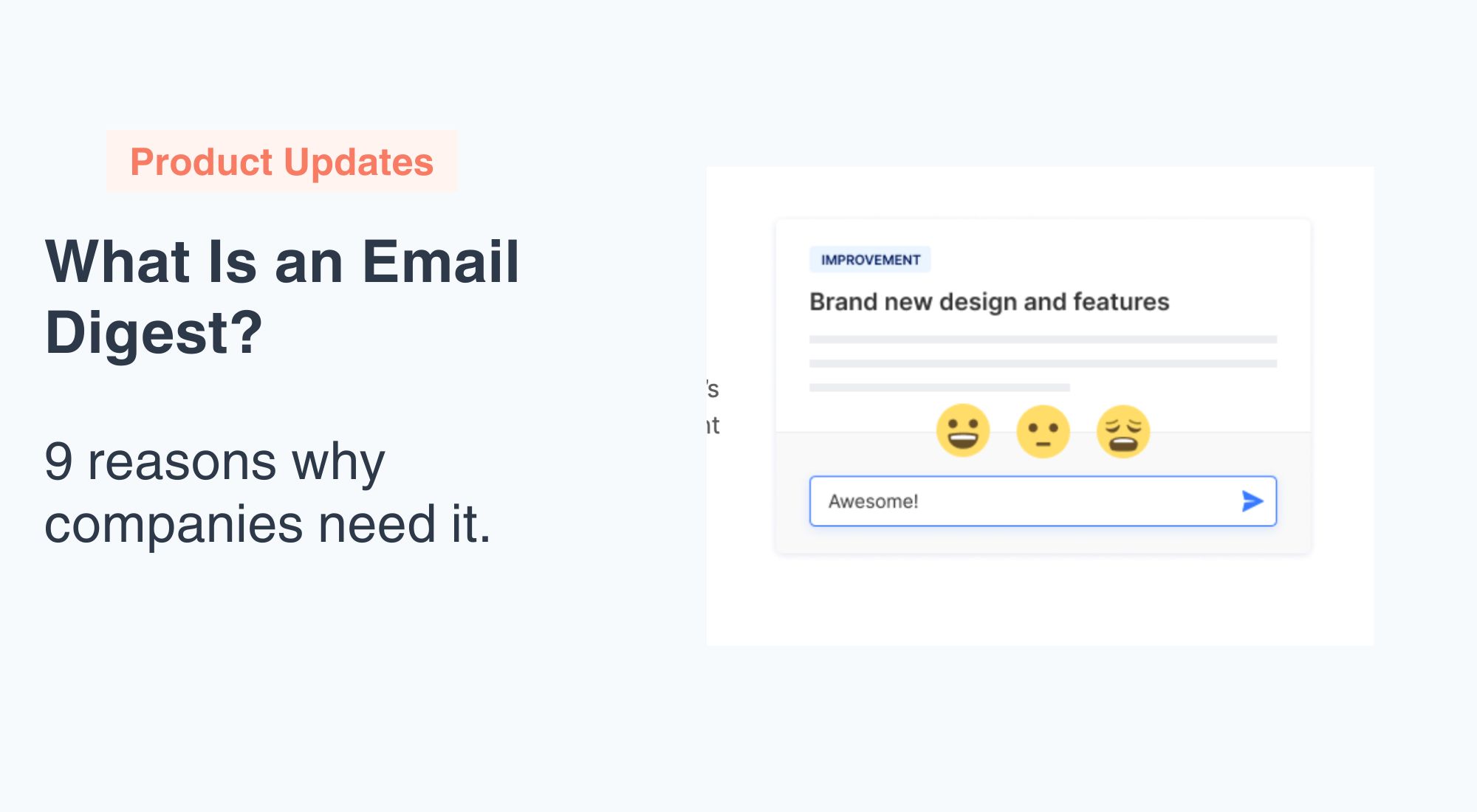
An email digest is a single, periodic email that bundles multiple updates — product changes, news, announcements, or activity — into one summarized message sent on a schedule (daily, weekly, or monthly). Instead of emailing subscribers every time something happens, a digest consolidates everything into one scannable email, which increases read rates and cuts unsubscribes. Below: the 5 main digest types, real examples from Notion, Slack, and Morning Brew, and 9 ways digests improve your communication strategy.
Your inbox is flooded with new emails all day long. You know they might contain important information and updates from the company, but are you really stopping to read every email? Likely not — and you’re not alone.
As an organization, it probably doesn’t sit well to know that your employees or subscribers may be missing out on important communication. But, what if your company could send a single monthly email containing all of your updates, information, and announcements instead?
If that sounds like the solution you’ve been waiting for, then it’s time to learn about email digests and why your company needs to get on board today.
What Is an Email Digest?
Did you know that close to 300 billion emails are sent and received on a daily basis? Seems kind of crazy, right? Now imagine how many of those emails are left unread forever.
The solution? Email digests.
An email digest basically takes all of the shorter emails you send and summarizes them into one email that is published during a specific time period or when a volume limit is reached (e.g. every 10 or 100 messages). This single email is then sent to all subscribers at your selected intervals.
How Are Email Digests Used?
Email digests are typically used in professional settings to streamline communication and reduce email overload. They often include highlights of recent news, important updates, upcoming events, and any relevant content tailored to the recipient’s interests or needs. This approach provides recipients with a centralized and efficient way to stay informed, saving time and promoting better engagement by presenting information in a more organized and easily digestible manner.
Email digests are utilized in various contexts, from internal company communications to newsletters and subscription services, offering a convenient and accessible means of delivering information. The arrangement of an email digest or the adjustment of its frequency may differ from tool to tool, but the general purpose remains the same: to summarize.
Types of Email Digests
Not all email digests are built the same. Depending on your audience and goals, you’ll want to choose the format that fits your communication strategy. Here are the most common types companies use today.
News and content digests aggregate the most relevant articles, blog posts, or industry news from a given period into one email. Publications like Morning Brew and newsletters from SaaS companies like Notion use this format to keep subscribers informed without overwhelming them. The key is curation — readers trust the digest to filter out noise and surface what actually matters.
Product update digests consolidate changelog entries, new feature announcements, and bug fixes into a single periodic email. Instead of sending an individual email for every minor improvement, teams bundle them into a weekly or monthly digest. This format is especially popular among SaaS products where frequent iteration is the norm but daily emails would quickly lead to unsubscribes (these real product update email examples show what good ones look like). AnnounceKit is purpose-built for this use case, letting teams publish updates and send digest emails on a schedule that fits their release cadence.
Internal company digests are used by HR, leadership, and operations teams to keep employees aligned. They might include project milestones, policy changes, upcoming events, team achievements, and links to resources — all wrapped up in one Friday afternoon email. Companies like GitLab, which operates fully remotely, rely heavily on weekly digests to maintain a sense of shared context across time zones.
Weekly recap digests summarize activity over the past seven days — think Slack’s weekly active channels summary, GitHub’s repository activity digest, or a project management tool’s “here’s what happened this week” email. These are largely automated and triggered by platform activity rather than manually curated content.
Personalized recommendation digests use behavioral data to surface content relevant to each individual subscriber. Spotify’s “Discover Weekly” is the audio equivalent; in email, platforms like LinkedIn send digest emails highlighting articles in your followed topics, jobs in your industry, or posts from your network. The personalization increases open rates significantly compared to one-size-fits-all digests.
Email Digest Examples
Seeing how real companies use email digests makes the format much easier to understand — and replicate. Here are five examples of effective email digests that demonstrate different approaches to the format.
Notion’s changelog digest is a clean, minimal weekly email that lists new features and improvements with short descriptions and direct links to learn more. There are no flashy graphics — just clear, scannable updates grouped by product area. This works because Notion’s audience is productivity-focused and values efficiency over aesthetics. The digest respects their time by getting straight to the point.
Slack’s activity digest is an automated email that surfaces your most active channels, unread mentions, and trending conversations from the past week. It’s deeply personalized to each user’s workspace activity, which means the content is almost always relevant. Slack uses this digest to re-engage users who haven’t logged in recently — an excellent example of digests as a retention tool, not just a communication channel.
Morning Brew’s daily email digest has grown to over 4 million subscribers by packaging business and finance news in a conversational, witty tone. Each issue covers markets, tech, business, and a quick culture section — all in under five minutes. The format is consistent every day, which trains subscribers to anticipate and open it. Morning Brew’s 40%+ open rate (well above the industry average of 20%) demonstrates how powerful the digest format can be when the curation is trusted.
GitHub’s repository digest sends contributors a summary of activity in their watched repositories: new issues opened, pull requests merged, releases published. For developers following dozens of open-source projects, this digest is a lifesaver that replaces the need to manually check each repo. The key lesson: if your product generates a lot of activity events, a digest is far more user-friendly than individual notifications.
A SaaS product update digest built with AnnounceKit would look something like this: every two weeks, subscribers receive a branded email listing the latest features, improvements, and fixes. Each item links back to a full announcement post for readers who want details. The digest is sent automatically on a schedule, so the product team only has to publish updates — the digest handles distribution. This is exactly the kind of workflow AnnounceKit enables for teams that want to keep users informed without building a custom email pipeline.
Email Digest vs Newsletter: What’s the Difference?
These two formats are often confused because they look similar in the inbox, but they serve fundamentally different purposes. Understanding the distinction helps you choose the right format — or decide to use both.
A newsletter is editorial content created specifically for the email channel. The writer decides what to cover, crafts original copy, and publishes it as a standalone piece of communication. Think of a weekly newsletter from a founder sharing their perspective on industry trends — the content was written for that email and exists nowhere else. Newsletters are proactive and editorial by nature.
An email digest, by contrast, aggregates and summarizes content that already exists elsewhere — blog posts, product updates, announcements, platform activity — and delivers it in a consolidated format. The digest is a delivery mechanism, not a content format. You’re not writing new content; you’re organizing and surfacing existing content for your audience at a cadence that reduces overload.
In practice, many companies blend the two: a weekly email might include original editorial commentary at the top (newsletter) and a curated list of recent product updates and blog posts below (digest). AnnounceKit is designed for the digest layer — automatically pulling in your published announcements and delivering them on a schedule — which means it pairs well with a separate editorial newsletter rather than replacing it.
How to Create an Email Digest: Best Practices
Building an effective email digest is less about design and more about decisions — what to include, how often to send it, and how to structure it so readers can get value in 60 seconds or less. Here’s how to do it well.
Define your frequency before your content. The most common mistake is starting with “what should we put in the digest?” instead of “when should readers receive it?” Frequency drives content volume. A daily digest needs lightweight, high-volume content (news, activity events). A monthly digest can be more substantial. The right cadence depends on your audience’s tolerance for email and the rate at which you generate content worth sharing. When in doubt, start weekly and adjust based on open rates and unsubscribes — the same logic applies to how often you publish product updates in general.
Use a consistent structure every send. Readers should be able to scan your digest in a predictable pattern. Morning Brew sends the same sections in the same order every day. Notion’s digest always leads with the most impactful update. Slack’s digest opens with your mentions. Consistency reduces cognitive load and trains readers to open because they know what to expect. A simple structure: opening summary → featured updates → quick hits → one CTA.
Write clear, specific subject lines. Generic subject lines like “Your weekly digest” are the primary reason digests go unopened. Instead, lead with the most interesting item: “Changelog: new integrations, faster exports, and 3 bug fixes” outperforms “Product update digest — Week 17” every time. If your digest includes time-sensitive content, say so in the subject line. The goal is to give readers a reason to open before they see the sender name.
Link to full content, don’t reproduce it. A digest should be a curated index, not a dump of full articles. Write one to three sentences summarizing each item, then link to the full post, announcement, or resource. This keeps the email scannable, respects reader time, and drives traffic back to your owned properties. For product update digests specifically, link each changelog entry to the full announcement so readers who want technical details can find them without cluttering the email.
Use a dedicated tool built for digests. Assembling a digest manually in your email client every week is time-consuming and error-prone. Tools like AnnounceKit automate the digest workflow: publish your updates as they happen, and the system aggregates them into a digest email sent on your chosen schedule. This separation of “publish” and “send” is what makes digest workflows sustainable at scale — your team focuses on creating good announcements, and the distribution takes care of itself.
9 Ways Email Digests Can Improve Your Company’s Overall Communication Strategy
Email digests can offer several benefits to companies, enhancing communication, collaboration, and information dissemination among employees and subscribers. Here are some ways companies can benefit from using email digests.
1: Increase Your Read Rate
People tend to mark emails as read without reading them or they may just delete them altogether. Your company emails suddenly become extinct without you even knowing that you haven’t reached your audience.
People simply don’t want to spend too much time sorting through and reading each and every email that lands in their inbox. Not only is it too time-consuming, but it’s also really difficult to digest (see what we did there?) this constant flow of information.
Combining several emails into one makes it far more likely that your subscribers or employees will actually read the email instead of deleting or unsubscribing.
#2: Efficient Information Sharing
Most people just don’t have the time to categorize their emails into folders so their inbox starts to look like a dumping ground for unnecessary or unwanted communication.
Email digests provide a streamlined way to share important updates, announcements, and information within the company. By consolidating relevant content into a digest, employees can quickly and efficiently catch up on key developments.
Simply put, you’re making the process of sorting and reading emails as painless as possible for your targeted audience by not overcrowding their inbox one email at a time.
#3: Improved Reader Engagement
It doesn’t matter if your email contains the information your reader has been waiting for if they can’t locate it in a crowded inbox.
Instead of inundating employees or subscribers with a constant flow of individual emails, email digests aggregate information into a single, easily digestible email. This helps reduce email overload, making it more likely that your audience will engage with and absorb the information.
Email digests ensure that your subscribers are seeing the important product updates you’ve made in a timely manner. For updates that can’t wait for the next digest, pair email with an in-app notification so active users see the change in context.
#4: Time Savings for Companies and Readers
Let’s say you send an email every time you’ve fixed a bug or made a single improvement to your product. Do you really think your readers want to sift through a bunch of individual emails to find these updates? Not a chance!
Employees often spend a significant amount of time sorting through emails (about 28% of their workday!). Email digests can save time by presenting important information in a consolidated format, allowing employees to quickly review and prioritize their attention.
#5: Increase Overall Productivity
Have you ever stopped to wonder if your constant emails are annoying your employees or subscribers? Do you think that you could be interrupting productivity when you send too many emails for your readers to keep up with? What about the time your organization spends on drafting and sending all these emails?
Using an email digest not only minimizes the amount of time your employees spend on reading and sorting emails, but it also decreases the amount of time your organization wastes on emails no one reads.
#6: Centralize the Information
Email digests can serve as a centralized hub for important information. Whether it’s project updates, policy changes, or team accomplishments, having a single email summarizing key details ensures that everyone is on the same page.
They also enable companies to maintain a consistent communication channel. Regularly scheduled digests can help create a routine for employees, keeping them informed about company news, achievements, and other updates.
#7: Promote Company Culture and Feedback
Including content related to company culture, such as employee spotlights, success stories, or fun facts, can help reinforce the organization’s values and foster a positive company culture.
Email digests can also facilitate two-way communication by encouraging employees to provide feedback or interact with content. Create opportunities for employees to express their opinions and engage in company initiatives by providing links to surveys, discussion forums, or feedback forms.
#8: Increase Awareness of Resources
By consolidating information in a centralized format, these digests provide a convenient and efficient means of highlighting available resources to employees.
Email digests can feature dedicated sections or links, ensuring that employees are informed about offerings such as training programs, wellness initiatives, internal tools, and other valuable resources. The regular distribution of email digests serves as a consistent channel to remind employees of the available tools and programs, fostering a culture of awareness and encouraging utilization.
#9: Customization and Personalization
Email digests can be customized or personalized in various ways to cater to the preferences and interests of individual recipients. One common customization feature is allowing users to choose the type of content they want to receive in their digest. This could involve selecting specific categories, topics, or departments of interest, ensuring that the content aligns with the recipient’s role or preferences.
Some email digest systems allow users to set the frequency of updates, deciding whether they want to receive digests daily, weekly, or at another interval. Personalization can also extend to the format of the digest, enabling users to choose between a brief summary or a more detailed overview based on their preferences. By incorporating these customization options, email digests become a more tailored and relevant communication tool, increasing engagement and ensuring that recipients receive information that is specifically meaningful to them.
Email Digest FAQ
What is an email digest?
An email digest is a single periodic email that summarizes multiple updates — product changes, news, announcements, or platform activity — instead of sending each one individually. Digests are sent on a fixed schedule (daily, weekly, or monthly) or when a volume threshold is reached.
What is the difference between an email digest and a newsletter?
A newsletter is original editorial content written for the email channel; a digest aggregates and summarizes content that already exists elsewhere (blog posts, changelog entries, announcements). Many companies combine both: editorial commentary on top, curated update list below.
How often should you send an email digest?
Weekly is the safest starting cadence for most SaaS and internal digests. Choose daily only for high-volume content like news or activity events, and monthly when updates are substantial but infrequent. Let frequency drive content volume, not the other way around, and adjust based on open and unsubscribe rates.
What should a product update email digest include?
A strong product update digest includes: a one-line summary at the top, the most impactful feature first, one-to-three-sentence summaries per item with links to full announcements, and a single call to action. Keep it scannable in under 60 seconds — the digest is an index, not the full story.
Digest With AnnounceKit
The fact is, email is still highly relevant. So why not make it count?
Introducing email digest with AnnounceKit — the solution to transform your communication strategy and keep your team effortlessly informed! Tired of drowning in a sea of emails? Our email digests consolidate crucial updates, announcements, and relevant content into a single, easy-to-read email. Tailored just for you, our email notifications digest allows you to choose the content categories that matter most, set your preferred frequency, and experience a streamlined communication flow. From company news to project updates, our email digests are the key to reducing email overload, saving time, and ensuring you never miss a beat. Revolutionize your internal communication with a personalized and efficient approach. Try our email digest service today and unlock a smarter, more engaging way to stay in the loop!