Last updated: May 2026
Collecting user feedback means systematically gathering information from the people who use your product about their experience, needs and frustrations. The most effective methods combine in-product feedback widgets, NPS surveys, user interviews, customer-support data and product analytics — chosen based on where you are in the product lifecycle and whether you need qualitative or quantitative insight. This guide walks through eight proven methods, when to use each, and how to turn the data into product decisions.
Key takeaways
- User feedback is any signal — direct, indirect or inferred — that tells you how people experience your product. Direct feedback comes from surveys and interviews; indirect from reviews and support tickets; inferred from analytics and session replay.
- Use a mix of qualitative and quantitative methods. Surveys and NPS tell you what users think at scale; interviews and session replay tell you why.
- Match the method to the lifecycle stage. Discovery and prototype testing during design, in-app microsurveys and NPS post-launch, behavioral analytics for continuous optimization.
- Close the loop or feedback dies. Tools like AnnounceKit’s in-app feedback widget, NPS surveys and feature request boards make it easy to respond publicly when ideas ship.
- Analyze in themes, not anecdotes. Tag every piece of feedback, look for patterns across at least 5–10 sources, then prioritize by impact and reach before acting.
What is user feedback?
User feedback is any information that the people using your product share — directly or indirectly — about their experience, satisfaction, problems and unmet needs. It is the raw material that turns a product roadmap from guesswork into something grounded in reality. Without it, product teams build features users do not want and miss the changes that would actually move retention, conversion and word-of-mouth.
People often use “user feedback” and “customer feedback” interchangeably, but there is a useful distinction: user feedback is about the product experience (how the interface, workflow or feature performs), while customer feedback is about the broader commercial relationship (pricing, billing, support, account management). A free trialist who has never paid is a user; a paying account owner who has never touched the product is a customer. Most SaaS teams need to collect both, but the methods and the people you ask are different.
Types of user feedback
| Type | Where it comes from | Examples |
|---|---|---|
| Direct | User actively gives it to you | Surveys, NPS responses, interviews, feature-request submissions, in-app feedback widgets |
| Indirect | User shares it with the world, not you | App-store reviews, G2/Capterra reviews, social media posts, community forum threads |
| Inferred | Derived from user behavior | Product analytics, session replays, heatmaps, funnel drop-off data, feature adoption rates |
A mature feedback program uses all three. Direct feedback gives you the words users actually use; indirect feedback exposes pain you would never hear about in a survey (the user who churned silently); inferred feedback validates whether what people say matches what they do.
Customer feedback is important, but many business owners and managers don’t fully understand how crucial collecting quick and effective user feedback really is.
If you ask business leaders how they improve the customer experience with feedback, what methods they use to collect it, or seek an explanation of their overall strategy, you may be met with blank stares or mumbled answers about sending out an email survey every once in a while.

It’s important for business owners to rethink the situation and realize how vital user feedback collection really is.
But what are the best ways to go about doing it? How can you incentivize customers to engage and give you the information you need?
In this article, we’ll talk about why collecting user feedback is so important, the most effective methods of doing it, and how AnnounceKit makes collection easier than ever.
Table of Contents
- What Is the Purpose of Collecting User Feedback?
- 8 Effective Methods of User Feedback Collection
- Combine Collection of User Feedback and Real-Time Automation With the AnnounceKit App
What Is the Purpose of Collecting User Feedback?
Collecting user feedback — the information, input, and insights that your customers share about their experiences with your company — is crucial because it’s a guiding resource for growth. You should frequently try to find out what you’re getting right (and perhaps even more importantly, getting wrong) in the eyes of users.
When businesses collect user feedback and examine the good and bad, they can find trends that make it easier to improve the customer experience over time and keep their community front and center.
Essentially, collecting user feedback is a great way to take a step back and see the product or service with fresh eyes.
It is all about customers. Studies have shown that 84% of companies working to improve their customer experience report an increase in revenue.
Everyone agrees that customer feedback is essential to improve customer experience. However, many companies just don’t know the best way to collect and analyze feedback.
So let’s start by addressing how, when, and where you should collect feedback from users.
The Essentials of Asking for Customer Feedback
As you improve your product and features to please a larger pool of customers, there will come a point where your feedback methods will need to grow as well.
At this pivotal moment, you may ask yourself questions like:
“How can I ask for feedback efficiently without annoying my customers?”
Or
“What different methods can I use to improve my feedback strategy?”
You can start by identifying these three things:
- How to ask – First, you need to prepare the right questions by identifying the best people to ask for feedback. After that, you can focus on keeping it short and simple. Ask for honesty — remember, you don’t want to focus on collecting positive feedback. Instead, you should focus on collecting valuable feedback.
- When to ask – You need to identify the right time to make sure you’re not bothering your customers too often.
For example, you can send surveys about the whole product once or twice a year to the most loyal customers. Or, you can basically allow any customer to give feedback any time they want with a user feedback collection tool embedded in your website. - Where to ask – As you identify who you will ask for feedback, you can choose the right channel. Is social media the best place for you to request feedback? What about email surveys or live chats? Later, we’ll give you some great tips about where to collect user feedback on your website.
AnnounceKit has many features that will be helpful to your business, including components that will help you collect user feedback. Contact us today to find out how to get started with our app.

Quick Setup, Easy to Use, and Many Integrations
Manage your product announcements from a single place and easily distribute them
across multiple channels.
What Motivates Customers To Leave You Feedback?
In general, users are motivated to provide businesses with unsolicited feedback if they have extreme experience with your product, meaning they really loved it or really hated it.
This is probably why you receive either “your product is great” or “it is absolutely awful” messages.

If, as a consumer, your experience with a product was just average, it’s not likely that you’re going to leave feedback. his behavior represents the majority of your users, who probably think that your product is just fine.
They won’t tell you that, but listening to their opinion and feedback is still very useful for you to improve your UX strategy.
Let’s look at some creative ways to break the wall between you and your users.
8 Effective Methods of User Feedback Collection
#1: Using NPS Surveys
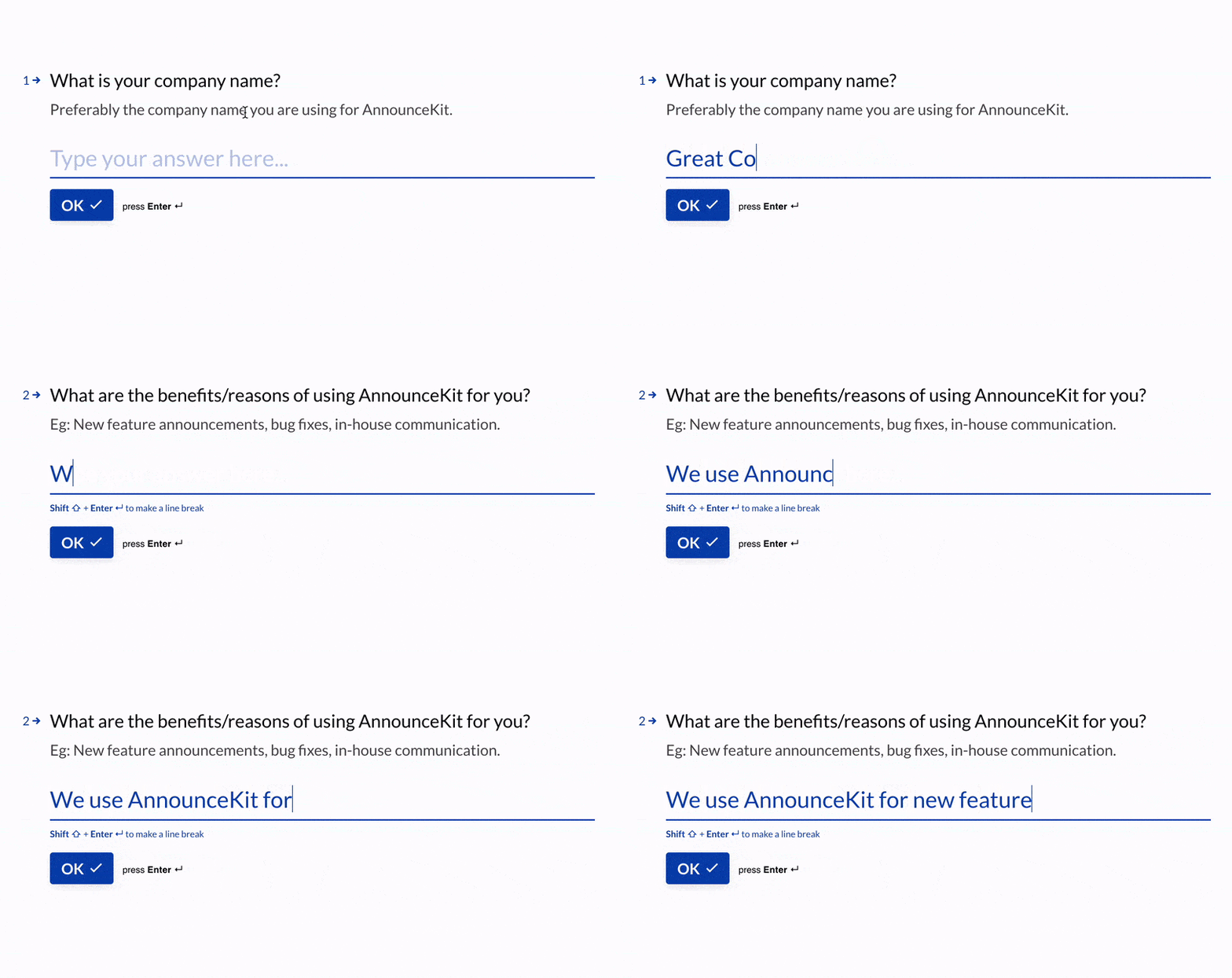
Traditionally, using Net Promoter Score (NPS) surveys is the most efficient way to ask for feedback.
Why NPS?
Because NPS questions provide meaningful feedback, not just to understand how your customers feel about your product but also how you can improve their experience.
NPS surveys give you valuable information on what your customers really think about your product, including:
- Opinions
- Suggestions
- Pain points
- Etc.
An NPS survey is the best option to use for long-term customers.
#2: Using Social Media Channels
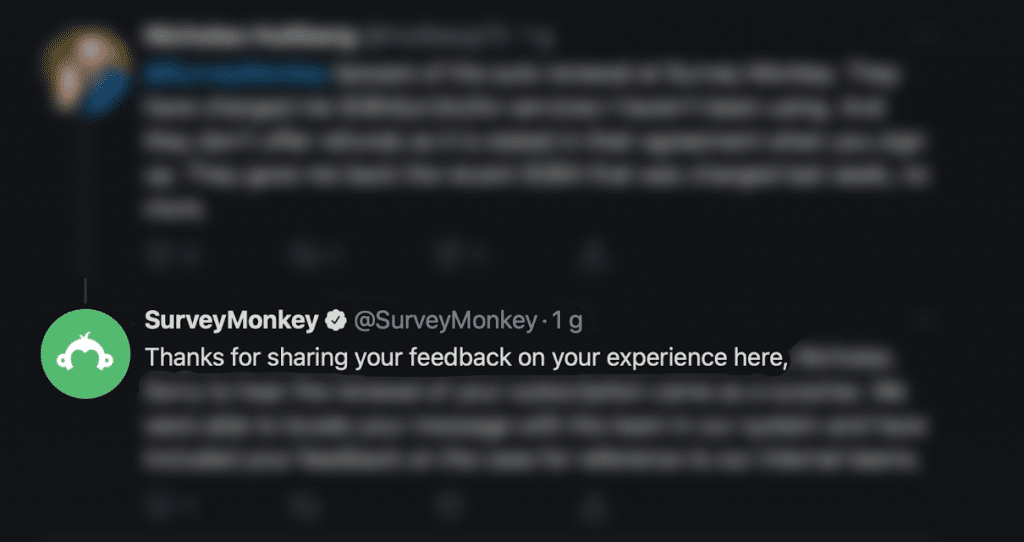
Recently, we have seen many big companies developing conversations with their customers on X/Twitter as a way of supporting and collecting feedback from users. Every time a customer tweets or posts something about them, they instantly answer back.
Social media has become a perfect environment to collect feedback.
Your overall existence on social media can provide a wealth of information related to your customers and their opinions. Using social media to communicate is an efficient way to show that you care for their feedback and want to improve their experience with your product.
#3: Using Live Chat

Live chat support has many benefits, one of which is the ability to ask for feedback.
When your customers face a problem with your product, they probably won’t even bother giving constructive feedback. They are likely to just close the tab and never come back.
But with live chat support, you can identify these customers and catch them before it’s too late.
After having a conversation and solving your customer’s problem, you can send them short satisfaction surveys or basically ask for a few words describing their experience. This will not only shows that you care for their feedback but that you are willing to improve their interaction with your product.
#4: Offering Survey Rewards
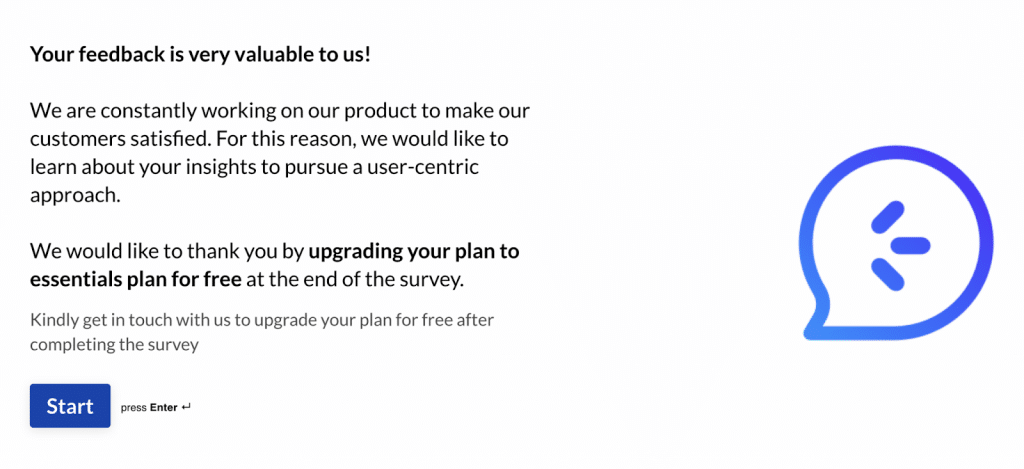
Who doesn’t like rewards?
Receiving a reward in return for completing a survey will probably get your customer’s attention. That reward is an incentive to get them to take the survey.
The most important thing about offering survey rewards is to decide on the right reward. You don’t want just anyone to fill out your survey; you want your loyal customers to respond with valuable feedback. Therefore, offer rewards that will improve the customer experience with your product.
#5: Using Feedback Tools

As in the case of live chat support, using feedback tools is also one of the most traditional but efficient methods to ask for feedback.
Place your feedback tool on your page where it is familiar and discoverable — no need to hide the feedback option in the depths of your page. If you care about your customers’ feedback, make it visible and easy for them to interact with.
#6: Using Public Feedback Discussion Pages
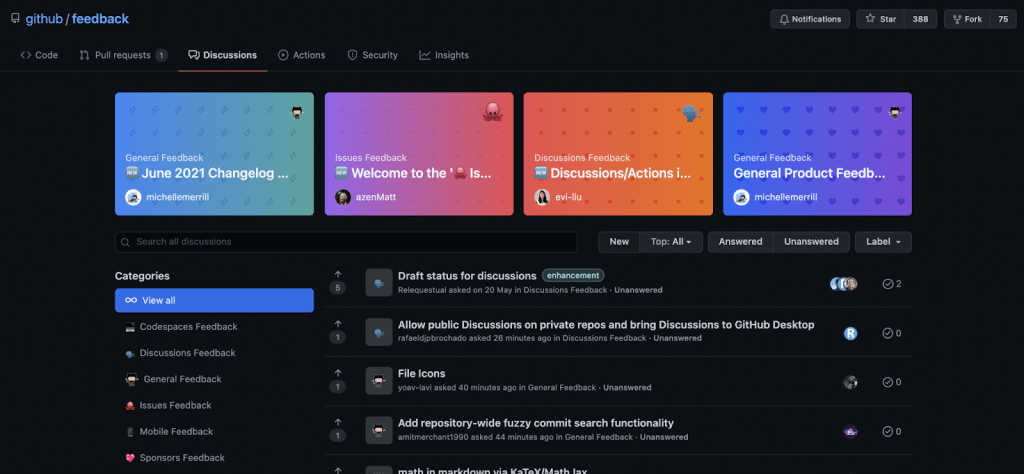
Public feedback discussion pages provide your customers and users with an environment where they can freely express themselves, as seen in this example by GitHub. This platform allows your customers to discuss or comment on anything they want.
What’s perfect about these pages is that you don’t need to do anything; these pages are run by other companies and users seek them out to share their experiences.
When you utilize pages like these, Wyour customers enjoy their freedom and you can improve their user experience with little data collection effort.
#7: Using Tools With Instant Feedback Features

X/Twitter, Facebook, Instagram — they all have it. Why shouldn’t you?
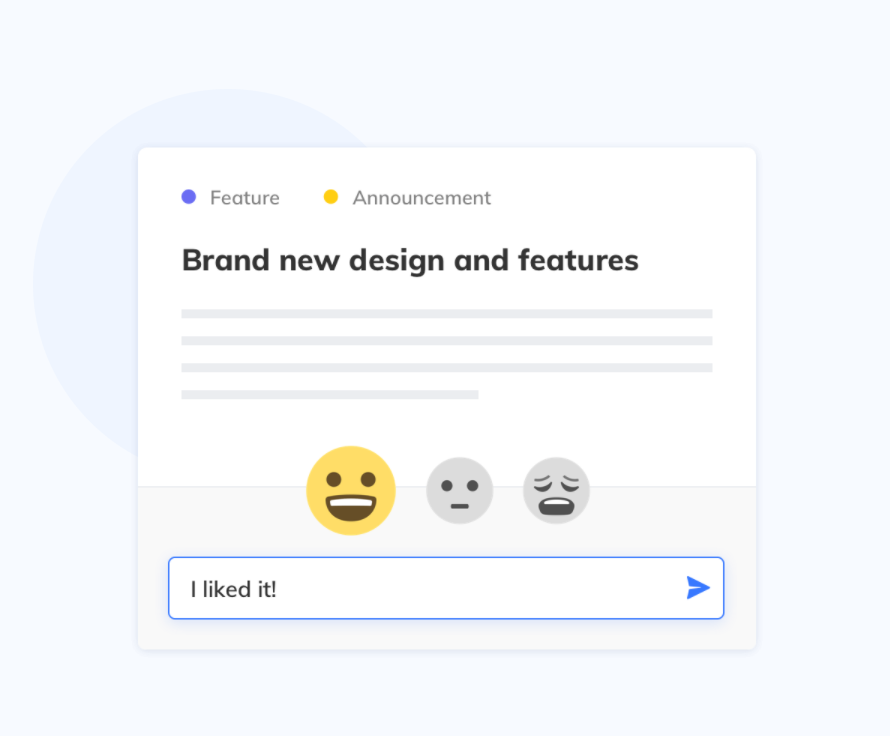
Instant feedback with emojis works brilliantly after you post something new, announce product updates, or share company news.
Tools like AnnounceKit allow your customers to respond by clicking on an emoji or sending a comment directly. This way, you show that you care and want their feedback for each of your updates.
#8: Collecting User Feedback by Email

Collecting customer feedback via e-mail is a common method used by companies today.
First, the characteristics of the targeted customer base are determined for personalized emails. Later, if the company is curious about the opinions of its customers, it can prepare pinpoint questions or certain templates to send.
To see some examples of how this works, check our post on testimonial request templates.
The best way to get to know your user base is to stay in continuous contact with them. Email feedback will allow you to get to know your new customers and follow your existing customers’ changing demands.
Combine Collection of User Feedback and Real-Time Automation With the AnnounceKit App
With AnnounceKit, you can collect user feedback directly and in real time.
The purpose of AnnounceKit is to correctly perceive customer needs and demands and determine marketing strategies according to feedback. People who receive one-on-one service are the factors helping move your business in the right direction.
AnnounceKit is a powerful customer experience management tool. We collect and analyze customer feedback to help you grow your business.
Ready to experience the best way to collect user feedback? Register for free today.
Quick Setup, Easy to Use, and Many Integrations
Manage your product announcements from a single place and easily distribute them
across multiple channels.
When should you collect user feedback?
The single biggest mistake teams make with feedback programs is treating “collecting feedback” as a one-time activity tied to a single launch. The most useful feedback signals come from a continuous program that maps to the product lifecycle. Different stages need different methods because the questions you can ask — and the people available to answer — change as the product matures.
Before you build (discovery)
Run user interviews with 5–10 people in your target segment. The goal is not to validate a solution but to discover whether the problem is real, who has it, and what they currently do about it. Pair interviews with a lightweight survey to size the problem across a larger audience. At this stage, you have no product to instrument, so behavioral data is not yet available.
During design (prototype and usability testing)
Once you have wireframes or a clickable prototype, run moderated and unmoderated usability tests. Five users typically surface around 85% of usability issues, so you do not need a massive sample. The output of this stage is task-completion rates and a list of friction points, not opinions on whether the feature is a good idea.
At launch and just after
Trigger in-app microsurveys after the user completes the new flow. Ask one question — for example, “How easy was this to use?” — and keep it under five seconds to answer. Share release notes that invite reactions and comments so the people who care most about the change can tell you in their own words what is missing.
Continuous (post-launch optimization)
NPS or CSAT surveys on a quarterly or always-on cadence, a public feature-request board for prioritization signals, customer support tickets for bug surfacing, and product analytics for behavioral validation. This is where most SaaS teams underinvest — feedback after launch is what drives the next iteration, not just bug fixes.
Qualitative vs quantitative user feedback
Every feedback method falls somewhere on the qualitative-to-quantitative spectrum, and a program that leans too far one way produces blind spots. Qualitative feedback tells you why users behave a certain way; quantitative feedback tells you how many behave that way. You need both.
| Qualitative | Quantitative | |
|---|---|---|
| What it answers | Why and how users behave | How many users behave that way |
| Sample size | 5–30 users | Hundreds to thousands |
| Methods | User interviews, open-ended survey questions, session replay analysis, support ticket reading | NPS, CSAT, CES surveys, feature-request upvotes, product analytics, A/B tests |
| Output | Themes, quotes, hypotheses | Scores, percentages, trends |
| Best for | Exploring unknown problems, generating ideas | Prioritizing, measuring impact, monitoring |
| Risk if used alone | Overweighting vocal individuals | Missing the reason behind the number |
A simple rule of thumb: start qualitative when you do not know what you are looking for, switch to quantitative once you have a hypothesis worth measuring, then go back to qualitative to dig into anything the numbers cannot explain.
User feedback methods comparison
This table summarizes the methods covered in this article so you can pick at a glance.
| Method | Best for | Data type | Effort |
|---|---|---|---|
| NPS surveys | Tracking sentiment trend over time | Quantitative + open-text | Low |
| In-app microsurveys | Context-specific reactions to a feature | Quantitative | Low |
| User interviews | Discovering unknown problems | Qualitative | High |
| Feature-request boards | Prioritization and demand signal | Quantitative (votes) + Qualitative (comments) | Medium |
| Live chat / support tickets | Real-time friction surfacing | Qualitative | Low (you are already doing it) |
| Email surveys | Reaching dormant users | Quantitative + open-text | Low |
| Public reviews & social | Honest comparative feedback | Qualitative | Low (monitoring only) |
| Behavioral analytics | Validating what users actually do | Quantitative | Medium |
How to choose the right user feedback method
With eight methods available, the question becomes which one to reach for first. Use these four decision criteria:
- What is the research goal? If you are exploring an unknown problem, choose a qualitative method (interviews, open-ended surveys, session replay). If you are measuring impact, choose a quantitative one (NPS, microsurveys, analytics).
- Where are you in the product lifecycle? Discovery → interviews. Design → usability tests. Launch → in-app microsurveys. Continuous → NPS, feature requests, behavioral analytics.
- How much time and budget do you have? Interviews are the highest-leverage method but cost 1–2 hours of researcher time per participant. NPS and in-app microsurveys are nearly free once instrumented. Public feedback boards have zero marginal cost per response.
- How large is your audience? With under 100 active users, you can talk to almost everyone — favor interviews and support tickets. With thousands of users, you need scalable methods that work without your direct involvement: NPS, in-app microsurveys, analytics and in-app customer feedback widgets.
In practice, most product teams should be running at least three methods simultaneously: one quantitative always-on signal (typically NPS or in-app microsurveys), one continuous qualitative source (support tickets or a feature request board), and one periodic deep dive (user interviews quarterly).
How to analyze and act on user feedback
Collecting feedback is the easy part. The teams that get value from a feedback program are the ones that turn raw responses into a structured backlog of decisions. A four-step framework works for most product teams:
1. Centralize
Bring every source of feedback — surveys, tickets, interviews, review sites, feature requests — into a single place. Most teams use a spreadsheet, a Notion database, or a dedicated tool. The point is that no insight should die in a single Slack channel or a researcher’s notebook. If you cannot answer “show me everything users have said about onboarding” in under a minute, you do not have a feedback program yet.
2. Tag and categorize
Apply a consistent taxonomy. At minimum, tag each piece of feedback with the area of the product it relates to, the user segment, and whether it is a bug, friction point, feature request or compliment. Thematic analysis — grouping responses into 5–15 recurring themes — is where the patterns become visible. A single complaint is noise; the same complaint from twelve users in the same plan tier is a roadmap item.
3. Prioritize by impact and reach
Not every theme deserves a fix. Rank themes on two axes: how many users are affected (reach) and how badly the issue blocks them from getting value (impact). High-reach + high-impact items go on the next sprint. Low-reach + high-impact items become known issues with clear ownership. Public feature request software with upvote counts is a particularly efficient way to crowdsource the reach axis.
4. Close the loop
The single most underrated step. When you ship something that resolves feedback, tell the people who asked. Reply on the original ticket, comment on the original feature request, send a targeted release note. Users who hear “we heard you and shipped this” give 2–3x more feedback the next time you ask. If you do not close the loop, your response rates will degrade silently over the course of a year. Sharing changelogs and turning positive feedback into client testimonials are two of the easiest ways to make the loop visible to everyone, not just the original complainant.
Frequently asked questions
What is the best way to collect user feedback?
There is no single best method — the right answer depends on where you are in the product lifecycle and what question you are trying to answer. For most SaaS teams, the highest-leverage starting point is a combination of in-app microsurveys (for context-specific reactions), a public feature request board (for prioritization signal), and quarterly user interviews (for discovering unknown problems). Add NPS once you have enough monthly responses to make the trend meaningful.
How often should you collect user feedback?
Continuously for passive channels (support tickets, feature request boards, behavioral analytics, app store reviews) and on a defined cadence for active channels. NPS quarterly is the most common rhythm; microsurveys should fire contextually after key events, not on a calendar; user interviews work best when scheduled monthly so the muscle does not atrophy.
How many users do I need to talk to?
For qualitative methods, five to eight users per segment is usually enough to surface around 85% of the major issues. For quantitative methods, aim for a sample large enough to produce stable percentages — typically 100+ responses for an NPS reading you can trust at the segment level. Talking to too few users gives anecdotes; talking to too many wastes researcher time without sharpening the signal.
What is the difference between user feedback and customer feedback?
User feedback is about the product experience — usability, performance, missing functionality. Customer feedback is about the commercial relationship — pricing, billing, support quality, sales experience. A trial user has only user feedback to give; an account owner who does not use the product has only customer feedback to give. SaaS companies need both, but the methods (and the team who acts on each) usually differ.
How do you get users to actually respond to feedback requests?
Three things move response rates more than anything else: timing (ask in-context, immediately after the relevant action), brevity (a single question converts at 3–5x the rate of a five-question survey), and visible follow-through (users who have seen previous feedback acted on are far more likely to respond again). Incentives like discounts and prize draws work in the short term but train users to respond for the wrong reasons.
What tools should I use to collect user feedback?
The stack varies by team size, but a minimal effective setup includes: an in-app feedback widget for contextual reactions, a public feature request board for demand signal, a survey tool for NPS and CSAT, a session-replay tool for behavioral observation, and a centralized place (often a Notion database or a feedback-management product) to tag and theme everything. Tools like AnnounceKit’s NPS widget and feature request software cover the in-app reaction and demand-signal layers in one place, and pair well with whatever interview and analytics tools you already use. For a deeper look at how the dedicated tools stack up, see our comparison of feedback tools like Canny vs LaunchNotes.
How do you handle negative user feedback?
Respond quickly, publicly when possible, and without defensiveness. Acknowledge the issue in the user’s own words, confirm what you are going to do about it (or honestly say you will not), and follow up when something changes. Negative feedback is the most valuable signal in a feedback program because it points directly at the gap between expectation and reality — the only place where product improvement can happen.
Should you offer rewards for user feedback?
For in-product feedback (NPS, microsurveys, reactions), no — rewards distort the signal and you usually do not need them when the survey is short and in-context. For longer commitments like 30-minute user interviews or moderated usability tests, modest compensation (a $25–$75 gift card, a credit toward the product, a charitable donation) is standard and reasonable. The rule of thumb: compensate for time, not for opinions.