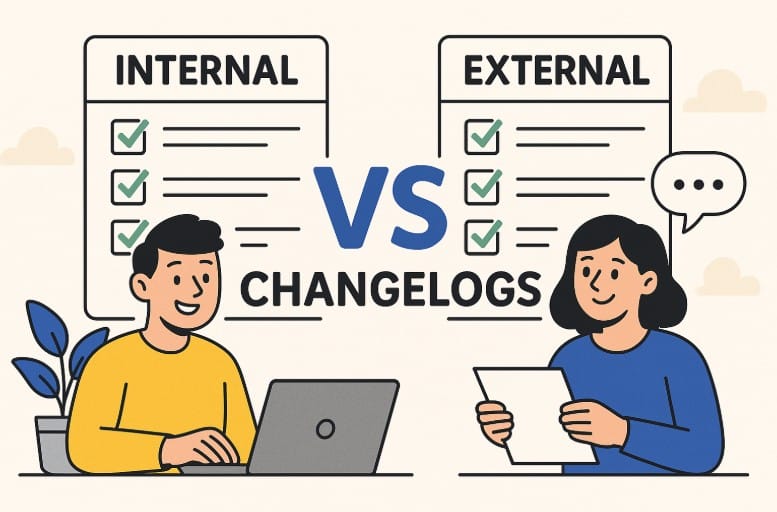
An internal changelog is a private, technical log used by your development and product teams to track every change made to a software project. An external changelog is a public-facing document that communicates user-relevant updates — new features, bug fixes, and improvements — to your customers and stakeholders. Most successful SaaS teams use both: the internal changelog keeps engineers aligned, while the external changelog builds customer trust and transparency.
When it comes to building an amazing product, change isn’t only inevitable — it’s essential. But if nobody knows what’s changing, even your best updates can go unnoticed or — worse yet, result in sheer chaos behind the scenes.
That’s the beauty of changelogs. While most teams are in tune with the value of effectively tracking updates, many seemingly breeze right past the incredible power of having both an internal and external changelog. If that’s you, we’re here to enlighten your thinking and empower your business to harness the exciting potential of combined internal and external changelogs.
In this guide, you’ll learn the key differences between internal and external changelogs, when to use each, and how leading SaaS teams use both to stay aligned and build user trust — with real-world examples and a comparison table.
What Is a Changelog?
A changelog is a chronological file containing a curated, ordered list of notable changes made to each version of a project, typically software or a website. It serves as an easy way for product users, developers, and stakeholders to stay up to date on the modification, addition, and/or removal of features, bug fixes, and other vital updates.
What’s the big deal about keeping a changelog? Ultimately, it makes it easier for both users and contributors to see details about notable changes you’ve made between each version or release of your project. A well-maintained changelog also reduces support tickets, accelerates onboarding for new team members, and creates an audit trail that becomes invaluable during incident post-mortems.
It’s also worth noting the distinction between a changelog and release notes. While the terms are often used interchangeably, release notes typically accompany a specific product version or release and are usually more formal in tone. A changelog is a running, ongoing document that spans all versions. For external communication, many SaaS teams publish their changelog as a living page updated continuously, while release notes are published per version milestone. You can learn more in our guide on how to keep a changelog.
AnnounceKit is an innovative platform that enables companies to clearly and efficiently share product updates while also tracking customer engagement and feedback. It features automatic, easy-to-use changelogs that can be migrated from one program to another hassle-free.
What Is the Difference Between Internal and External Changelogs?
As their names imply, each changelog serves distinct purposes and audiences. Internal changelogs are used by your team to keep in step with development, track changes, and ensure accurate communication. External changelogs are for your customers and users and keep them in the know about new features, bug fixes, and other updates.
Internal Changelogs
Purpose
Internal changelogs are responsible for documenting even the smallest updates, including new features, refactoring, bug fixes, and internal API changes. They provide your development team with the technical information it needs to understand the evolution of the project and quickly and effectively debug issues.
Content
Internal changelogs provide a detailed, sometimes technical description of product changes, version numbers, and commit messages, as well as links to related tickets or code.
Audience
Internal changelogs are mainly targeted at your organization’s project managers, developers, and testers.
Format
Internal changelogs tend to be technical and detailed, often including specific company terminology, code changes, and version numbers.
External Changelogs
Purpose
External changelogs are designed to communicate changes and updates to users regarding details that directly impact their experience in a concise, clear, and user-friendly way.
Content
External changelogs’ content is focused on user-facing changes and highlights bug fixes, new features, and improvements that impact user experience.
Audience
External changelogs are directed at technical stakeholders, developers, and users.
Format
External changelogs maintain a user-friendly format that avoids technical jargon, focusing instead on clear, concise language.
Internal vs. External Changelog: Side-by-Side Comparison
Understanding the distinction between the two types is much easier with a direct comparison. Here’s how internal and external changelogs differ across key dimensions:
| Dimension | Internal Changelog | External Changelog |
|---|---|---|
| Audience | Developers, QA, project managers, support teams | End users, customers, prospects, public |
| Purpose | Technical accountability, debugging, team alignment | Customer communication, transparency, trust-building |
| Content | Commit hashes, PR links, API changes, refactors, hotfixes | New features, UX improvements, bug fixes in plain language |
| Language | Technical jargon, version numbers, internal terminology | Plain language, benefit-focused, non-technical |
| Format | Markdown files (CHANGELOG.md), internal wiki, Git log | Public webpage, in-app widget, email digest, Slack notification |
| Frequency | Every commit, sprint, or release cycle | Per notable release, feature drop, or milestone |
| Distribution | Internal tools: GitHub, Jira, Confluence, Notion | Public tools: AnnounceKit widget, dedicated changelog page, email |
| Detail Level | High — granular technical details | Medium — focus on user impact, not implementation |
This comparison table makes clear that neither type can fully replace the other. A development team relying only on the external changelog loses the technical depth they need to debug and ship confidently. A customer reading only the internal changelog would be lost in jargon and irrelevant implementation details.
Internal vs. External Changelog Format: What Each Looks Like in Practice
Knowing the difference is one thing — seeing it in action is another. Here’s what a typical entry looks like for each type:
Internal Changelog Entry (Markdown / Git):
## [2.14.1] - 2026-05-15
### Fixed
- JIRA-4821: Resolved race condition in webhook delivery queue causing duplicate events under high load
- Refactored OAuth token refresh logic to handle edge cases with 401 responses from third-party providers
### Changed
- Migrated notification microservice to Node 20 LTS
- Internal analytics events now batch-fire every 500ms instead of per-action (reduces DB write pressure by ~40%)
External Changelog Entry (User-Facing):
## 🚀 May 2026 Updates
**Faster, more reliable notifications**
We've improved the reliability of in-app notifications — you'll no longer see occasional duplicate alerts. Notifications now arrive faster and more consistently, especially during high-traffic periods.

**Performance improvements**
We've made under-the-hood improvements that speed up several key parts of the product. No action required on your end.
Notice how the same underlying changes are communicated completely differently. The internal entry is precise and technical; the external entry leads with user benefit and avoids implementation details entirely. A good external changelog writer translates engineering reality into customer value.
The Big Question… Internal vs. External Changelogs: Why Do You Need Both?
Utilizing both internal and external changelogs allows your business a distinct advantage by:
- Targeting different audiences by providing customer-friendly user updates as well as technical details for your internal teams.
- Streamlining internal processes by enabling your development teams to stay aligned and efficiently manage releases.
- Enhancing customer communication by keeping your users informed while promoting your product.
- Capitalizing on the strengths of each type, since a solid internal changelog creates a solid foundation for external changelogs.
To sum it all up, your internal changelog represents the “how” and your external changelog represents the “what” and “why” for your users.
Risks of Relying on Only One Type
If you’re stuck in the dark ages of depending on just one type of changelog, you — and your audience — are missing out.
Relying solely on an internal changelog means you’re keeping vital information locked inside your organization, resulting in missed opportunities to engage your customers and build trust. Yes, you’ll keep your teams informed and aligned, but at the expense of delivering transparency to users about your products and services. This can cause them to feel disconnected and falsely assume your product has stopped evolving and has become stagnant.
Choosing to use an external changelog to publicly share updates, fixes, or improvements — even small ones — lets your customers know you’re actively listening, committed to improving, and continually investing in their experience. You strengthen customer loyalty while setting your brand apart from the competition.
On the flip side, using only an external changelog invites serious internal risks. Only communicating updates outwardly leaves your internal teams fumbling in the dark, attempting to determine exactly what’s going down behind the scenes. They’ll suffer from misaligned priorities or wind up duplicating assignments. Support teams will be unprepared for user questions and wind up scrambling to understand the feature, struggling to effectively assist your customers. After a while, the breakdown of internal transparency will isolate departments and reduce the overall cohesion of your organization.
Why Your Team Needs Both: The Business Case
Beyond the operational benefits, there’s a compelling business case for investing in both changelog types. Consider these three dimensions where combined changelogs drive real business value:
Stakeholder alignment: Product releases touch every department — engineering, marketing, sales, support, and customer success. An internal changelog gives each team visibility into exactly what changed and why, so no one is caught off guard when a customer calls with questions about a new feature or a bug that was silently fixed. Without this alignment, support tickets pile up, sales demos go off-script, and customer success teams can’t deliver the proactive value they promise at onboarding.
Customer trust and retention: Research consistently shows that product transparency is a significant driver of customer trust. When users see that you’re actively shipping improvements and communicating them honestly — including bug fixes — they feel heard and confident in your roadmap. This is especially important in competitive SaaS markets where users have alternatives. An external changelog signals that your product is alive, evolving, and worth staying loyal to. Companies that go dark on product updates often see elevated churn as users assume stagnation.
Internal debugging and incident response: When something breaks in production, the first question engineers ask is “what changed?” A well-maintained internal changelog lets your team trace recent deployments in minutes rather than hours. This reduces Mean Time to Resolution (MTTR), limits customer impact, and prevents the chaotic “blame the last deploy” dynamic that slows down post-incident investigation. A thorough internal log of every change — including seemingly minor refactors — is your engineering team’s safety net.
Real-World Examples: How SaaS Companies Use Both Changelog Types
Looking at how established SaaS teams structure their changelog practices reveals clear patterns worth emulating:
GitHub: GitHub maintains a detailed internal changelog through its engineering blog and internal wiki, tracking API changes, infrastructure migrations, and breaking changes across its platform. Externally, GitHub publishes a public changelog at github.blog/changelog/ that summarizes user-facing improvements in plain language. The internal and external voices are completely distinct — the internal entries are written for engineers, the external entries lead with use cases and user impact.
Slack: Slack uses a combination of internal release notes in Confluence and an external “What’s New” page visible in the app itself. Their external changelog focuses on features and UX improvements, while internal documentation tracks API versioning and deprecation schedules that only developers need to care about.
Linear: The project management tool Linear publishes one of the most admired external changelogs in SaaS — updated frequently, written with personality, and designed to build excitement around even minor improvements. Internally, Linear’s engineering team uses Git history and internal sprint documentation that never surfaces publicly but gives their small team the technical precision they need to ship fast.
Intercom: Intercom’s external changelog is organized by product area (Inbox, Messenger, Platform), making it easy for different customer personas to filter for updates relevant to them. Internally, they maintain detailed API changelogs and migration guides for enterprise customers managing integrations.
The common thread: none of these companies use a single changelog for all audiences. The content is deliberately forked — high-fidelity internal documentation feeds a curated, user-friendly external surface.
Best Tools for Managing Internal and External Changelogs
The right tool makes the difference between a changelog that’s maintained consistently and one that’s abandoned after a few sprints. Here’s a breakdown by use case:
For external changelogs (customer-facing): AnnounceKit is the leading dedicated tool for SaaS companies that want to manage both the publishing and engagement side of their external changelog. AnnounceKit’s in-app notification widget surfaces changelog updates directly inside your product, so users don’t have to visit a separate page to stay informed. You get feature request voting, reaction feedback, email and Slack distribution, and audience segmentation — all in one platform. Compared to building a custom changelog page or repurposing a blog, AnnounceKit eliminates the maintenance overhead and adds engagement analytics so you can see which updates actually land with users.
For internal changelogs (developer-facing): Most engineering teams use a combination of CHANGELOG.md files maintained in their Git repositories (following the Keep a Changelog format), with Jira, Linear, or GitHub Issues providing the ticket-level traceability. Some teams use Confluence or Notion for a more readable internal changelog that non-technical stakeholders can also access.
For teams that want to bridge both: AnnounceKit’s workflow allows teams to draft updates internally, collaborate on copy, and publish to the external widget when ready — creating a lightweight editorial process that connects your internal development cycle to your external customer communications.
Internal Changelog Best Practices
A well-maintained internal changelog requires discipline and clear conventions. Here are the practices that high-performing engineering teams follow:
Use a consistent format: Adopt the Keep a Changelog standard — categorize entries as Added, Changed, Deprecated, Removed, Fixed, or Security. This makes scanning the log fast and predictable for anyone on the team.
Write entries at the time of the change: Don’t save changelog updates for release day. Engineers should add entries as they merge pull requests, when context is fresh. Retroactively reconstructing a changelog from commit history is error-prone and discourages completeness.
Include “why,” not just “what”: The most valuable internal changelog entries explain the reasoning behind a change, not just the implementation. “Migrated to Redis for session storage (resolves intermittent auth failures under load > 500 concurrent users)” is far more useful during an incident than “Changed session storage.”
Link to tickets and PRs: Every internal entry should link to the relevant Jira ticket, GitHub issue, or pull request. This creates a navigable audit trail and makes it easy to surface the full context of a change during debugging or retrospectives.
Keep internal and external changelogs separate: Resist the temptation to use your internal changelog as the source for your external changelog without an editing pass. Customers don’t need to know about refactors, dependency bumps, or internal tooling changes. Always translate, don’t just copy.
Create Seamless Product Updates the Easy Way With AnnounceKit’s Interactive Changelog Software
At AnnounceKit, we take the hassle out of making sure your customer base stays in the know. Tools like AnnounceKit make it easy to manage external changelogs with branded widgets that surface updates directly inside your product — no separate webpage required, no email newsletters to manage.
With our announcement board software, you’ll simplify your life while effectively engaging with your customers through:
- Eye-catching notification widgets that allow users to quickly overview your latest updates.
- Feature requests where users can vote on the ones they’re most interested in seeing, prioritizing the features that matter most to your audience.
- Increased visibility with our Boosters for important announcements and updates your users shouldn’t miss.
- Roadmap sharing that keeps your users informed about what’s coming next for your product, increasing your audience’s trust and transparency.
- Instant feedback through the use of emojis and direct comments that allows you to see how users feel about new updates, while simultaneously letting them know their voices are being heard.
- Email and Slack notifications that keep your customers in the loop with product updates, even when they’re away from your website or product.
- Targeting specific, relevant user segments based on any property, such as their role, location, past events, or basically anything else.
- AI-assisted writing that helps generate announcements, release notes, and content so you can spend less time on writing.
- Publishing in multiple languages to easily provide a completely localized experience for all users.
- So much more!
Get started with AnnounceKit today for FREE
Frequently Asked Questions
What is the difference between an internal and external changelog?
An internal changelog is a private, technical log maintained by your development team that records every change to your software — including code refactors, dependency updates, bug fixes, and API changes — with enough detail for engineers to debug and audit the history. An external changelog is a public-facing document written in plain language that communicates user-relevant updates to your customers and stakeholders. The same change might appear in both, but described very differently: technically in the internal log, and in terms of user benefit in the external one.
Do I need both an internal and external changelog?
Yes, most software teams benefit from maintaining both. An internal changelog ensures your engineering, QA, and support teams have the technical context they need to ship confidently and resolve incidents quickly. An external changelog builds customer trust by showing users that your product is actively improving. Relying on only one type leaves gaps: internal-only means customers feel out of the loop, while external-only means your internal team lacks the precision needed to debug issues and stay aligned.
What is the difference between a changelog and release notes?
A changelog is a running, continuously updated document that spans the entire history of a project, recording changes version by version or update by update. Release notes are typically scoped to a specific version or release milestone, published at launch, and often more formal in structure. Many SaaS teams publish a changelog as a living page updated continuously and produce separate release notes for major version releases or enterprise customers who need formal documentation. In practice, smaller teams often use the terms interchangeably.
How often should each changelog be updated?
Internal changelogs should be updated continuously — ideally at the time each pull request is merged or each change is deployed. Delaying updates risks losing context and creates gaps in the audit trail. External changelogs should be updated whenever there’s a user-relevant change worth communicating: new features, significant improvements, or notable bug fixes. Some teams publish external updates weekly in a digest format, others publish per feature. The key is consistency — irregular publishing leads users to stop checking, which defeats the purpose of the external changelog entirely.
What tool is best for managing an external changelog?
AnnounceKit is one of the best dedicated tools for managing external changelogs for SaaS products. Unlike a blog or a static page, AnnounceKit delivers updates through an in-app notification widget so users see changelog entries directly inside your product. It also includes engagement features like reaction feedback, feature voting, email and Slack distribution, and audience segmentation — all of which help you understand which updates matter most to your users. For teams that want a quick start, AnnounceKit offers a free plan to test the product with your user base.
What tool is best for managing an internal changelog?
For internal changelogs, most engineering teams use a CHANGELOG.md file stored in their Git repository alongside their source code, following the Keep a Changelog format (keepachangelog.com). This makes the changelog version-controlled, diffs are visible in pull requests, and the format is universally understood by developers. Teams that want more discoverability for non-technical stakeholders often mirror the internal changelog in Confluence, Notion, or a shared wiki, with links to the relevant Git history or Jira tickets for those who need deeper context.
Can I use the same changelog for internal and external purposes?
Using the same changelog for both internal and external audiences is generally a mistake. Internal changelogs contain technical details — commit hashes, refactors, internal API changes, infrastructure migrations — that are irrelevant or confusing to customers. External changelogs require translation: the same underlying change described in terms of user benefit, not implementation detail. Maintaining separate changelogs allows each to serve its audience well, rather than producing a hybrid that serves neither particularly effectively.
What should be included in an external changelog entry?
A good external changelog entry should include a clear, benefit-led headline describing what changed, a brief description of the user impact (what can you now do that you couldn’t before, or what problem was fixed), and if applicable, a link to documentation or a feature walkthrough. Entries should be written in plain language, avoid internal project names or ticket numbers, and lead with the user benefit rather than the technical implementation. Many teams also include a category label (New Feature, Improvement, Bug Fix) and an emoji to make entries visually scannable at a glance.