Updated July 2026 with current channel guidance, examples, and an anatomy of an effective product update announcement.
To announce product updates effectively, match the channel to the update’s impact: use in-app announcements and a public changelog for every release, email for high-impact changes, and social media or a blog post for major launches. The goal is simple — users should discover changes from you, in context, not stumble onto them mid-task.
Product updates are a great way to keep your users informed of your product’s latest changes and improvements.
However, the average email inbox is stuffed to the brim with update announcements, and every app has a section full of weekly changes.
If you’re not careful, they can be a source of frustration and confusion.
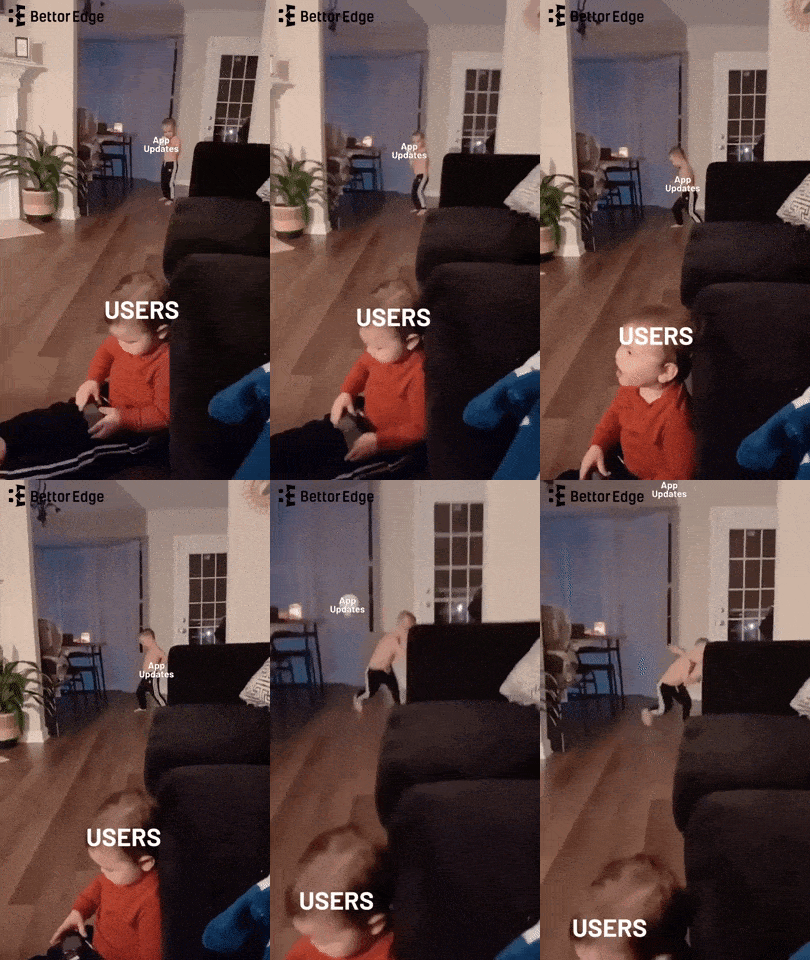
The ultimate goal of any digital marketing efforts is to create effective product updates that will not only engage and inform your users but also have them immediately use your product after they learn about new features or additions.
But how do you cut through the perpetual sea of product announcements? What are the best ways to draw in users and inform them about product changes in fun and unique ways?
In this article, we’ll discuss when product updates are appropriate, the best mediums to post them on, and how to create product announcements that will blow your competition out of the water.
Table of Contents
- What Are Product Updates?
- 3 Amazing Examples of Amazing Product Updates
- 4 Considerations to Make Before Sending a Product Update Announcement
- Ready To Send a Product Update? The Next Step Is Choosing the Right Medium
- AnnounceKit: Tools To Help Businesses Communicate Product Updates Effectively
What Are Product Updates?
A product update is like a fresh coat of paint for your favorite app or software! It’s when the people behind the product release a new version with improvements and fixes.
Here’s what product updates are often used to announce:
- Bug fixes
- Performance improvements
- New features (see real new feature announcement examples)
- User interface changes
- Security updates
- User experience updates
Sometimes, these updates come out regularly, like every few weeks or months, and other times, they come out when there’s something important to fix.
When there’s an update, they’ll let you know with messages or notifications so you can get all the benefits of the latest version!
Find the most attention-grabbing ways to promote your update.
The smartest way to announce an update requires an effective message delivered at the right time, through the right medium, where your audience is more likely to hear your announcement.
The announcement shows how the update benefits a person and improves your brand’s credibility. Be aware that the medium that sends the message is just as important as the message itself.
If you think crafting an effective message is impossible and you feel lost, don’t worry. That’s where Announcekit comes in.
Our experts have written the playbook on how to create product update announcements that keep readers interested. We’ve developed the perfect platform to deploy your product announcement strategies with our product announcement software.

Quick Setup, Easy to Use, and Many Integrations
Manage your product announcements from a single place and easily distribute them
across multiple channels.
The Importance of Product Updates for Users
Product updates are incredibly important for users. They provide new features, improved performance, and increased security.
With regular updates, users can get the most out of their products and stay ahead of the curve when it comes to industry standards and best practices. Updates also ensure that users can access the latest bug fixes, which can help keep their data secure and avoid unexpected disruptions.
The Importance of Product Updates for Business Owners
Product updates are essential for business owners to remain competitive in the market.
Making sure that products are up-to-date with the latest technology and trends allows businesses to stay ahead of the competition and provide customers with the best possible service.
To be more specific, announcing product updates helps you to:
- Improve and promote new feature adoption by informing and guiding on how to make the most of the added feature.
- Addressing the wants and concerns of your current customer base will boost your number of loyal customers. If multiple customers have raised complaints about (or requested) a feature in the past, a product update will tell them, “Hey, we heard what you want, and we’re here to deliver!”
- Add new features and functions to the product to recapture churned users’ attention. A good announcement may make a previously churned user curious or satisfied enough to give your product another shot.
- Engage potential users by showcasing how your product’s advancements increase its value and functionality.
- Increase user engagement by making the product even more user-friendly. And what better way to show off the evolution of your product than by making an engaging announcement that sets the tone for user expectations?
3 Amazing Examples of Amazing Product Updates
#1: Spotify

Spotify has a unique knack for learning, listening, and knowing what users want from its platform. That’s why it announced in 2022 that it would introduce a “Live Events” feed to its platform.
This update tailored the listings to users’ locations and interests. With this feature, listeners don’t have to leave the app to find out if and when one of their favorite artists is coming to a location near them!
This not only made it incredibly convenient for users to find new shows aligned with their interests, but it also fostered a deeper sense of connection with the platform.
Even more recently, in October 2024, they released a feature that allows users to create custom cover art for their playlists. This type of personalization helps users create a sort of “mood board” for their playlists, allowing for endless creative possibilities and countless hours of active user engagement with the product.
In a world where generalized content overload is the norm, these updates truly stood out by helping users cut through the noise and enhance products that are personalized perfectly to their preferences.
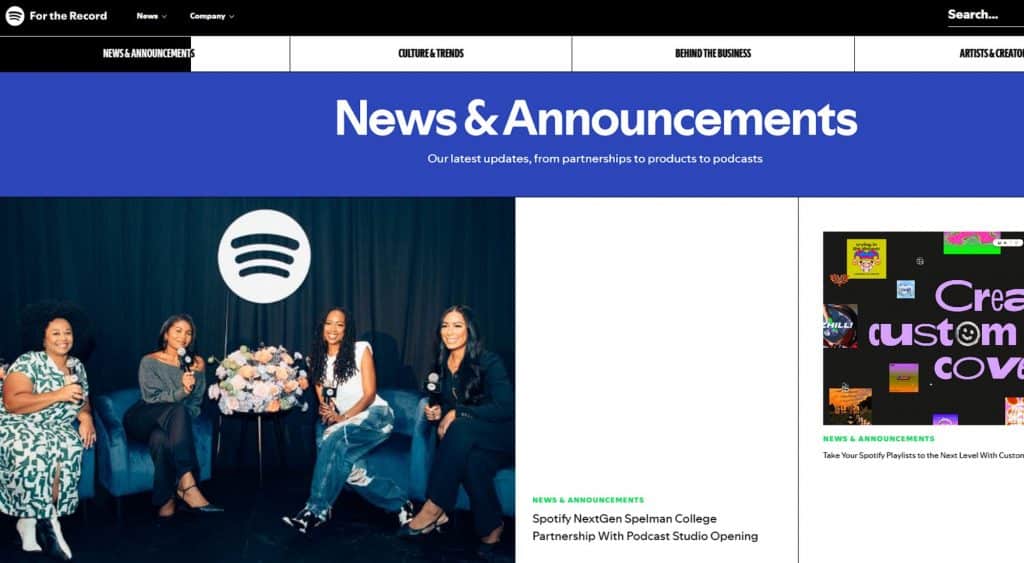
It’s not just what Spotify is announcing; it’s how they’re announcing it.
Spotify’s product announcement page is attractive, organized, and overall hype-generating.
They also weave necessary importation regarding feature updates with news on artists and trending music genres. You might come for information about when your favorite artist’s new album is dropping and stay to learn about French language content and Spotify’s latest feature for offline backup.
Spotify is a powerful example of how product updates can immensely drive user engagement and build genuine branding that connects with customers across multiple levels.
#2: Shopify
When publishing product updates, you want to engage users and provide information that resonates with them.
It’s not just about finding a solution for your users — it’s about connecting with them so they feel heard and valued.
When you can evoke emotion, even from a product announcement, you’re doing something right.
Shopify did this successfully when it announced that it would be an AI-powered assistant for merchants.
Shopify’s founder hit users right in the feelings when he acknowledged in his short product announcement video that every superhero needs a sidekick (in this case, AI)
Rather than feeling as though AI could be intimidating or unnecessary — Shopify acknowledges that it’s another necessary tool for entrepreneurs’ tool belts.
#3: Slack
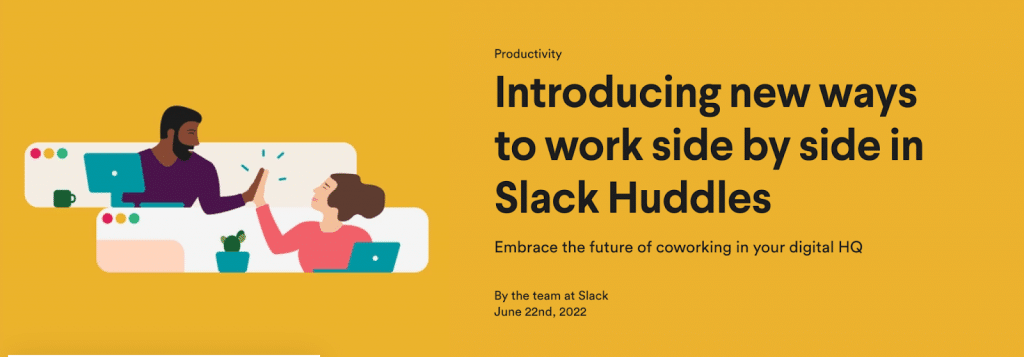
The Slack “Huddle” product update was a game-changer in the realm of team collaboration. The feature allows users to instantly initiate audio and video conversations with colleagues within the Slack platform, eliminating the need for separate meeting scheduling and call setup.
It catered to the ever-growing need for informal discussions and quick decision-making, mirroring the natural flow of in-person office interactions.
Slack’s feature promotes real-time collaboration while keeping participants engaged and connected, boosting productivity and fostering a sense of togetherness even in virtual workspaces.
This is the perfect example of how a well-tailored product update can meet the evolving demands of the workplace and significantly improve users’ overall work experience.
4 Considerations To Make Before Sending a Product Update Announcement
#1: How Important Is the Product Update Announcement?
Don’t notify your users about all small improvements one at a time. Show your customer some care by bundling up small bug fixes and framing them in the right way, then announce them periodically.
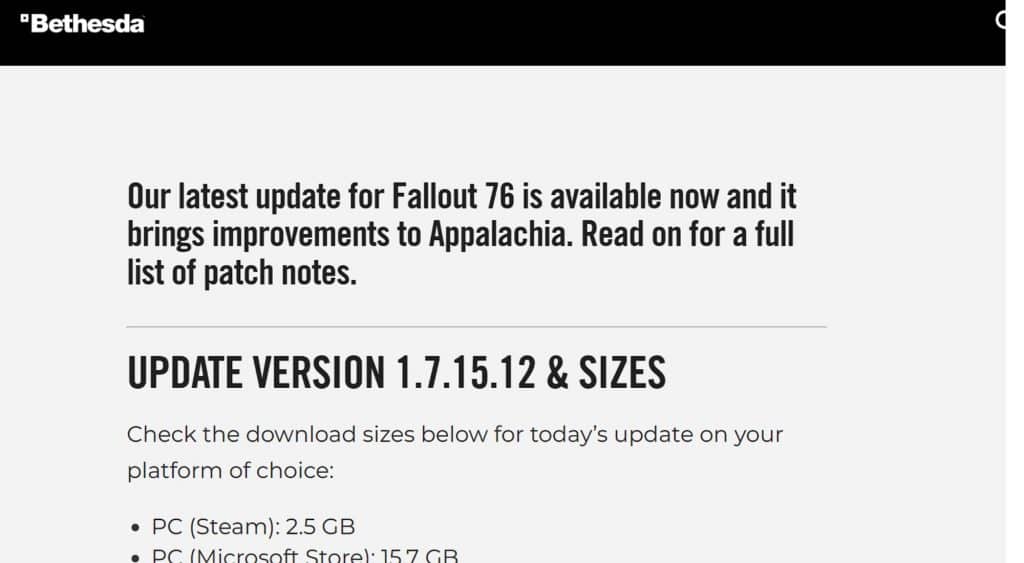
Bethesda is an excellent example of a company that bundles small changes and patches into easily digestible content. Their game, Fallout 76, has had up to 73,368 concurrent players online at a singular time on one platform alone.
As a massively popular game with a ton of bandwidth, Fallout 76 experiences the occasional bug. Sometimes, it is just mildly inconvenient or downright hilarious, and other times, it can be session-ending.
Instead of creating an announcement for every single patch, bug fix, and minor edition, Bethesda holistically approaches small changes to let players know that they should no longer become trapped in the doors of the Pulowski Preservation Shelter and that they’ve updated the damage vulnerabilities for over 40 in-game enemies within the same announcement.
#2: How Many Customers Does the Product Update Impact?
Not everybody will care about an update, and that’s okay. Find and segment people and tell them specifically about the updates they would be interested in. This is the best way to build connections with users and make them loyal customers.
If you know that they are the ones using the specific feature you’ve updated, create a personalized message for that segment of your audience. Tell them that you care.
A lot of small companies with a small customer base (who are actually capable of personalizing update messages) miss here. Create an Excel sheet with all customers and the features they used the most, and add their feedback. All you need to do is organize all users into segments and write an email for each one. What may sound like a hard task, in reality, requires a few hours of work, especially if your customer base is small.
#3: How Proud Are You About the Product Update?
Announce to the world how excited you are about the new update that involved a huge amount of effort.
If it is something worth sharing, then do it in a smart, fun, and engaging way. Don’t be afraid to include color or use a little humor to foster a deeper connection with users. Your brand voice is impactful when it is loud and proud. Of course, you can also use announcement software to act as the ultimate megaphone for your product updates.
Our platform allows SaaS companies to create unique and brand-represented announcements using:
- Widgets
- Targeted user segments
- Notifications
- Roadmaps
- And more powerful features
#4: How Often Should You Publish Product Update Announcements?
Product update announcements should be done on a regular basis. Depending on your product, sending them out monthly or quarterly may be beneficial.
If you have an actively updated product, such as a blog or news platform, more frequent updates should be considered. It’s important to keep customers informed of progress and changes to ensure they can experience the best possible version of your product.
Moreover, we highly recommend you read our article about communicating the price changes to customers if you want to deepen your knowledge about announcements!
Ready To Send a Product Update? The Next Step Is Choosing the Right Medium
You’re excited to share your product’s latest improvements and features with your users, so you’re ready to send your product update.
Pump the brakes for just a moment. Before you hit “send,” it’s vital that you’ve chosen the right medium to deliver your product update.
Picking the perfect communication channel can make all the difference in how well your update is received by your audience. Do you know which medium is right for your audience? We cover how to pick the right medium below!
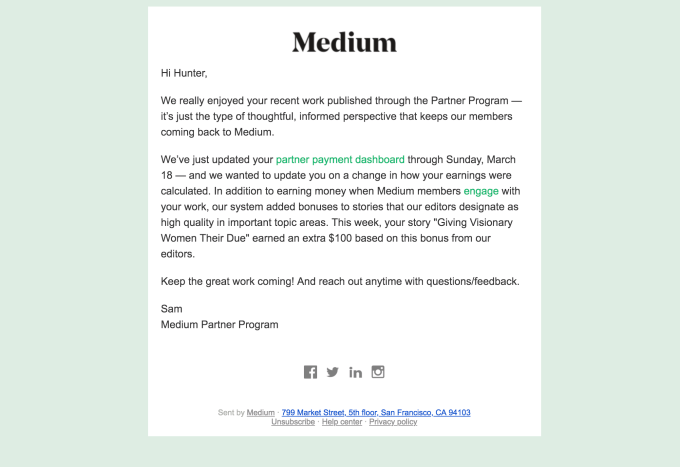
With billions of emails being sent daily, you don’t want your important announcement buried and sent to your spam folder.
You can use different techniques to catch users’ attention, which we won’t cover in this blog. But please use them. The era of mass emails is gone. Businesses have to learn to respect customers and stop annoying them with non-beneficiary junk.
Product updates and feature announcement emails can serve as a great, meaningful touchpoint of interaction with users. Make them clickable, nicely designed, and simply interesting.
Bundle up all small bug fixes and emphasize important additions in the features list. Don’t just tell what you did; explain how the update will actually affect users’ experience.
If you redid the whole software interface, prepare a guidebook, videos, and an appropriate tour to avoid confusing customers.
Most importantly, personalize your emails — leverage subscribers’ data to create more dynamic, clickable emails.
A great example would be ” What we have accomplished in 2018″ or “What we have been working on this month.”
Example
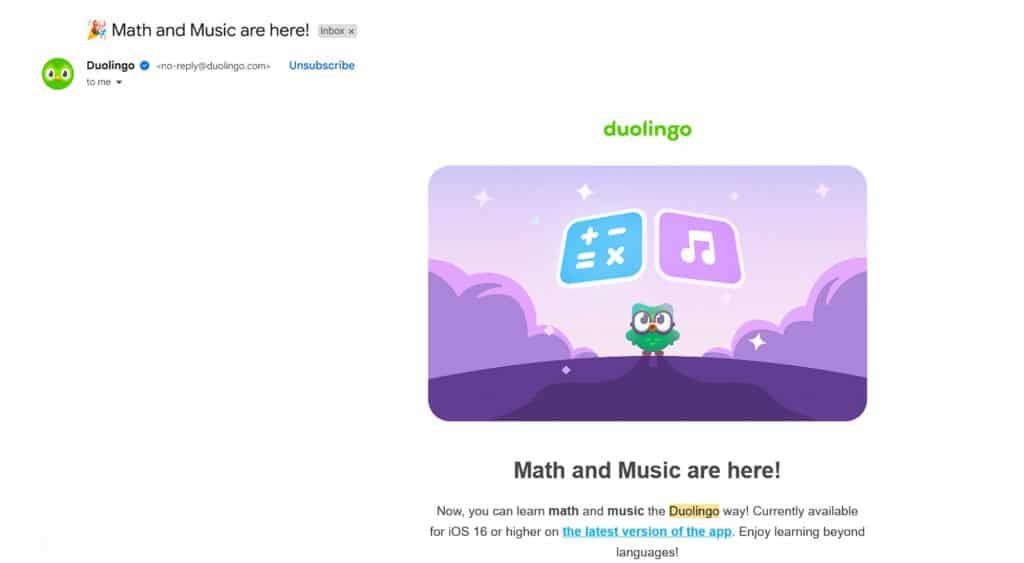
When Duolingo isn’t bombarding users with hilarious push updates to get back to learning a language with their product, they’re sending helpful product announcements regarding interesting new features via email.
In-App Product Update Announcements

No one wants to hear news they are not interested in. In-app product update announcements work because they are communicated to people who are already using your service.
Remember, an effective product update announcement component is used to send the message to the right audience. A person aware of your product knows how it looks, performs and is actively using it – she is the right person. Then talk to her and tell her about all the effort you’ve made!
AnnounceKit believes in giving people space to decide whether or not to click on flashing colorful dots. It is a non-interruptive widget that is welcoming at the same time. Moreover, the widget disappears after you click on it and doesn’t bother a user anymore. Check it out yourself.
Example
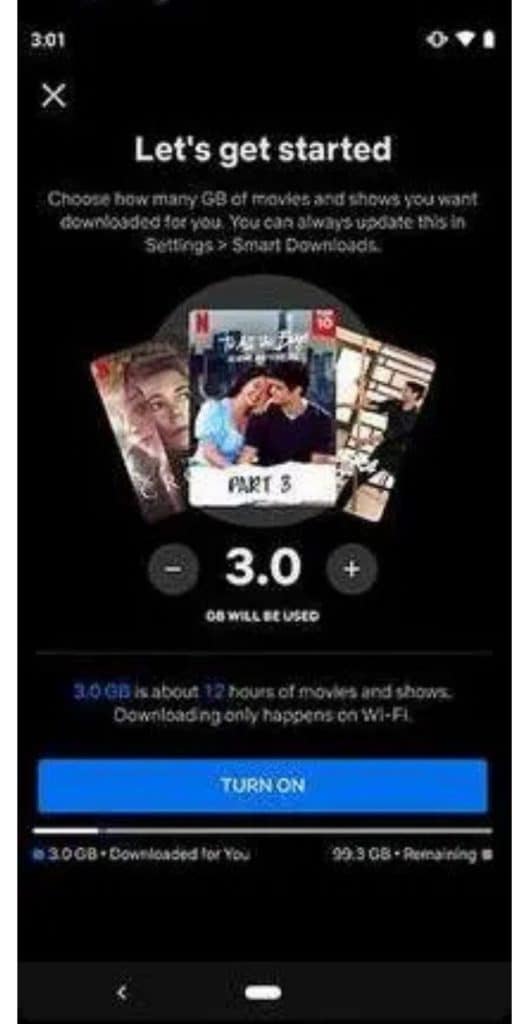
Netflix uses a less subtle approach regarding in-app announcements, but it’s effective.
By using an in-app full page overlay (with an exit button), it can push announcements to users as they use the product.
Product Update Announcements on Your Website
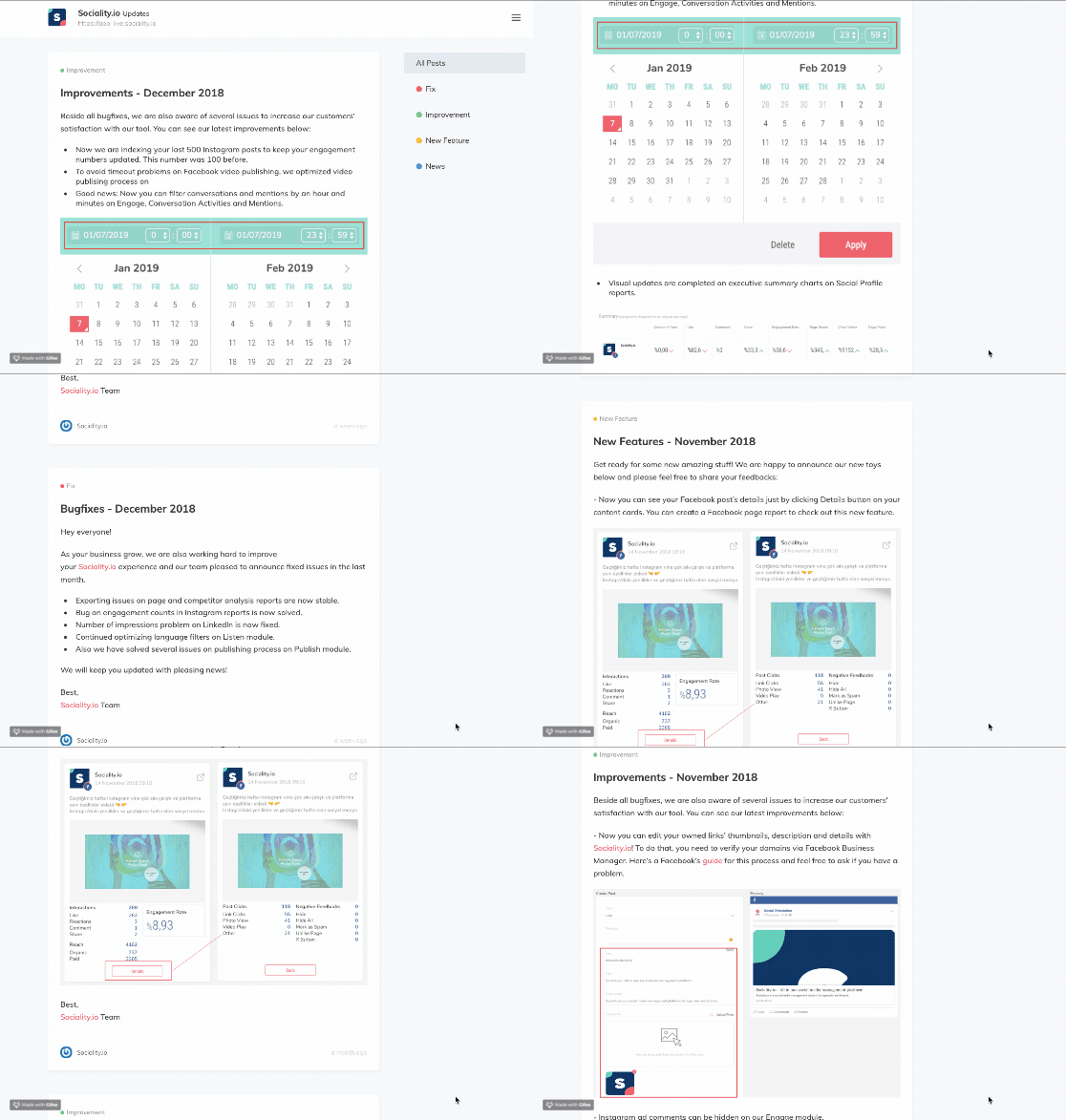
Product updates pages should be welcoming and be there in case somebody would be interested in them.
Organize the page as an archive. Historical order is the best way to show all updates and to give the impression that you are continuously working on improving the software.
Will everybody see the page? Absolutely not.
But do you need the page? Absolutely yes.
Example
Check out the product updates above!
A good example, isn’t it? Would you believe it was created using our very own product announcement software? Sociality.io is an all-in-one social media management platform. We love their updates page (not just because our software played a part in helping create them)!
Here’s what our customer Hasan Toprakkaya, Founder of Sociality.io shared his opinion of our software:
“We started using AnnounceKit a few months ago. There are two main reasons why we need the tool. Firstly, our customers are asking us for so many new features, but most of these feature requests have already been developed by us. So we need to inform our customers about them. Secondly, we want to show potential customers our development process when they visit our website. It creates trust between us.”
Product Update Announcements on Social Media
Your customers follow you on social media because they want to know about the news they care about and to have an opportunity to engage with your brand.
Taking a customer-first approach to your communication strategy will get your followers excited about updates and be aware of them. The way social media works is fascinating, and not using it the right way is simply wrong.
Social media allows information to spread across the globe in seconds, and it is the fastest way to make people know.
But first, we highly recommend that you determine whether or not to share an announcement on social media. Ask yourself if the information (both positive and negative) will have an impact on customers and followers.
Is your update announcement going to be just another noisy tweet or post? If yes, then reframe the message or bundle it up with other less important bug fixes.
Example
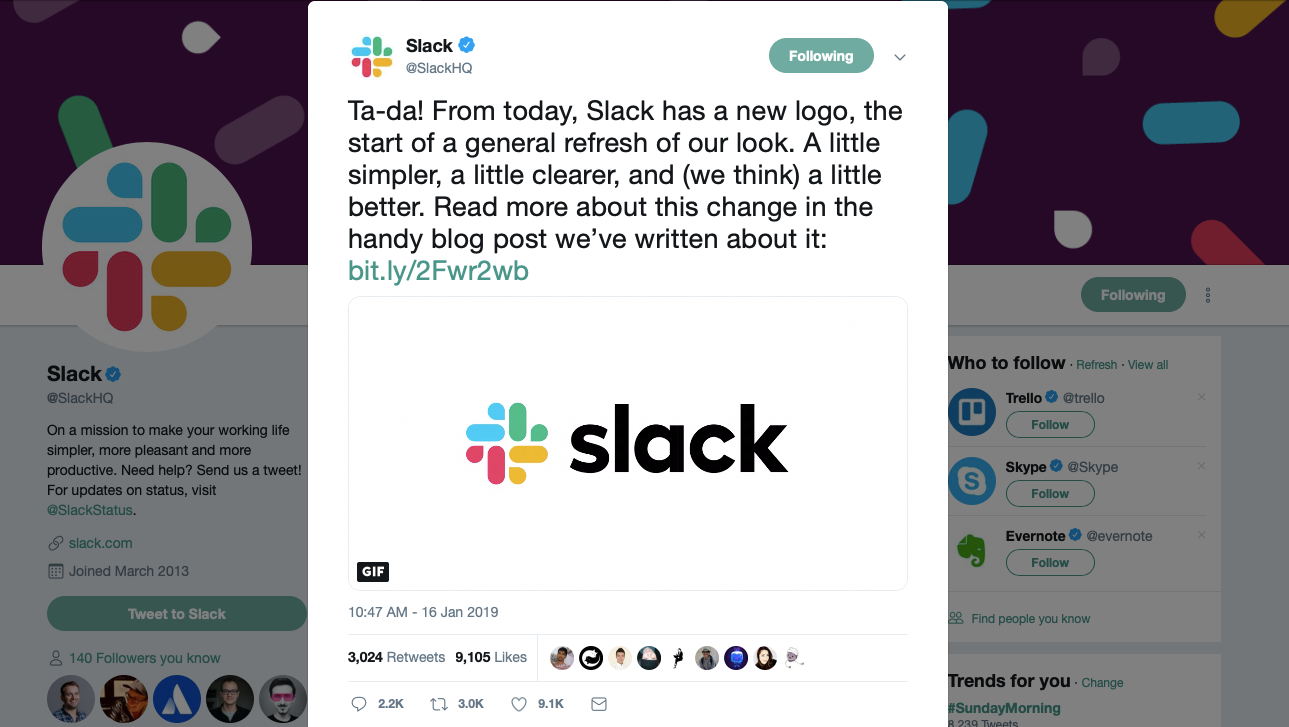
Did you notice a new Slack logo and change in the interface? Let’s see how the tool used Twitter to announce a new logo.
Slack gave customers a bite-sized preview of the coming news.
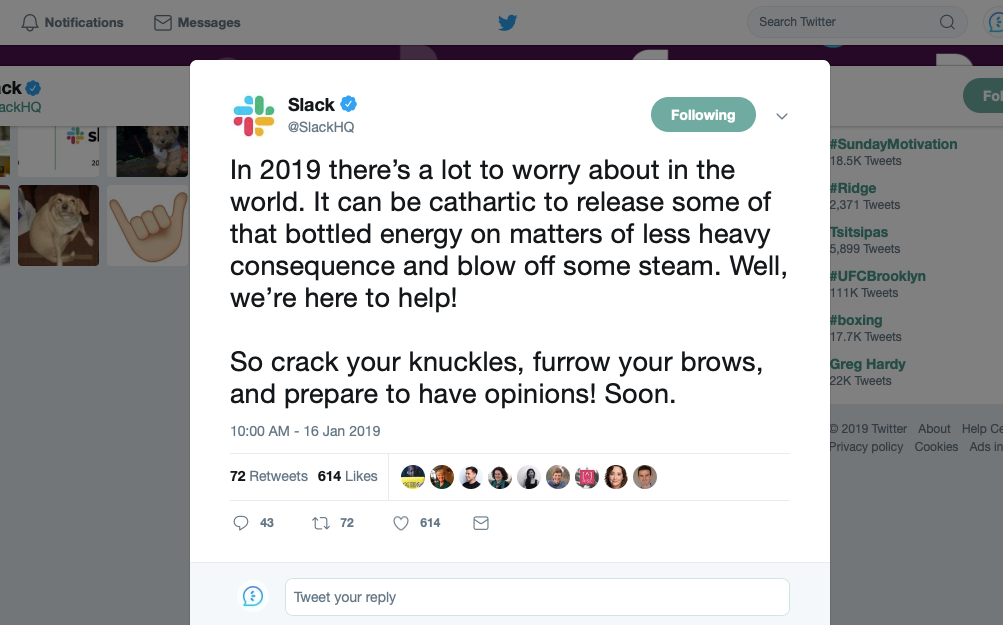
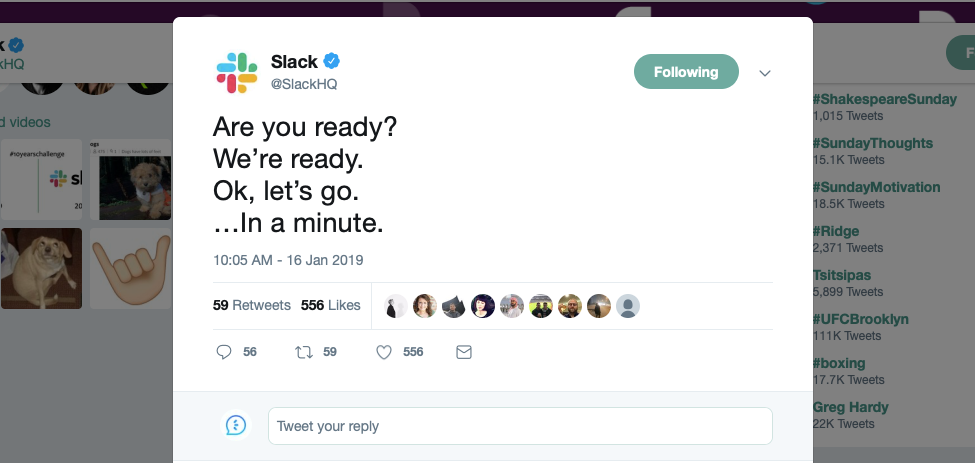
The replies were hilarious. This is a positive indicator that Slack was able to build a community of people who cared about the company and were excited to see the news.
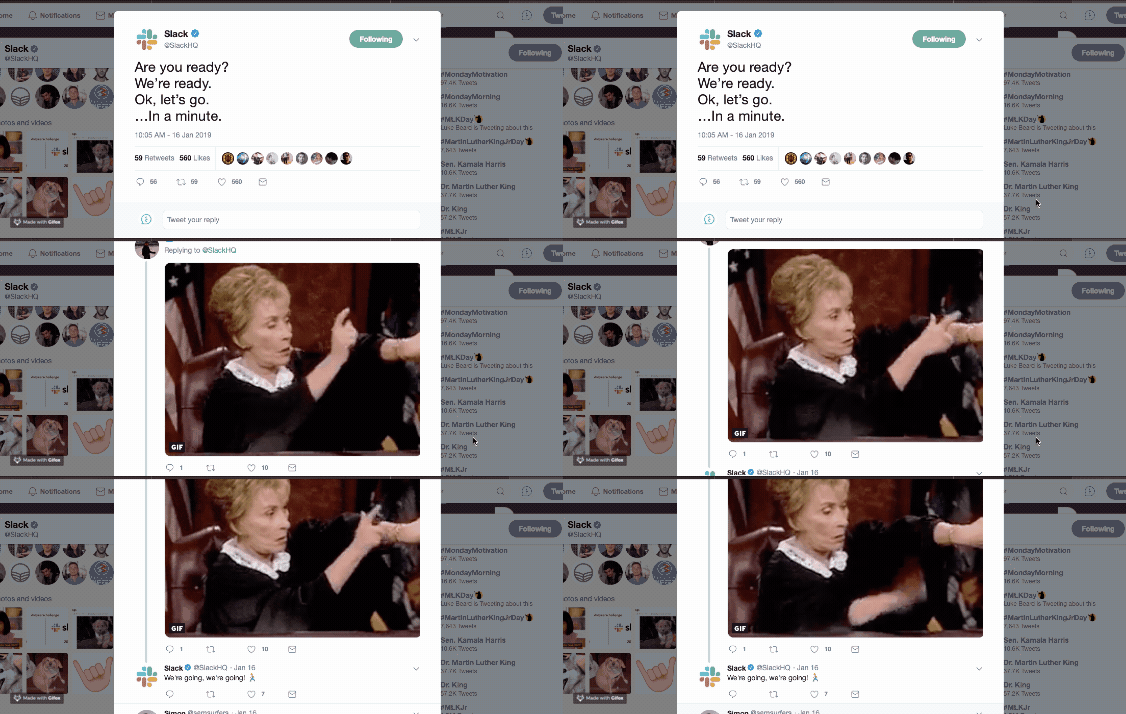
The announcing tweet is funny and modified for the Twitter community. Look closely at the engagement rates! Impressive isn’t it?
Product Update Announcement Blog Posts
Coming back to the question: “How proud are you about an update?”
In situations where you are tremendously proud of the work being done to release a new feature? Was something updated that will impact all customers? If so, it is advisable to take one more extra step and summarize the product update announcement in a blog.
In contrast to social media, where you are limited in words like Twitter (or, in general, the message is expected to be short), creating a blog is a smart way to announce product updates. A blog allows you to explain what you have done and how the product update will impact users’ experience in greater detail. Also, a blog gives you more space to be creative.
In contrast to a website updates page, a blog allows you to add personal notes. Let the CEO or head of Marketing or Development explain why the update is important for your business. Add extra information on why it was hard to release it.
By emphasizing the importance of an update and how you have accomplished it, you first build the credibility of your brand and, secondly, give value to readers by entertaining them and explaining pro tips and what could have been avoided.
Example
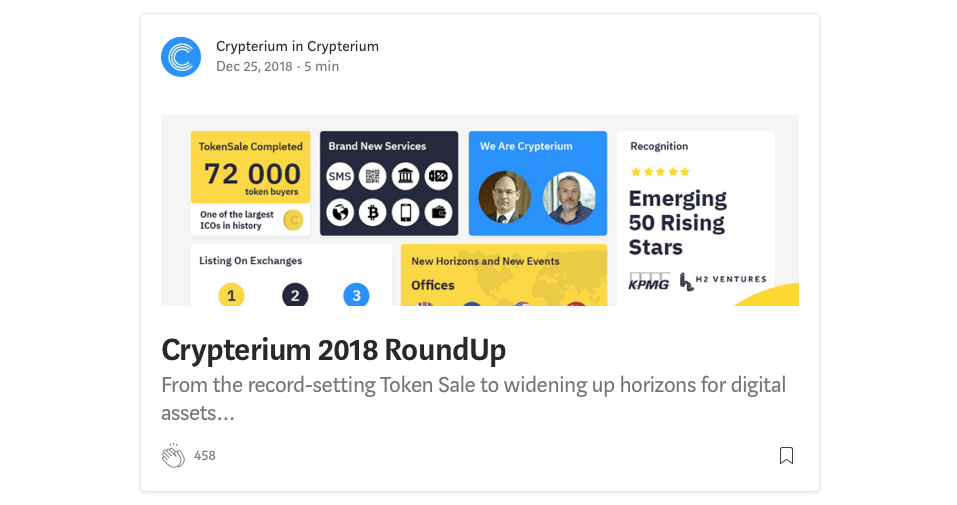
For example, Crypterium is a top finance writer on Medium. It’s been bringing innovations to the financial market since 2013, so blogging works for them because it allows them to explain complicated news and announcements more effectively.
Crypterium’s latest blog, “Crypterium 2018 RoundUp” is a great example of smart updates summary. The blog answers 3 main questions: “What have we accomplished in 2018?”, “New important releases and how to use them?” ” All important news that happened in 2018″.
When to Announce Product Updates
Timing your product update announcements is just as important as the content itself. Announce too frequently and users develop notification fatigue; announce too rarely and they miss improvements that directly affect their workflow. The right cadence depends on the significance of the change and the impact on your user base.
As a general rule, major feature releases and significant UX overhauls deserve their own dedicated announcement — sent immediately and across multiple channels. Minor improvements, small bug fixes, and incremental tweaks should be bundled together into a periodic digest (weekly or monthly) rather than announced individually. Bethesda does this well with Fallout 76 patch notes: they group minor fixes into readable update posts rather than flooding players with one-line notifications after every small correction.
For timing within the day, consider when your users are most active in your product. SaaS tools used primarily during business hours perform best with announcements sent Tuesday through Thursday between 9–11am in the recipient’s timezone. Consumer apps see better engagement on evenings and weekends. If you have a global user base, stagger announcements across timezones rather than sending a single blast — this gives regional teams time to prepare support responses before the announcement reaches their users.
Public Changelog Widget: The Always-On Channel for Product Updates
Most product teams think about announcements as one-time events: you ship a feature, you send an email, you post on social media, and you move on. But the most effective channel for product updates is actually always-on: a public changelog widget embedded directly in your product interface.
A public changelog — sometimes called a “What’s New” feed or release notes widget — sits inside your app and surfaces your latest updates to users exactly when they’re actively using the product. Unlike email (which competes with hundreds of other messages in the inbox) or social media (where reach is algorithmically throttled), a changelog widget reaches users at their highest moment of context: when they’re already doing the work your updates improve. Tools like AnnounceKit make it straightforward to embed a customizable changelog widget in your app in minutes, with segmentation to show different updates to different user cohorts. If your website runs on WordPress, see our roundup of the best changelog tools that integrate with WordPress for embed options that work out of the box.
Beyond the in-app widget, a public changelog page on your website serves a different but equally important function: it builds trust with prospects. When potential customers can see that you ship regularly and communicate transparently, it signals a healthy, active product. Many of the fastest-growing SaaS companies — from Linear to Notion to Vercel — maintain public changelogs as a core part of their product marketing. If you’re not maintaining a public changelog today, it’s the highest-leverage channel you’re not using.
How to Write a Product Update: Anatomy of an Effective Announcement
Knowing which channel to use is only half the equation. The other half is the quality of the announcement itself. Effective product update announcements follow a consistent structure that balances information density with readability — whether you’re writing a two-sentence in-app notification or a full changelog post.
1. Attention-grabbing headline. Lead with the outcome, not the feature name. “You can now schedule posts” beats “Introducing Scheduled Publishing.” Users care about what they can do, not what you built. Your headline should pass the “so what?” test: if a busy user reads only the headline, do they understand why it matters to them?
2. Business context (one sentence). Why did you build this? “We heard from hundreds of you that scheduling posts manually was your biggest time sink — this update eliminates it.” This sentence transforms a feature announcement into a story about listening to users. It validates the people who submitted feedback and builds goodwill with everyone who reads it.
3. Value statement with specifics. What does this change for the user’s daily workflow? Be concrete: “You can now schedule up to 50 posts in advance from the calendar view — no browser tab juggling required.” Avoid vague superlatives like “improved performance” or “enhanced experience” — tell users exactly what changed and by how much if you have the numbers.
4. A brief how-to or next step. Guide users to try the feature immediately. A single sentence pointing them to where to find it (“Open Settings → Publishing to enable scheduling”) reduces friction dramatically. For complex features, link to a help article or a 60-second video walkthrough. The announcement is a door; the next step is the invitation to walk through it.
5. Clear call to action. End with one action, not three. “Try it now,” “See the full changelog,” or “Tell us what you think” — pick one and make it easy to click. Multiple CTAs dilute attention and reduce conversion on all of them.
Frequently Asked Questions About Product Updates
How often should you send product updates to users?
There’s no universal cadence, but most SaaS products find a rhythm of one major announcement per significant release plus a monthly digest of smaller improvements. The key principle is to match frequency to significance: major feature releases warrant immediate, dedicated announcements, while minor bug fixes and quality-of-life improvements should be bundled. Sending too many individual notifications for small changes trains users to ignore your announcements — the opposite of what you want.
What should you include in a product update announcement?
An effective product update announcement includes five elements: a headline that describes the user benefit (not just the feature name), one sentence of context explaining why you built it, a specific value statement describing what changes in the user’s workflow, a brief how-to or link to documentation, and a single clear call to action. Keep it concise — most users spend under 20 seconds reading an announcement, so front-load the most important information.
Which channels are best for announcing product updates?
The best channels depend on the significance of the update and where your users are most engaged. In-app notifications and changelog widgets reach users at their highest moment of context (actively using the product) and are best for feature adoption. Email is best for major releases where you want to re-engage inactive users. Social media amplifies awareness to prospects and your broader community. For most product teams, the ideal is to combine all three: in-app for active users, email for lapsed users, and social for public visibility.
How do you write product updates that users actually read?
Write in plain language, lead with the benefit, and keep it short. Avoid internal jargon and feature names that mean nothing to users who haven’t seen your roadmap. Replace “We’ve shipped async comment resolution in the task management module” with “You can now resolve comments without leaving the task view.” Test your announcement by asking: would someone who hasn’t read your product spec understand what just changed and why it matters to them? If not, simplify.
When is the best time to announce a product update?
For B2B SaaS, Tuesday through Thursday mornings (9–11am in the user’s timezone) consistently outperform other send times for email announcements. For in-app notifications, timing matters less because the announcement appears when the user is already active. Avoid major holiday periods for significant releases unless the timing is genuinely strategic. For global products, stagger announcements across timezones rather than sending a single simultaneous blast — this gives your support team time to prepare for incoming questions region by region.
What is the difference between release notes and a product update announcement?
Release notes are a comprehensive technical record of every change in a version — including bug fixes, deprecations, and API changes — written primarily for developers and power users who need to understand the full scope of a release. A product update announcement is a curated, user-friendly highlight reel written for your entire user base, focusing on the changes that matter most to everyday workflows. Most products need both: release notes for technical accountability and product announcements to drive awareness and adoption of key features.
How do you measure the success of a product update announcement?
The primary metric is feature adoption — what percentage of users tried the new feature within 14 days of the announcement? Supporting metrics include announcement open rate and click-through rate (for email), in-app notification engagement rate, and support ticket volume related to the feature (high volume often signals a confusing announcement, not a bad feature). Track these metrics per announcement and use the data to refine your writing, timing, and channel mix over time.
Should you announce negative updates like price increases or deprecated features?
Yes — and proactively, with as much lead time as possible. Users consistently rate transparent communication of negative changes higher than silence, even when the news is unwelcome. The formula for difficult announcements is: acknowledge the change clearly, explain the reason honestly, describe what it means for the user in specific terms, and provide a concrete path forward (migration guide, upgrade option, alternative feature) — see our step-by-step guide on how to announce a price increase for a worked example. Companies that hide or sugarcoat negative updates damage trust far more than those that communicate them directly.
AnnounceKit: Tools To Help Businesses Communicate Product Updates Effectively
Your biggest fans are likely to get excited about a new product update announcement regardless of how it is delivered.
Unfortunately, your biggest fans are only a small portion of the customer base. As a business owner, you want to reach users on a larger scale.
It doesn’t matter how hard developers and product managers work on creating perfect software; if your customers don’t know about it, then well, they don’t know about it. Not every update is noticeable, but every product update announcement should be communicated to a user in a smart and the right way.
By taking a thoughtful and smart approach to announcing product updates, you will receive the benefits and rewards you deserve while improving service and delivering a greater customer experience.
Cue AnnounceKit.
AnnounceKit is a smart way to create an updates page for your users and keep them engaged with cool widgets on your website.
Our all-in-one toolkit for product update announcements will not only get your message to your users, but it will also help you do it in a time — and cost-effective way.
Crafting an effective message and distributing it through various mediums can be a tricky task, but with the right tools, you will soon discover that things are much simpler than they’ve looked at first.
Quick Setup, Easy to Use, and Many Integrations
Manage your product announcements from a single place and easily distribute them
across multiple channels.