Customer feedback tools are software platforms that help businesses collect, organize, and act on input from their users. They range from in-app survey widgets and NPS tools to feature request boards and review management platforms. The right tool closes the loop between what users say and what product teams build.
This guide reviews 15 of the best customer feedback tools for SaaS in 2026, with a comparison table, pros and cons for each, and a buying guide to help you choose the right platform for your team.
Types of Customer Feedback Tools
Before comparing specific platforms, it helps to understand the main categories. Different tools serve different stages of the feedback lifecycle.
- In-app feedback tools — Widgets embedded in your product that capture feedback without redirecting users. Best for real-time sentiment and feature requests (e.g., AnnounceKit, Canny).
- Survey and NPS tools — Structured questionnaires sent by email or shown in-app to measure satisfaction at scale (e.g., SurveyMonkey, Typeform, Delighted).
- Customer review platforms — Third-party sites where users leave public reviews. Important for reputation and trust signals (e.g., G2, Capterra, Trustpilot).
- Bug and issue reporting tools — Tools that let users flag technical problems with context like session recordings or screenshots (e.g., Instabug, Userback).
- Customer support feedback tools — Post-ticket CSAT and NPS collected within support workflows (e.g., Intercom, Zendesk).
Importance of Customer Feedback Tools
Keeping a customer at the core of your business and focusing on improving their experience is a large part of your business strategy. One of the most important factors to consider in achieving this is managing customer feedback effectively.
Customer feedback is essentially data collected from customers in which they give their opinions, insights, and feelings about a company, product, or service. Managing customer feedback can help businesses determine if customers are happy with a product or service, identify areas of improvement, and understand customer needs.
Quick Setup, Easy to Use, and Many Integrations
Customer feedback tools simplify the process of gathering and organizing customer feedback. They can automate much of the process, such as sending out surveys and collecting data, which saves time and resources. These tools can also integrate with other systems, such as CRM or project management software, to provide a complete picture of the customer experience.
Types of Feedback
Positive Feedback
Positive feedback validates product decisions and signals where your team is delivering value. It also surfaces quotes and testimonials useful for marketing and sales. Customer feedback tools help you capture and tag this systematically so patterns are visible across the team.
Negative Feedback
Negative feedback is operationally the most valuable. It surfaces friction points before they cause churn. Effective feedback management tools let you triage negative signals by severity, assign them to the right team, and track resolution — turning complaints into product improvements.
Neutral Feedback
Neutral feedback is often the most overlooked. Users who are neither delighted nor frustrated represent a retention risk — they haven’t found enough value to become advocates, and a competitor offer could tip them toward churn. Tracking neutral sentiment over time reveals where your product experience is flat.
4 Benefits of Managing Feedback
#1: Improved Communication
When customers know their feedback is heard and acted on, trust deepens. Feedback tools that close the loop — notifying users when their requested feature ships — create a cycle of engagement. AnnounceKit’s changelog widget, for example, lets you announce product updates directly to the users who requested them, turning feedback into a communication touchpoint.
#2: Improved Productivity
Centralizing feedback in one platform eliminates the time teams spend digging through email threads, Slack messages, and spreadsheets. When every piece of user input flows into a structured system, product managers can prioritize faster and engineering teams get clearer requirements.
#3: Enhanced Customer Satisfaction
Acting on feedback systematically — and communicating those actions back to users — measurably improves satisfaction scores. Companies that close the feedback loop see NPS improvements of 20–30 points over 12 months, according to multiple SaaS benchmark studies.
#4: Informed Product Decisions
Feedback data, when aggregated and analyzed, removes guesswork from roadmap planning. Feature requests that appear repeatedly from high-value customer segments are prioritized over loud-but-low-value requests. Feedback tools make this signal-to-noise filtering tractable at scale.
Techniques for Collecting and Analyzing Feedback
Choosing the right collection method matters as much as choosing the right tool. Common techniques include:
- In-app surveys — Triggered by specific user actions (e.g., after completing a key workflow), these achieve high response rates because they catch users in context.
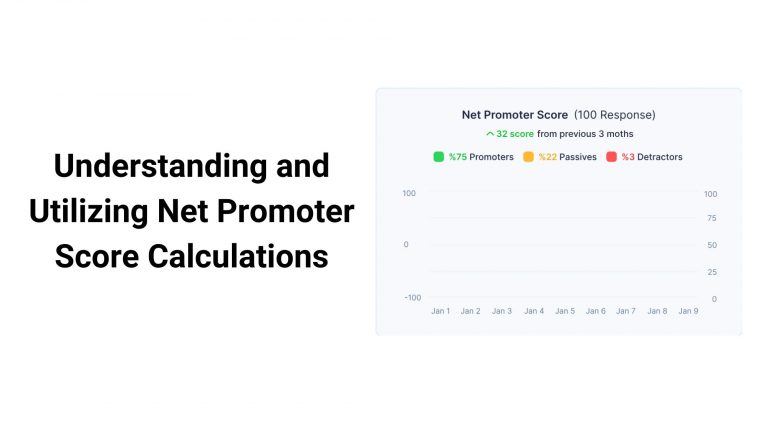
- NPS surveys — Sent quarterly or after key events, NPS benchmarks overall satisfaction and segments promoters from detractors.
- Feature request boards — Public or internal boards where users submit and upvote ideas, helping teams prioritize by demand.
- Customer interviews — Qualitative depth to complement quantitative data. Best scheduled after analyzing patterns in structured feedback tools.
- Session recordings and heatmaps — Behavioral signals that reveal friction without asking users directly.
When analyzing feedback, look for clusters — recurring themes across multiple users that represent systemic issues rather than individual preferences. Most customer feedback tools offer tagging, categorization, or AI-powered clustering to surface these patterns automatically.
15 Best Customer Feedback Tools for SaaS in 2026
#1: AnnounceKit
AnnounceKit is a customer feedback platform built specifically for SaaS teams that want to close the loop between user requests and product updates. It combines a feature request board, NPS surveys, and an in-app changelog widget in a single platform — so you can collect feedback, prioritize it, ship the fix, and notify the right users automatically.
AnnounceKit embeds directly into your product as a lightweight widget, meaning feedback collection happens in context rather than through external survey links. When a feature request ships, users who submitted or upvoted it receive a targeted in-app announcement — a flywheel that drives engagement and reduces churn.
Pros: Combines changelog + NPS + feature requests in one tool; strong in-app delivery; easy setup with no engineering overhead; integrates with Slack, Intercom, and major CRMs.
Cons: Focused on SaaS use cases; less suited for e-commerce or large enterprise deployments.
Free plan: Yes (limited widget views) | Starting price: From $49/month
#2: Canny
Canny is a dedicated feature request and product feedback management tool. Users submit ideas, other users upvote them, and product teams can link requests directly to roadmap items and changelog entries. It’s particularly strong for public-facing feedback boards where community engagement drives prioritization.
Pros: Clean public board UX; roadmap integration; changelog publishing; strong Jira/Linear integrations.
Cons: Expensive at scale; limited survey/NPS capabilities without integrations; board-only model may not suit all feedback types.
Free plan: Yes (limited posts) | Starting price: From $99/month
#3: SurveyMonkey
SurveyMonkey is one of the most widely used survey platforms globally, offering templates for NPS, CSAT, employee satisfaction, and market research. It’s best suited for structured, periodic feedback collection rather than real-time in-app feedback.
Pros: Extensive template library; robust analytics; easy to deploy via email or link; enterprise compliance features.
Cons: Not designed for in-app feedback; limited real-time triggering; can feel impersonal to respondents.
Free plan: Yes (10 questions/survey) | Starting price: From $25/month per user
#4: Typeform
Typeform differentiates itself with conversational, one-question-at-a-time survey forms that achieve significantly higher completion rates than traditional surveys. It’s particularly effective for onboarding feedback and post-purchase surveys where user experience matters.
Pros: High completion rates; visually engaging; strong conditional logic; excellent embedding options.
Cons: Per-response pricing gets expensive at scale; limited native analytics compared to dedicated feedback tools.
Free plan: Yes (10 responses/month) | Starting price: From $29/month
#5: Intercom
Intercom is primarily a customer messaging platform but includes robust feedback collection capabilities through surveys, in-app messages, and NPS tools. It works best for teams that want feedback woven into their existing support and onboarding workflows rather than as a standalone tool.
Pros: Tightly integrated with support and messaging; behavioral triggering; rich segmentation; AI-assisted tagging.
Cons: High cost; complex setup; feedback features are secondary to messaging; can feel like overkill if you only need feedback collection.
Free plan: No | Starting price: From $74/month
#6: Hotjar
Hotjar combines behavioral analytics (heatmaps, session recordings) with lightweight feedback tools including on-page surveys and feedback widgets. It’s most valuable when you want to correlate what users say with what they actually do on your site or app.
Pros: Heatmaps + session recordings + surveys in one tool; easy to set up; strong conversion optimization use cases.
Cons: Feedback features are basic compared to dedicated tools; limited feedback routing and workflow management.
Free plan: Yes | Starting price: From $32/month
#7: UserVoice
UserVoice is an enterprise-grade customer feedback management platform that handles the full lifecycle from collection to prioritization to roadmap integration. It’s designed for larger B2B SaaS companies with dedicated product operations teams.
Pros: Powerful feedback aggregation across multiple sources; strong admin and workflow tools; Salesforce integration; customer health scoring.
Cons: Expensive (enterprise pricing only); steep learning curve; requires dedicated admin time to manage.
Free plan: No | Starting price: ~$899/month (enterprise)
#8: Pendo
Pendo is a product analytics and user guidance platform that includes NPS surveys and in-app feedback collection as part of a broader product experience suite. It’s a strong choice for teams that want feedback data alongside usage analytics in a unified view.
Pros: Combines product analytics with NPS and in-app surveys; strong segmentation; no-code in-app guides; integrates with major CRMs.
Cons: High price point; primary value is in analytics — feedback is a secondary feature; complex implementation.
Free plan: Yes (Starter, limited) | Starting price: From $7,000/year
#9: Delighted
Delighted (now part of Qualtrics) is a specialized NPS, CSAT, and CES survey tool focused on simplicity and speed. You can send your first NPS survey in under five minutes, making it the go-to choice for teams that want reliable satisfaction benchmarking without setup complexity.
Pros: Extremely fast setup; best-in-class NPS benchmarking; beautiful reporting; Slack and CRM integrations.
Cons: Limited to structured survey types; no feature request management; not designed for in-app real-time feedback.
Free plan: Yes (25 responses/month) | Starting price: From $17/month
#10: Formsite
Formsite is a form-building tool for creating surveys, registration forms, and order forms. Users can choose from ready-made templates or create their own from scratch and share them through email, a link, or embedded on a website.
Pros: Flexible form builder; payment and file upload support; secure data collection; affordable.
Cons: Features are limited for highly specialized use cases; no native feedback workflow management; basic analytics.
Free plan: Yes (5 forms, 100 results) | Starting price: From $24.95/month
#11: ProProfs Survey Maker
ProProfs Survey Maker is a straightforward survey tool for creating engaging surveys and quizzes to gather customer feedback. It offers a free tier and a simple interface suitable for small businesses and teams new to structured feedback collection.
Pros: Free tier available; easy to use; wide template library; includes quiz and poll formats.
Cons: Limited customization compared to higher-end tools; basic analytics; not designed for in-app deployment.
Free plan: Yes | Starting price: From $19/month
#12: Feedbackify
Feedbackify is a lightweight on-site feedback widget that lets website visitors rate their experience and leave comments at any point in their journey. It’s a quick way to add passive feedback collection without disrupting the user flow.
Pros: Instant setup; non-intrusive; real-time dashboard; low cost.
Cons: Very limited feature set; no integrations with product or project management tools; best suited for websites rather than SaaS apps.
Free plan: 15-day trial | Starting price: From $19/month
#13: Instabug
Instabug is a mobile-first in-app feedback and bug reporting SDK. Users can shake their device to trigger a feedback form that automatically attaches a screenshot and session data. It’s the leading tool for mobile app teams that need rich bug reports alongside user sentiment.
Pros: Screenshot and session data attached automatically; strong mobile SDK; crash reporting included; enterprise security.
Cons: Mobile-focused — limited for web-only SaaS; pricing scales with monthly active users; primarily a developer tool.
Free plan: Yes | Starting price: From $149/month
#14: Medallia
Medallia is an enterprise customer experience management platform that aggregates feedback from every touchpoint — surveys, social, support tickets, call center transcripts — into a unified view with AI-powered analytics. It’s designed for large organizations running complex CX programs.
Pros: Comprehensive omnichannel feedback; powerful AI and text analytics; closed-loop action management; deep enterprise integrations.
Cons: Enterprise pricing only; very complex to implement; overkill for SaaS companies under $50M ARR.
Free plan: No | Starting price: Custom (typically $40,000+/year)
#15: Qualtrics XM
Qualtrics is the enterprise standard for experience management surveys, covering customer, employee, product, and brand feedback in a single platform. It offers unmatched depth in survey logic, statistical analysis, and organizational feedback programs.
Pros: Industry-leading survey methodology; advanced statistical analysis; enterprise compliance (SOC 2, GDPR, HIPAA); 500+ integrations.
Cons: Complex and expensive; requires training; excessive for most SaaS startups and mid-market teams.
Free plan: No | Starting price: Custom
Customer Feedback Tools Comparison Table
Here’s a quick comparison of the 15 tools by use case, standout feature, free plan availability, and starting price:
| Tool | Best For | Key Feature | Free Plan? | Starting Price |
|---|---|---|---|---|
| AnnounceKit | SaaS in-app feedback + changelog | Feedback-to-announcement loop | Yes | $49/mo |
| Canny | Feature request management | Public voting board + roadmap | Yes | $99/mo |
| SurveyMonkey | Periodic structured surveys | Huge template library | Yes | $25/mo |
| Typeform | High-completion onboarding surveys | Conversational form UX | Yes | $29/mo |
| Intercom | Support + feedback in one | Behavioral in-app messaging | No | $74/mo |
| Hotjar | Behavioral + survey correlation | Heatmaps + session recordings | Yes | $32/mo |
| UserVoice | Enterprise B2B SaaS feedback | Full feedback lifecycle mgmt | No | ~$899/mo |
| Pendo | Product analytics + NPS | In-app guides + NPS | Yes (limited) | $7,000/yr |
| Delighted | NPS/CSAT benchmarking | 5-minute NPS setup | Yes | $17/mo |
| Formsite | Custom forms and surveys | Flexible form builder | Yes | $24.95/mo |
| ProProfs | Simple survey creation | Free tier, easy setup | Yes | $19/mo |
| Feedbackify | Passive website feedback | Lightweight on-site widget | Trial only | $19/mo |
| Instabug | Mobile app bug + feedback | Shake-to-report with screenshot | Yes | $149/mo |
| Medallia | Enterprise CX programs | Omnichannel AI analytics | No | Custom |
| Qualtrics XM | Enterprise survey programs | Advanced statistical analysis | No | Custom |
How to Choose a Customer Feedback Tool
With 15 options on the table, the decision comes down to five criteria:
1. Where does your feedback live? If your users are in your product, you need in-app collection capabilities. If you’re primarily engaging users post-purchase via email, a survey tool may suffice. Don’t pay for in-app capabilities you won’t use.
2. What do you want to do with the feedback? Collecting feedback is only half the job. If your goal is to drive product decisions, you need a tool that integrates with your roadmap (Jira, Linear, or a native board). If your goal is satisfaction benchmarking, a pure NPS tool like Delighted may be more efficient than a full platform.
3. Do you need to close the loop? Closing the loop — telling users when their request ships — is the single highest-leverage retention mechanic in SaaS. Tools like AnnounceKit are built specifically for this workflow. Others require manual workarounds.
4. What’s your scale? Per-response pricing (Typeform) and per-MAU pricing (Instabug) can escalate quickly. Flat-rate pricing (AnnounceKit, Canny) is more predictable for growing SaaS teams.
5. What integrations do you need? Most feedback tools integrate with Slack for alerts and Jira/Linear for issue creation. For CRM-connected feedback (tying requests to revenue), look for Salesforce or HubSpot integrations — UserVoice and Pendo lead here.
A Major Challenge in Managing Customer Feedback
One of the biggest challenges in managing customer feedback is keeping track of all the requests and ideas that come in from multiple channels — email, support tickets, social media, in-app reports, and sales calls. Without a central system, valuable insights get lost in inboxes or spreadsheets.
AnnounceKit allows businesses to collect and manage user feedback from multiple sources in one place. With AnnounceKit’s feature request software, users can submit their ideas and suggestions directly through the platform, making it easy for businesses to prioritize and address their customers’ needs.
Simply collecting customer feedback isn’t enough. The real challenge is transforming raw feedback into prioritized product decisions and then communicating those decisions back to users who asked for them. This feedback-to-action loop is what separates teams with high NPS scores from those struggling with churn.
Customer Feedback Trends in 2026
The customer feedback landscape is evolving quickly. Here are the trends shaping how SaaS teams collect and act on feedback in 2026:
AI-powered feedback clustering. Manual tagging of feedback at scale is no longer tenable. Leading platforms are adding AI that automatically groups feedback into themes — surfacing patterns a human analyst would take days to find. Expect this to become table-stakes in 2026.
Feedback connected to revenue signals. The next frontier is tying feature requests to ARR. Platforms like UserVoice and Pendo are integrating CRM data so product teams can see not just how many users want a feature, but how much revenue those users represent. A feature requested by 10 enterprise accounts worth $500K ARR ranks higher than one requested by 500 free users.
In-app feedback as a retention mechanism. SaaS teams are shifting from periodic email surveys to continuous in-app feedback collection. Users who feel heard churn less. Tools that deliver targeted announcements back to users who submitted feedback — closing the loop — are seeing measurable retention improvements.
GEO and AI assistant optimization. As users increasingly ask AI assistants (ChatGPT, Perplexity, Gemini) to recommend tools, the structure of your content matters as much as its depth. Articles with clear definitions, comparison tables, and FAQs are cited more frequently by AI engines — making content structure a competitive advantage beyond traditional SEO.
AnnounceKit: A One-Stop Solution for Effective Customer Feedback Management
AnnounceKit is a comprehensive customer feedback management platform designed specifically for SaaS businesses. With AnnounceKit, you can collect feedback directly in your product, prioritize feature requests by user demand, ship updates, and notify the exact users who asked for them — all in one workflow.
Key capabilities include: an embeddable feedback widget with no engineering overhead, a feature request board with public or private voting, NPS and in-app survey tools, and a changelog widget that delivers targeted product announcements to segmented user groups. Integrations with Slack, Intercom, HubSpot, Jira, and Zapier mean feedback flows into your existing stack automatically.
For SaaS teams that want to turn user feedback into product velocity and use every feature release as a retention touchpoint, AnnounceKit is the platform built for that workflow. Try AnnounceKit free and see how closing the feedback loop changes user engagement within the first 30 days.
Frequently Asked Questions
What is a customer feedback tool?
A customer feedback tool is software that helps businesses systematically collect, organize, and act on input from their users or customers. These tools range from in-app survey widgets and NPS platforms to feature request boards and review management systems. The common goal is to transform scattered user opinions into structured, actionable data that product and customer success teams can work with.
What are the main types of customer feedback tools?
The main types are: in-app feedback tools (e.g., AnnounceKit) that capture feedback directly within your product; survey and NPS tools (e.g., SurveyMonkey, Delighted) that send structured questionnaires; feature request platforms (e.g., Canny) where users submit and upvote ideas; bug reporting tools (e.g., Instabug) that capture technical issues with session context; and enterprise CX platforms (e.g., Qualtrics, Medallia) that aggregate feedback across all customer touchpoints.
How do you manage customer feedback effectively?
Effective feedback management follows four steps: collect feedback from multiple channels in a centralized platform; categorize and prioritize by theme, frequency, and customer value; route high-priority items to the right team with clear ownership; and close the loop by notifying users when their feedback has been acted on. The last step — communicating back to users — is the most commonly skipped and the most impactful for retention.
What is the best free customer feedback tool?
For in-app SaaS feedback, AnnounceKit offers a free tier with core widget functionality. For NPS surveys, Delighted’s free plan supports 25 responses per month. For feature request management, Canny offers a free plan for small boards. The best free tool depends on what type of feedback you’re collecting — most teams need one tool from each category rather than a single platform that does everything.
How does customer feedback improve product development?
Customer feedback improves product development by replacing assumption-based roadmaps with evidence-based ones. When product teams can see that 40 customers from the enterprise segment are all requesting the same integration, that feature jumps the queue ahead of internally generated ideas. Feedback also reduces rework — features built based on validated user needs have higher adoption rates and generate fewer post-release support tickets than features built on internal speculation.
What should I look for in a feedback management platform?
Look for five things: in-app collection capabilities (so feedback is captured in context, not via email links); workflow integrations with your roadmap and CRM tools; the ability to close the loop with users after their feedback is addressed; transparent, scalable pricing that won’t surprise you as your user base grows; and reporting that surfaces patterns across feedback rather than showing you individual responses in isolation.