A feature request template is a structured form that captures everything a product team needs to evaluate a new product idea — who is asking, what problem they are trying to solve, the proposed solution, and how impactful that change would be. Using a consistent template turns scattered feedback into a comparable, prioritizable backlog instead of a messy inbox.
Key Takeaways
- A feature request template is a reusable form that standardizes how users and teammates submit product ideas.
- The best templates capture user intent — the underlying problem — not just the requested feature.
- Use different templates for different audiences: end customers, internal teams, enterprise prospects, and bug-adjacent requests.
- Pair every template with a public roadmap and changelog so requesters can see what happened to their idea.
- Pick the simplest template that still captures the data you actually need — over-asking kills response rates.
This guide ships 7 copy-paste templates you can adopt today, plus a decision framework for choosing the right one, a short tool comparison, and the post-collection workflow your team should run.
Table of Contents
- Why You Should Be Using a Feature Request Template
- 4 Common Feature Request Issues That Can Be Minimized By Using a Feature Request Template
- What Should Be Included in a Feature Request?
- 5 Components To Include in a Good Feature Request Template
- Tips for Simplifying Feature Requests
- AnnounceKit Provides the Ultimate Way To Track Feature Requests

Quick Setup, Easy to Use, and Many Integrations
Manage your product announcements from a single place and easily distribute them
across multiple channels.
Why You Should Be Using a Feature Request Template
While the saying “the customer knows best,” may have become misconstrued in recent times, its meaning still rings true. The customer knows what they want in a product, and in a competitive economy — it’s best practice to use those wants and needs to create and enhance the most optimal products.
This is where feature requests come in.
Feature requests allow consumers to give feedback on a service or product.
Through feature requests, consumers have the ability to voice grievances, make suggestions, and feel like their preferred brands really listen and care. In turn, customers and clients receive a better user experience and brands receive a loyal and happy customer base.
A feature request template is a system for structuring the feedback your team receives from users. Without one, it can be incredibly difficult to collect, track, manage, and respond to feedback.
Feature request software makes it easy to:
- Track and manage feature request projects
- Manage multiple feature requests in one place
- Keep user updated on:
- Which feature requests have been made
- Which feature requests are being worked on
When they can expect feature updates to roll out AnnouceKit’s powerful feature request tool is a comprehensive solution to managing the whims and wishes of software as a service (SaaS) users. Our all-in-one feature request management system centralizes the feature request process making it easy to utilize feature requests to enhance your product and improve user experience.
4 Common Feature Request Issues That Can Be Minimized By Using a Feature Request Template
#1: Duplicate Requests
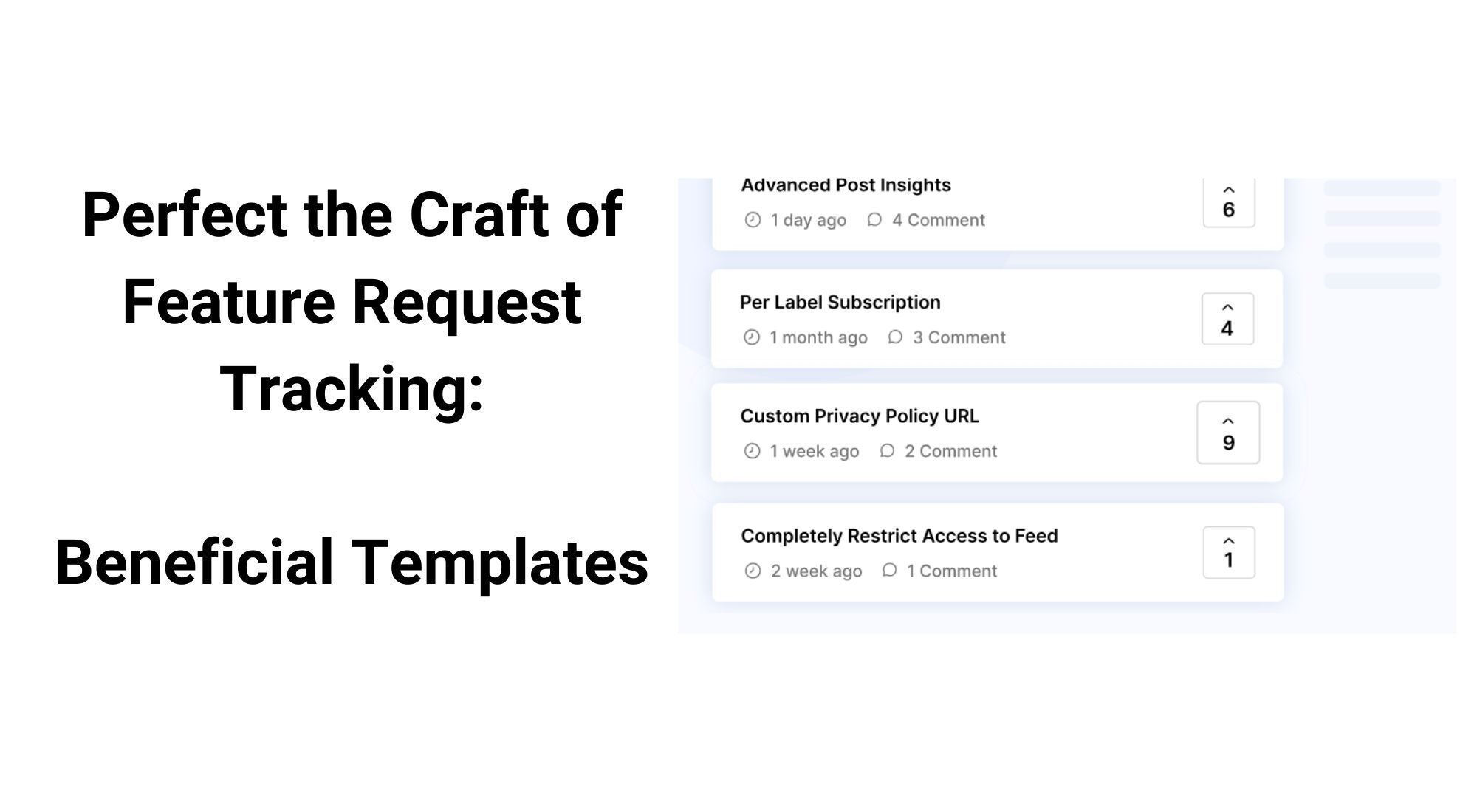
Duplicate requests occur when a new feature request is the same as a previous feature request that has already been made. When this happens, the nearly identical feature requests “split” the upvote.
In other words: wouldn’t it look better if one post had two or more upvotes instead of two or more similar posts with only one upvote on each?
Feature request management tools allow project managers to merge duplicate requests, which can help save time and better prioritize user feedback and requests.
By using a feature request template that makes suggestions based on keywords from similar requests, users can upvote and add feedback on existing requests.
#2: Request for Solutions for Not-Existent Issues
While the consumer’s voice is an important part of improving any product, sometimes users might get a little carried away with suggesting solutions for non-existent issues.
When users make overly sophisticated requests, it may be hard to discern what problem the suggestion is seeking to solve.
To remedy this, feature request templates centralize user-to-creator communications. This way, if you receive a request that seemingly does not solve a current issue, you can reach out to the user for further clarification.
Our feature request management also allows users to share more about their ideas with a screenshot.
#3: Off-Brand Suggestions
Your product is integral to your brand.
No matter how ingenious a feature request may be if it is not in line with your company’s vision or voice — it’s not a good feature request.
When a feature request falls out of the bounds of the company’s modus operandi, it can seem like the suggestion is asking for an entirely different product.
Feature request templates cannot help you say “no” to off-brand feature requests. They can, however, provide a platform where you answer this type of request in a way that represents your brand and turns down these requests as gracefully as possible
#4: Unnecessarily Complicated Suggestions
Often users may feel the need to make feature requests that hold many different suggestions in one. When the suggestion is upvoted or marked as “in progress”, there’s no way to indicate which features mentioned are being addressed.
Feature request templates give you the ability to catch and split complex feature requests early on.
Quick Setup, Easy to Use, and Many Integrations
Manage your product announcements from a single place and easily distribute them
across multiple channels.
What Should Be Included in a Feature Request?
To access the full power and potential, feature requests should be as descriptive and detailed as possible. A good feature request includes:
- Clear statements on what the feature request will look like or be
- Details on how the feature may work
- Explanations for the problem the feature request will address
- Descriptions of scenarios that show how the feature might work in action
To ensure that the above-mentioned can be achieved, project managers and developers should ask that users create feature requests that include a:
- Clear and concise title
- Detailed description
- Contributor contact information
- Screenshots or other visual aides
- Categories and flairs
5 Components To Include in a Good Feature Request Template
#1: A Clear and Concise Title
Feature requests need a relevant name and title to help other users and project developers recognize what the feature request involves.
Titles can be a few words long or even a full sentence. The main goal is that the title is identifiable, concise, and clear. Poorly written or ambiguous titles may lead to duplicate feature requests.
#2: A Detailed Description
The description field of a feature request is where users can fully air their concerns, suggestions, and ideas.
A well-written feature request description might describe:
- The current issue
- Examples of the issue
- The Desired outcome
- The benefits of change
The better the description, the less back-and-forth will be needed to get clarification from the user about the feature request. When creating your feature request template, you may want to consider adding a placeholder text that instructs your users on how to write good feature descriptions.
#3: Author Contact Information
By requiring your users to provide contact information, you can:
- Keep track of your most active contributors
- Curb inappropriate comments through user accountability
- Have another means of contacting contributors to seek insight and provide updates
Author contact information can be as simple as just a name or more comprehensive and include other points of contact like email.
#4: Screenshots for Clarification
Some issues are better expressed through visual means.
Not all users have the ability to clearly convey their user requests, Some may not be so eloquent when speaking about technical topics. Others may not speak your language and might use a translator to submit their quests.
By uploading screenshots regarding their feature requests, your users will be able to clearly and accurately convey their thoughts and ideas.
#5: Categories
The last and possibly most important field in a good feature request is a category, flair, or tag field.
Content tags help organize and group topics so that moderators and developers can easily discern which requests are high priority. There are four main categories of requests you’ll likely receive, which include:
- Feature requests
- Bug reports
- Improvement ideas
- Change requests
Tips for Simplifying Feature Requests
You can successfully manage feature requests by:
- Centralizing your entire feature request process: Consolidate your multiple channels of client/user communication to effectively manage feedback.
- Routinely monitoring requests: If you let feature requests pile up, helpful feature requests may fall through the cracks. Be sure to check your feedback boards at least once a week to keep your finger on the pulse of your consumers.
- Simplifying your feature request forms: Don’t gate-keep your feature request templates. Your users are going to feel less inclined to share feedback if they have to create an account or jump through a bunch of hoops.
- Utilizing feature request voting: Feature voting may be a great way to streamline your feedback board but it also saves time, leads to better product development, and increases engagement. Voting also gives the opportunity for other users to give a second opinion on other contributor’s feedback requests.
- Communicating requests with users: Your users are taking time to give your product feedback. It is your duty, as a product manager or developer, to take time to respond to their feedback. Whether you’re asking for clarification, giving updates, or answering questions, contributors want to feel that their requests are being acknowledged.
- Keeping your feedback boards organized: A standard formatting system for feature requests makes it easier for users to find and vote on feature requests instead of creating duplicates.
- Merging duplicate requests: Manage duplicate requests by merging them. Remember to notify contributors about the merge so remain informed about the progress of their feature request.
- Optimizing group requests with tags: Tags can help you organize different requests by creating groups for similar requests like bug reports, improvements, etc.
- Using AnnounceKit to do all of the above and more!
7 Copy-Paste Feature Request Templates
Below are seven ready-to-use templates covering the most common feature-request audiences. Copy any of them into a form builder, your help-desk tool, or a public board, and start collecting better feedback today.
Template 1: Basic Feature Request Template
Use this when you want the lightest possible form for end users. It is short enough that customers will actually finish it.
Feature title: [One line — what would you call this idea?]
The problem you are trying to solve: [What is making your day harder right now?]
Your proposed solution: [If a magic button existed, what would it do?]
Who else this would help: [Just me / my team / most customers]
How urgent is this for you? [Nice-to-have / Important / Blocking my work]
Optional: anything else we should know: [Screenshots, examples, links]
Template 2: Detailed Product Manager’s Template
Use this for internal submission by PMs or designers who have already done the discovery work and want the request reviewed at the next backlog grooming.
Feature title:
Submitted by:
Submission date:
Problem statement: [The user pain in one paragraph]
User persona affected:
Evidence of demand: [Linked support tickets, NPS comments, sales call notes, analytics]
Proposed solution:
Success metric: [How we will know it worked — e.g., +5% activation, -20% ticket volume]
Effort estimate (T-shirt size): [XS / S / M / L / XL]
Dependencies and risks:
Out of scope:
Decision requested: [Build now / Schedule / Decline / More research]
Template 3: Bug-Adjacent Feature Request Template
Use this when a user reports something as a bug but it is actually an unmet expectation — a missing capability rather than broken behavior. Routing these correctly is one of the highest-leverage habits a product team can build.
What you expected to happen:
What actually happened:
Is the current behavior broken, or just missing? [Broken — file as bug / Missing — file as feature request]
Where in the product did this happen? [Page, screen, workflow]
Steps to reproduce or trigger the unmet need:
Workaround you are using today:
What would the ideal product behavior look like?
Template 4: Internal Stakeholder Template
Use this when support, sales, success, or operations want to submit a request informed by patterns they are seeing across many customers.
Requested feature:
Submitting team: [Support / Sales / CS / Ops / Marketing]
Number of customers who have asked for this in the last 90 days:
Revenue impact (current ARR at risk or in the pipeline):
Linked tickets, deals, or accounts:
What customers are doing today instead:
Internal urgency: [This quarter / Next quarter / Next year]
Workaround the team is offering today:
Template 5: Enterprise / Sales-Driven Feature Request Template
Use this for requests tied to a specific enterprise deal, renewal, or contract. The template forces sales to attach commercial context so the request can be triaged against revenue impact.
Account name:
ARR at stake or in the pipeline:
Stage: [Pre-sales / Renewal / Expansion / Post-sale]
Feature requested:
Underlying buyer requirement: [Compliance, security, integration, scale, etc.]
Is this a "must-have" for the deal? [Yes / No / Strong preference]
Decision date:
Competitive context: [Which competitor offers this today?]
Acceptable interim workaround:
Template 6: Customer-Driven Feature Request Template
Use this as a public-facing form embedded in your product or on your roadmap page. It is optimized for fast, low-friction submission by real users.
What would you like us to build?
Why does this matter to you? [One sentence is fine]
How often do you run into this? [Daily / Weekly / A few times a month / Rarely]
What are you doing today to get around it?
Email (optional, so we can update you when this ships):
Tags: [Reporting / Integrations / Mobile / Permissions / Other]
Template 7: Excel / Google Sheets Backlog Template
If you do not yet have a dedicated feature-request tool, run the backlog in a single sheet with these columns. It scales to a few hundred requests before you outgrow it.
| ID | Title | Submitter | Source (support / sales / public / internal) | Problem | Proposed solution | Audience size (S/M/L) | Revenue impact ($) | Effort (XS-XL) | Status (New / Triaged / In progress / Shipped / Declined) | Linked ticket | Date submitted | Date closed | Outcome / public reply |
Once the sheet grows past about 200 open rows, move to a dedicated tool — the spreadsheet stops being readable and duplicate-detection becomes the bottleneck.
Types of Feature Requests
Most product teams treat every incoming request the same way, but four distinct categories drive almost all of the requests you will receive. Knowing which bucket a request belongs to determines who triages it, how fast it moves, and which template should have captured it in the first place.
Customer-driven requests
These come directly from end users — through support tickets, in-app widgets, NPS surveys, a public roadmap board, or sales conversations. They reflect lived experience with the product and are usually framed as solutions (“add a dark mode”) rather than problems. Your job during triage is to translate the surface request back into the underlying job-to-be-done. AnnounceKit’s in-app feedback widget is a common starting point because it captures these requests in context, with the user’s account and current page attached. For a deeper dive on this category, see our guide to tackling SaaS-specific feature requests.
Product-led requests
These are initiated internally by product managers, designers, or engineers — often as a result of analytics review, user research, or competitive analysis. They tend to be problem-shaped from the start (“activation is dropping in step 3 of onboarding”) and arrive with more context than customer-submitted requests. They typically use Template 2 above and skip the triage queue.
Operational requests
These come from support, customer success, sales, finance, or other internal teams who are absorbing customer pain. A great operational request quantifies the pain — number of tickets, hours of manual work, dollars at risk — and proposes a feature that would eliminate it. Template 4 is purpose-built for these.
Strategic requests
These come from leadership and represent multi-quarter bets — a new market segment, a platform shift, a positioning move. They rarely come through the same intake as everything else, and they should not. Strategic requests belong on the roadmap as themes or initiatives, not as individual feature tickets.
How to Choose the Right Template
The wrong template kills a feedback channel in two ways: a form that is too long scares customers away, and a form that is too short ships requests to your backlog with no usable context. Use the matrix below to pick the right starting point.
| If the submitter is… | And the context is… | Use this template |
|---|---|---|
| An end customer | In-product or public roadmap | Template 1 (Basic) or Template 6 (Customer-Driven) |
| A product manager or designer | Backlog grooming | Template 2 (Detailed PM) |
| A customer reporting “a bug” | Support ticket that is actually a missing capability | Template 3 (Bug-Adjacent) |
| An internal team (support, CS, ops) | Pattern across multiple customers | Template 4 (Internal Stakeholder) |
| A sales rep | Tied to a specific deal or renewal | Template 5 (Enterprise / Sales-Driven) |
| A small team without tooling | Spreadsheet backlog | Template 7 (Excel / Google Sheets) |
A useful rule of thumb: ask for the smallest set of fields that lets you reject, accept, or schedule the request without a follow-up email. Every extra field beyond that point lowers your submission rate without improving decision quality.
Feature Request Tool Comparison
Once your backlog grows past a few hundred items, a spreadsheet stops working and you will want a dedicated tool. The four options below cover the most common combinations of price, audience, and workflow.
| Tool | Best for | Public roadmap | Changelog | Voting | Starting price |
|---|---|---|---|---|---|
| AnnounceKit | Teams that want feedback collection, public changelog, in-app notifications, and a public roadmap in one tool | Yes | Yes (core strength) | Yes | Free tier |
| Canny | Mature SaaS teams that want deep feature-request voting workflows | Yes | Yes | Yes | Paid only |
| Frill | Small teams that want a clean, opinionated public board | Yes | Yes | Yes | Free tier |
| Productboard | Enterprise PM teams that need deep prioritization frameworks and CRM integrations | Optional | No | Yes | Paid only |
If your priority is closing the loop with users — telling them what shipped, what was rejected, and why — AnnounceKit’s combination of a feedback widget, public roadmap, and changelog covers the full lifecycle in one product. If your priority is pure prioritization rigor for a large product org, Productboard is purpose-built for that. Most teams in the 5-50 person range pick AnnounceKit or Frill for the lower friction and the bundled changelog.
What to Do After Collecting Feature Requests
Collecting requests is the easy part. What kills most feature-request programs is the silent backlog — submissions go in, nothing comes out, and customers stop bothering. A healthy post-collection workflow runs on five steps.
1. Triage within 48 hours
A product or support team member reads every new request, tags it (bug vs. feature vs. duplicate), links it to existing requests if relevant, and assigns it to the right backlog. Triage does not mean a decision — it means the request is no longer orphaned.
2. Acknowledge the submitter
A two-line reply with the ticket number and an honest expectation (“we are reviewing this for our next quarterly planning”) is the difference between a customer who keeps submitting and one who quietly churns. AnnounceKit can automate this acknowledgement via the in-app feedback widget so support never has to remember.
3. Prioritize on a recurring cadence
Most teams run a monthly or bi-weekly feedback review where the product manager scores open requests on impact and effort. Bundle similar requests, kill duplicates, and surface the top 5-10 onto the public roadmap. This is also where you decide what to decline — and yes, declining is a feature of a healthy backlog. Our guide on how to say no to a feature request without losing the customer covers the language patterns that work.
4. Build, ship, and tag the request
When a request makes it to a sprint, link the engineering ticket back to the original feature request. When it ships, mark the request as “Shipped” and write a one-paragraph changelog entry that names the feature, the problem it solved, and a screenshot.
5. Close the loop publicly
Notify every customer who submitted or upvoted the request. A public changelog plus an in-app notification works far better than email alone. Closing the loop is what turns a one-time submitter into a repeat contributor — and it is the single biggest predictor of whether your feature-request channel will produce useful signal a year from now.
How to Write a Good Feature Request
Whether you are a customer filing a request or a PM reviewing the inbox, three habits separate useful submissions from noise.
Lead with the problem, not the solution. “Add a CSV export button” is a solution; “I need to send our usage data to finance every Friday” is a problem. Problems give the product team room to find a better answer; solutions lock you into one shape.
Show, do not tell. A screenshot, a short Loom video, or even a paragraph describing the workaround you use today is worth a hundred adjectives. Specific examples make the request reproducible.
Quantify the pain. “Annoying” is a feeling; “happens 4 times a day per analyst” is a metric. Numbers — frequency, time cost, dollars at risk, accounts affected — move requests up the priority list faster than rhetoric ever will.
Worked example: “Our finance lead has to copy usage data from your dashboard into a Google Sheet every Friday. It takes 25 minutes per team, and we have 6 teams. A scheduled CSV export to email or S3 would save us 2.5 hours per week and eliminate a recurring source of typos.” That one paragraph contains the problem, the workaround, the frequency, and a proposed solution — everything a PM needs to triage it in 30 seconds.
Frequently Asked Questions
What should a feature request include?
A good feature request includes a clear title, the user problem it solves, who it affects, a proposed solution, an idea of how urgent or impactful it is, and any supporting evidence such as screenshots or linked tickets. The Basic Template above (Template 1) captures all six in six fields.
How do you write a good feature request?
Lead with the problem rather than the solution, show specific examples or screenshots, and quantify the pain with frequency, time cost, or revenue impact. A well-written request can be triaged in under a minute and gives the product team room to find the best solution rather than locking them into the first idea.
What is the difference between a feature request and a bug report?
A bug report describes broken behavior — the product is doing something it should not. A feature request describes missing behavior — the product is not doing something users need. Template 3 (Bug-Adjacent) is designed for cases where the line is blurry and the submitter is not sure which one they are filing.
How do you prioritize feature requests?
Most product teams score open requests on two axes: impact (revenue at risk, number of customers affected, strategic fit) and effort (engineering weeks). Plot them on an impact-versus-effort grid and the top-right quadrant — high impact, low effort — is the quarterly queue. Pair this scoring with a public roadmap so customers can see what is being considered and what was declined.
What is the difference between a feature request form and a feature request template?
A template is the underlying structure — the list of fields you want every submitter to fill in. A form is the rendered, interactive version of that template that users actually see in your product, on your roadmap, or in your support tool. You design the template once and then publish multiple forms from it (in-app widget, public board, internal Slack workflow).
Should you respond to every feature request?
Yes — at minimum with an acknowledgement that confirms receipt and sets an expectation for when it will be reviewed. Silence is the fastest way to kill a feedback channel. The decision to build, defer, or decline can come later, but the acknowledgement must come within a day or two.
How often should you review feature requests?
Triage should happen every business day; full prioritization review should run on a fixed monthly or bi-weekly cadence. A predictable cadence beats heroics — it forces the team to actually close the loop instead of letting requests pile up until a quarterly panic.
Can I use a feature request template in Excel or Google Sheets?
Yes. Template 7 above is a column layout you can paste straight into a sheet. A spreadsheet handles a few hundred open requests cleanly; past that point, you will want a dedicated tool with deduplication, voting, and a public-facing view, such as AnnounceKit, Canny, or Frill.
AnnounceKit Provides the Ultimate Way To Track Feature Requests
A successful feature request campaign is product-enhancement forwards. If you’re stuck focusing on the back end of things, you miss opportunities for innovation.
Coveted product management hours shouldn’t be spent on building a feature request management process from scratch — not juggling emails, sifting through 3rd party forms and surveys, or making spreadsheets.
Our intuitive feature request dashboard can help you easily manage and prioritize feature requests as well as help you:
- Receive in-app feedback notifications
- Integrate feedback forms
- Gather and interpret data
- Provide feature request updates
- And more
AnnounceKit can help you run a feature request campaign that could improve your product and client relations like magic.
Get the magic touch with AnnounceKit. Start your free trial today.
Quick Setup, Easy to Use, and Many Integrations
Manage your product announcements from a single place and easily distribute them
across multiple channels.