As of September 25th, 2024, we’ve updated this post. We provide additional examples of the differences between changelogs vs. release notes and provide more insight on when to use a changelog vs. release notes.
A changelog is a chronological, technical record of every change made to a product — written for developers and internal teams. Release notes are a curated, user-friendly summary of significant changes — written for customers and end users. The two documents cover the same updates from different angles: changelogs capture the full history of what was changed and why; release notes communicate what those changes mean for the user’s experience. Most SaaS teams benefit from maintaining both.
Your product’s latest software update enhances some of the users’ favorite features, but the release didn’t go without mishaps. Lo and behold, a bug is causing the app to crash, and your product development team is left trying to figure out the issue.
Whether you need to inform front-end or back-end users about the bug and future changes, you must ensure that the information is reaching the correct audience.
There are dozens of solution-oriented programs that help keep customers and product managers well-informed. However, when companies use two specific forms of documentation, information is easy to skim and understand.
Learn how companies should use changelogs and release notes to record new features, fixes, and upgrades and the key differences that separate changelogs vs. release notes from one another.
Table of Contents
- The Purpose of Both Changelog vs. Release Notes
- 6 Differences Between Changelog vs. Release Notes
- Similarities Between Changelog vs. Release Notes
- When To Use Changelog vs. Release Notes
- Effectively Create Changelogs and Release Notes to Communicate Product Changes to Your Audience With AnnounceKit
What Is a Changelog?
A changelog is a chronological document that records every modification made to a software product — from minor bug fixes to major new features. It is written for internal technical teams: developers, QA engineers, and product managers who need a complete audit trail of what changed, when, and why. A good changelog uses version numbers, dates, and structured categories to make it easy to trace the history of any change in a codebase or product.
What Are Release Notes?
Release notes are a curated, user-facing document that communicates the most important changes in a new version of a product. They are written for customers, end users, and non-technical stakeholders who want to understand how an update affects their experience — not how it was implemented. Release notes focus on benefits and new capabilities rather than technical implementation details, and are typically published alongside a product launch or major version release.
The Purpose of Both Changelog vs. Release Notes
Both changelogs and release notes share a common goal: Track the significant changes introduced in upgraded versions of software and applications to the right audience.
In a world where frequent updates and modifications are the norm, popular apps like Instagram, Facebook, Spotify, Slack, and more, undergo continuous enhancements.
With changelogs and release notes, these companies can easily document past changes in their software to ensure all users stay informed about the evolving nature of a product.
Here’s the catch — the terms “changelog” and “release notes” are often used interchangeably when they have distinct differences.
Changelogs
Changelogs are chronological records of all product modifications, capturing everything from minor bug fixes to major overhauls and new feature additions. Technical documentation provides a highly detailed view of a project’s evolution, mainly intended for developers and other technical professionals within the company.
Think of developers as the superheroes and changelogs as their sidekicks — by spelling out the who, what, when, and why of product changes, changelogs help keep developers in the know.

Changelogs are generally more intricate and technical than release notes.
Their main goal is to provide a comprehensive record of any alterations made to a product. Effective changelogs are ordered in reverse chronological order, with the newest changes at the top, and should include a comprehensive list of:
- New features
- Enhancements
- Bugs and fixes
- Soon-to-be-removed features
- Removed features
- Security vulnerabilities and/or updates
Changelogs also include other important information, including:
- Version number
- Modification dates
- Issue or ticket numbers
- Developers involved
This consolidated information serves as a valuable resource that provides insight into a team’s productivity. Metrics like requests, complaints, or the ratio of bugs to features can offer product managers a precise assessment of the product’s overall health.
Depending on your brand voice and the dedication of the changelog’s writer, yours may be detailed like this:
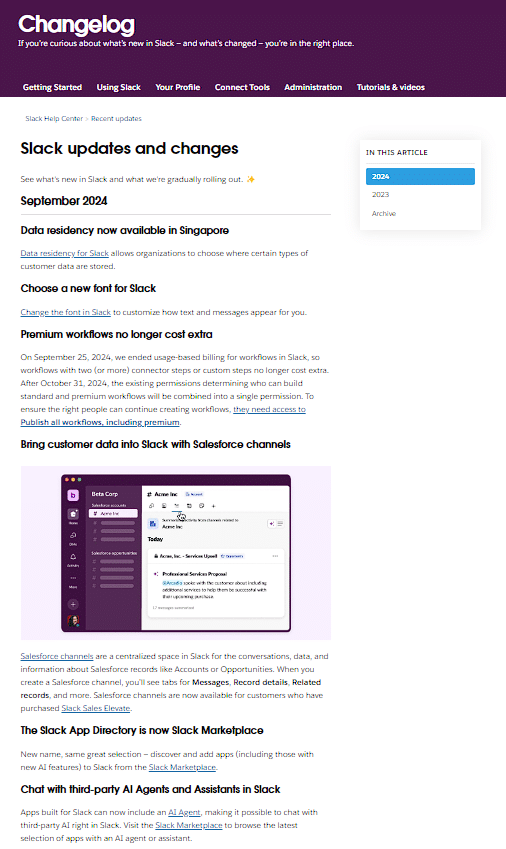
Or nice and ordered, like this:
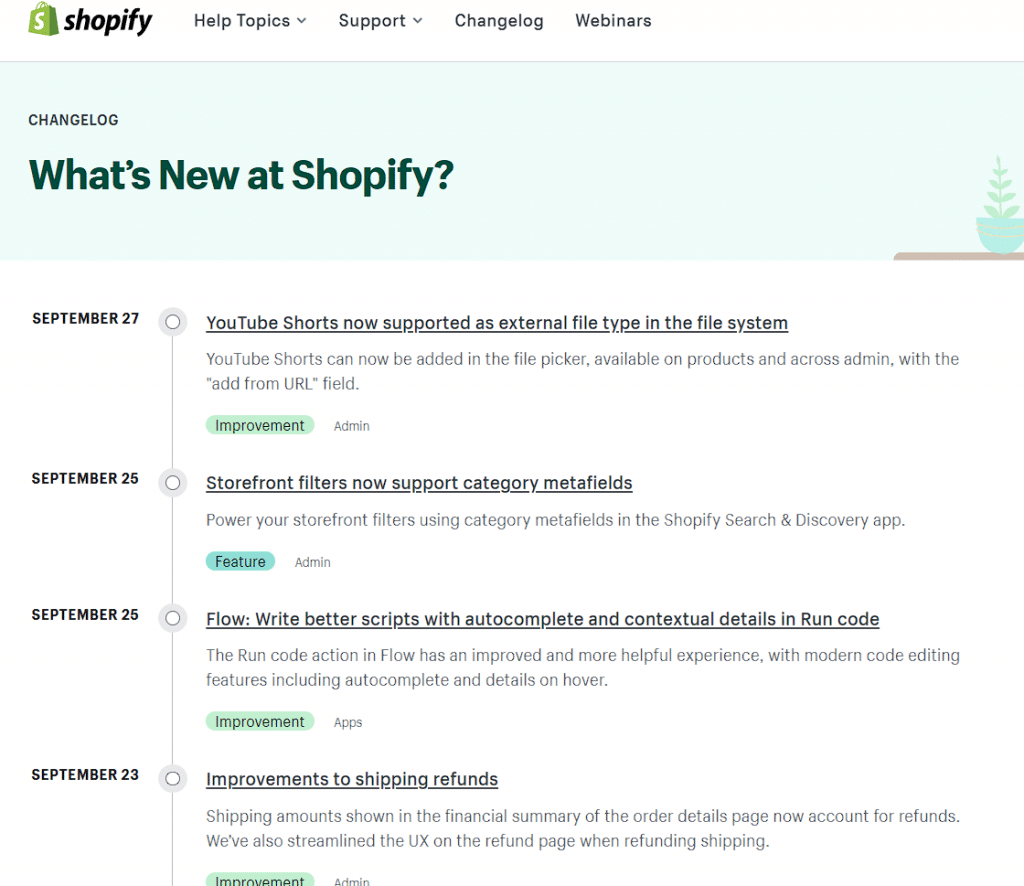
Although communicating with your audience is important, changelogs are best for back-end users of your product. They are easy to revise but can be much less reader-friendly.
Interested in what a “good” changelog might look like? You can check out some changelog examples and templates here.
AnnounceKit makes creating changelogs for your products simple. Our changelog management tool for product and software updates allows you to create an on-brand changelog that encompasses all pertinent information so you can spend time enhancing your product.

Quick Setup, Easy to Use, and Many Integrations
Manage your product announcements from a single place and easily distribute them
across multiple channels.
Release Notes
Release notes — your guide to the past, and your future (kind of).

Release notes are your go-to for quick summaries. They offer a snapshot of what’s happened before and what’s to come for a product or software.
Unlike changelogs, release notes aren’t deep-diving into the nitty-gritty technical stuff of what’s happening behind the scenes. Instead, they tell you about how an update will change a user’s experience.
These textual documents are geared towards customers to describe the changes made in a new version of a product or software. When a user begins using your product or software, there’s typically a small guide for how to use it. When changes are made to a version of your product, release notes are created to fill in the gaps between the original guide provided and the changes made.
To keep it simple, release notes are like customer support in the form of a document. And they usually look something like this:
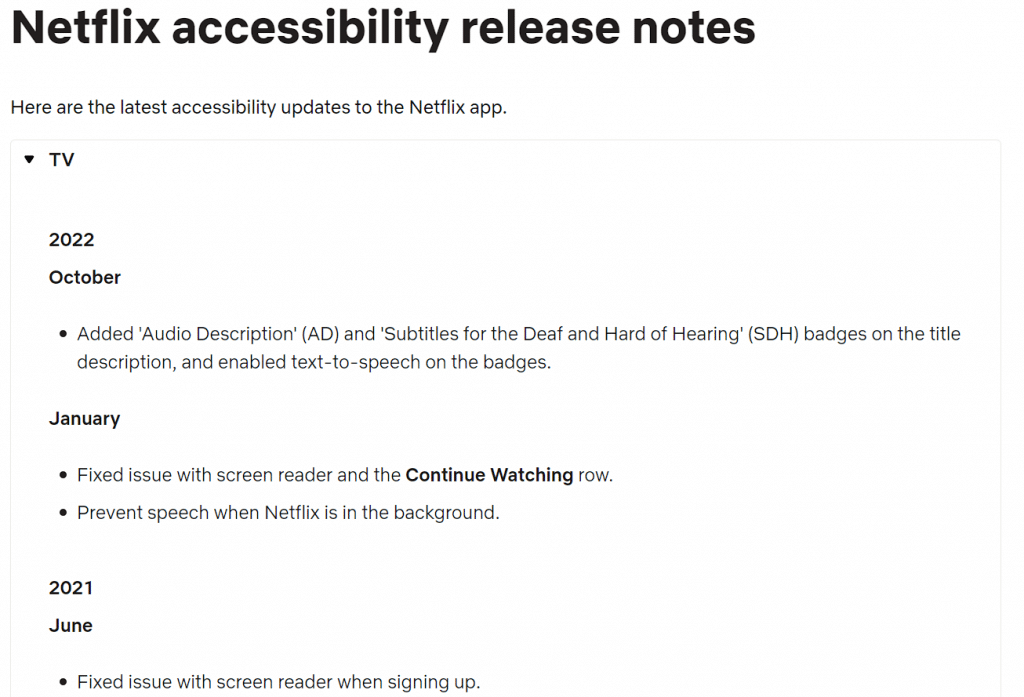
The language used is less technical than changelogs, assumed to be read by individuals without any technical expertise. The notes use a conversational tone and delve into specifics about how the alterations will impact user experience.
Beyond being informational, release notes can be automated to incorporate guidance on upgrading the latest version, compatibility details, and other important information that will make navigating the changes seamless.
Even better, unlike changelogs, release notes don’t have to be a one-way street when it comes to communication. With the help of interactive widgets supported by AnnouceKit, you can add features to your release notes that allow users to leave comments or reactions.
It might look something like this:
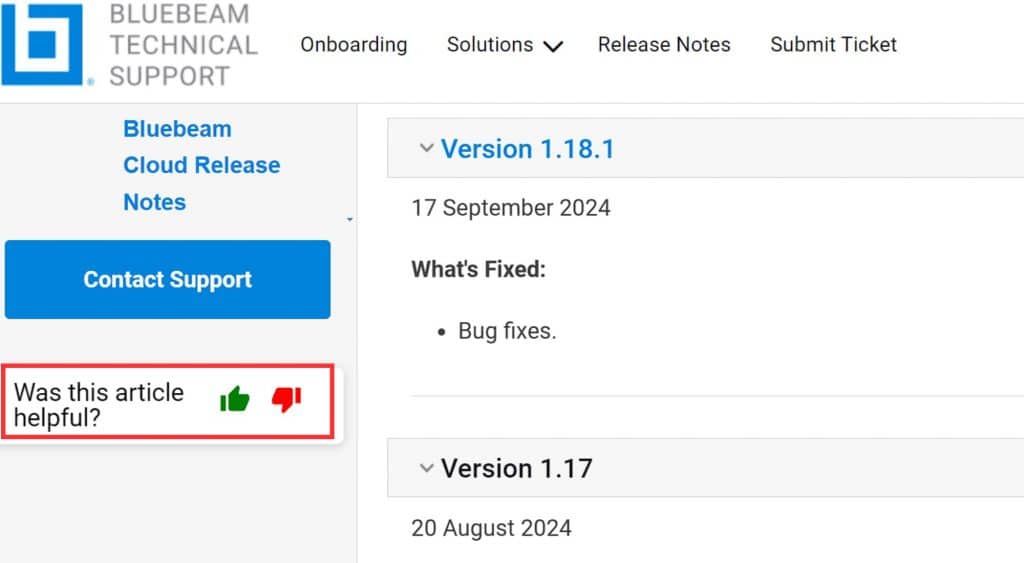
Feeling confused? We share some great release note examples here, to help you better understand the differences between changelogs vs. release notes.
Are you looking to provide your users with an engaging experience while also creating efficiency in your business? AnnounceKit’s no-code release note tool is simple to implement, allowing your business to effectively update users on the changes being made.
6 Differences Between Changelog vs. Release Notes
#1: Audience
Changelogs are targeted at back-end users (developers, technical teams) and are essential for this audience to be informed about the detailed history of a product.
Release notes are meant for a broader audience that includes front-end users, stakeholders, and customers. They are helpful for those who want to better understand the changes made to a product or software and for promotional and marketing purposes.
As a developer or project manager, you know that who your audience is impacts many of your decisions. This key difference is the origin of all other differences.
#2: Purpose
Changelogs are primarily used to communicate technical changes for a product or software to the developers and technical teams.
Release notes provide users with a user-friendly and accessible way to learn about new features, improvements, bug fixes, and other changes.
#3: Content
Changelogs are typically detailed and comprehensive, often using technical speak (codes, URLs, etc.) in the complete list of changes that have been/are being made.
Release notes act as a highlight reel, only including the most significant and relevant information for users.
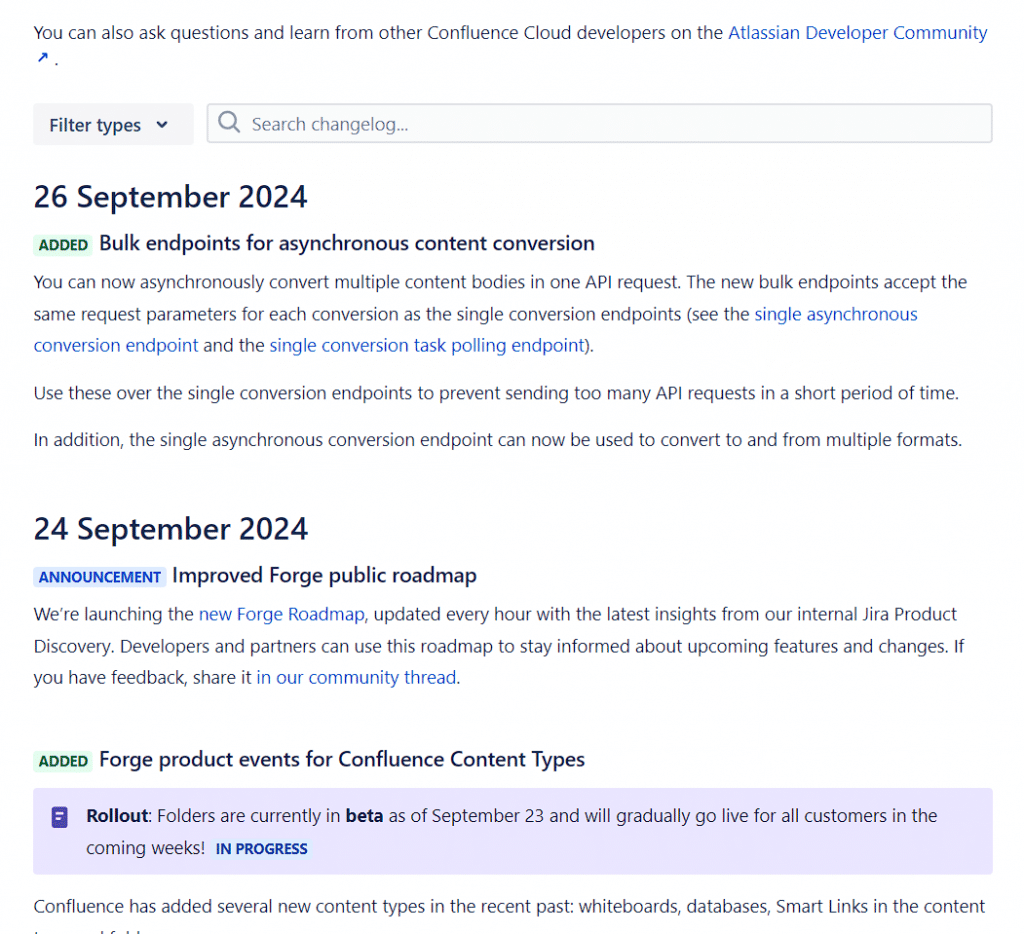
Release notes act as a highlight reel, only including the most significant and relevant information for users. Here is a release note by CoScreen that directs its content more toward users (also going as far as addressing them):
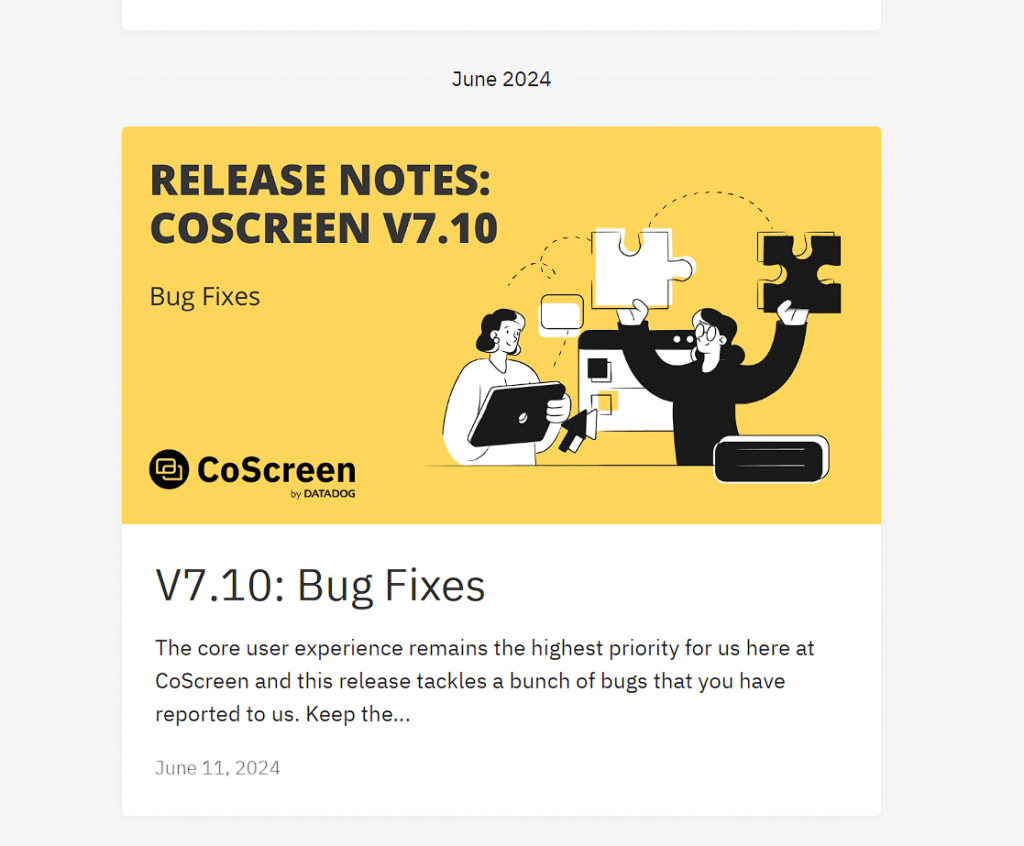
#4: Format
Changelogs are often written as sentences or nestled bullet points that explain the changes mentioned in a line-by-line entry.
Release notes are usually concise and focus on audience segmentation. They might be written as a blog post, a document with accompanying videos, screenshots, helpful annotations, and more.
#5: Tone
Because of their intended audience, changelogs tend to be technical and dry, providing precise information about the changes made to a product. You want the changes to be clearly marked and easily followed. The tone might be a little boring, but a good format will make it easy for other devs to follow your product’s roadmap.
Release notes — intended for users — adopt a more conversational tone and highlight the improvements and benefits of changes users can expect. You might rely on emojis, graphics, videos, and GIFs to convey and generate excitement with your users. Changelogs are an opportunity to canvas your product’s progress.
With AnnouceKit’s intuitive and innovative product announcement platform, you can create changelogs and release notes that make an impact on your designated audience.
#6: Timing
Changelogs are often updated in real-time or at regular intervals as changes are made to a product. Think of bug fixes, patches, feature updates, etc. Even the most minor changes to a product’s versioning will be added to a changelog.
Release notes are usually only issued when a new version or major update to a product is released. Consider release notes to be more like an exciting announcement of a much-awaited fix or feature addition.
Similarities Between Changelog vs. Release Notes
If release notes vs. changelogs are truly different, why are the two terms often used interchangeably?
It likely has to do with the handful of common features they share:
- Both provide easy-to-understand updates through tidy, summarized formatting. They’re intended to keep audiences in the loop, simply and effectively.
- Each subsidiary document can be organized easily within a company. This disciplined, well-organized, and calculated move can help carry companies one step further.
- They are time-savers. They are direct and cut to the chase, giving you just the right amount of information needed to stay updated without spending hours reading through manuals.
- They offer user-friendly highlights. Whether for front-end or back-end users, changelogs and release notes point out the exciting and important stuff — cool new features, a bug that’s been squashed, or just general improvements. They both aim to better user experience.
When To Use Changelog vs. Release Notes
Knowing when to use changelog vs. release notes depends on your focus and marketing strategy. You can choose whichever you like, but we recommend choosing one over the other based on who the information is intended for.
Here’s a quick recap to help your team decide whether release notes or a changelog is most appropriate for your next product update:
- Release notes provide interactive connections with your audience to inform them about product improvements and new features, and how to use them effectively. You can use humor and eye-catching formatting to amuse your audience and help keep them engaged.
- Changelogs are suitable for teams who love order. They offer a chronological list of updates for internal team members of changes being made and why they’re happening. Changelogs tend to focus on updates concerning bugs and their fixes and other technical details.
Real-World Examples: Changelog vs. Release Notes
The best way to understand the difference between a changelog and release notes is to see how real SaaS companies use both. Here are three examples from well-known products:
Stripe
Stripe maintains a detailed API changelog listing every API version change, deprecation, and breaking change in reverse chronological order. Entries reference specific API fields, parameter changes, and version numbers — written entirely for developers who need to track compatibility. Separately, Stripe publishes user-facing release notes in its blog and email announcements for major product launches, using benefit-led language like “now you can accept payments in 12 new currencies” rather than technical API specifics.
GitHub
GitHub’s public changelog covers every change to GitHub.com — from new API endpoints to UI tweaks — using short, structured entries with dates and category labels (Actions, Issues, Pull Requests, etc.). These entries are aimed at developers and power users who need to adapt their workflows. GitHub’s release notes for GitHub Enterprise, by contrast, are audience-segmented documents organized by feature area, written in plain language for IT administrators and non-technical decision makers responsible for upgrading their organization’s instance.
Notion
Notion publishes release notes through its What’s New page, which is entirely user-facing — organized around named features with brief, benefit-oriented descriptions and screenshots. There is no version numbering or technical implementation detail. Internally, Notion’s engineering teams maintain their own changelogs tracking schema migrations, API changes, and infrastructure updates, which never appear on the public-facing page. This clean separation is exactly what product teams should aim for.
Notice the pattern: changelogs are versioned, technical, and exhaustive; release notes are curated, benefit-led, and audience-specific. Tools like AnnounceKit let product teams manage both from a single platform — publishing the right level of detail to the right audience without duplicating effort.
Changelog vs. Release Notes: Quick Comparison Table
Here is a side-by-side summary of the six key differences between changelogs and release notes:
| Dimension | Changelog | Release Notes |
|---|---|---|
| Audience | Developers, technical teams, internal stakeholders | End users, customers, non-technical stakeholders |
| Purpose | Comprehensive record of every technical change made to a product | User-friendly summary of significant improvements and new features |
| Content | Bug fixes, patches, version numbers, API changes, technical details | Feature highlights, UX improvements, upgrade instructions |
| Format | Reverse-chronological list, line-by-line entries, version tags | Blog post, in-app widget, email, PDF — often with visuals |
| Tone | Technical, precise, minimal editorial voice | Conversational, benefit-led, sometimes playful |
| Timing | Updated continuously with every change, even minor patches | Published with major releases, significant updates, or milestones |
This table is also useful for deciding which format to prioritize. If you are shipping small, frequent changes to a developer API, a changelog is your default. If you are launching a feature your users have been requesting for months, a release note is the right vehicle — it creates anticipation and helps users adopt the new functionality faster.
Best Practices for Changelogs and Release Notes
Whether you are writing a changelog for your engineering team or release notes for your customers, a few universal principles separate great documentation from ignored documentation.
Use a consistent format every time. The moment your team starts improvising — skipping version numbers one week, changing the category structure the next — your changelog becomes unreliable. Pick a format (the Keep a Changelog standard is a popular starting point) and apply it uniformly. For release notes, agree on a template that includes a headline, a short description, and a call to action, and use it for every release. Consistency is what makes these documents useful over time, not just at publication.
Write for your specific audience. Changelogs are not release notes with technical words added. The underlying decision — what to include, what level of detail to provide, what language to use — is entirely different. A changelog entry might read: “Fixed race condition in webhook delivery queue causing duplicate events under high load (refs #4821).” The equivalent release note for users reads: “Webhooks now deliver events more reliably — no more duplicate notifications.” Same change, completely different framing. Always ask: who is reading this, and what do they need to do with this information?
Tag versions and dates on every entry. This applies to both changelogs and release notes. Users and developers alike need to know when a change happened and which version it applies to. Even if you use continuous deployment without traditional version numbers, timestamps and release identifiers give readers a reliable way to correlate what they are experiencing with what was shipped.
Link the two documents together. Your release notes should reference the changelog for users who want more technical detail. Your changelog should reference the release notes for changes that have a customer-facing impact. This cross-linking creates a coherent documentation ecosystem where internal and external audiences can each start from the document written for them and drill deeper if needed.
Publish on a predictable schedule. Changelog fatigue is real — if you publish 40 entries a day, no one reads them. Consider batching minor changes into a weekly summary for your external release notes, even if your internal changelog updates in real time. Tools like AnnounceKit let you control publication timing separately from when changes are logged, so your internal team has full visibility while your users get a curated, digestible update on a schedule that makes sense for them.
Frequently Asked Questions
What is the difference between a changelog and release notes?
A changelog is a comprehensive, chronological record of all technical changes made to a product, written primarily for developers and internal teams. Release notes are a curated, audience-appropriate summary of the most significant changes in a new version, written for end users and customers. The core difference is audience: changelogs are for people who build the product, release notes are for people who use it.
Can you use both a changelog and release notes at the same time?
Yes — and for most SaaS products, you should. Changelogs and release notes serve different audiences and serve different purposes, so maintaining both is not redundant. Your engineering team needs the changelog to track every technical change and debug issues. Your users need release notes to understand how updates affect their workflow. The most efficient approach is to write a single source of truth for each change and then derive both documents from it — which is exactly what platforms like AnnounceKit are designed to support.
Is a changelog the same as version history?
A changelog and version history are closely related but not identical. Version history typically refers to a list of software versions with their release dates — it answers “what versions exist and when were they released?” A changelog goes further: it explains what changed between each version, why it changed, and what the impact was. Think of version history as the table of contents and the changelog as the full book.
Is “changelog” one word or two?
“Changelog” is one word, and it is the widely accepted spelling in the software industry. “Change log” (two words) appears occasionally but is considered outdated in most developer communities. If you are writing documentation or content for a technical audience, “changelog” as a single word is the standard you should follow.
What should a changelog include?
A well-structured changelog should include the version number, the release date, and a categorized list of changes. Standard categories — popularized by the Keep a Changelog convention — are: Added (new features), Changed (changes to existing functionality), Deprecated (features being phased out), Removed (features that have been removed), Fixed (bug fixes), and Security (vulnerability patches). Each entry should be specific enough that a developer can understand exactly what changed and why, without needing to look at the underlying code.
What is the difference between a changelog, release notes, and “What’s New”?
These three formats exist on a spectrum from technical to marketing-oriented. A changelog is the most comprehensive and technical — every change, every version, every detail. Release notes sit in the middle — significant user-facing changes, written in plain language, typically tied to a specific version or release event. “What’s New” is the most curated and often the most visual — a highlights reel of the most exciting changes, often presented in-app as a widget or notification, designed to drive feature adoption rather than document every change. Many product teams use all three simultaneously, targeting different audiences and communication channels.
Effectively Create Changelogs and Release Notes to Communicate Product Changes to Your Audience With AnnounceKit
A clear understanding of changelog vs. release notes ✓
Equipped to inform the correct audiences with the information they need regarding your product or software and its updates ✓
Utilizing the right software to create changelogs and release notes should be effortless.

AnnounceKit allows companies to easily update product information and effectively communicate changes to the appropriate audiences.
With our changelog and release notes tools, users can enjoy the simplicity of creating an update and pushing it out to the right people. Our intuitive platform ensures users stay well-informed and engaged, eliminating any confusion.
Supercharge the way you communicate updates and try AnnounceKit today.
Quick Setup, Easy to Use, and Many Integrations
Manage your product announcements from a single place and easily distribute them
across multiple channels.