
In-App Notifications
Reach users the moment they're in your app
Standalone in-app messages, independent of your changelog. Send marketing messages, status page updates, or any custom announcement - toasts, banners, slide-ins, and modals, fully customizable for every use case. Non-intrusive, branded, and targeted. No email required.
No credit card required · 15-day trial · All features included








How it works
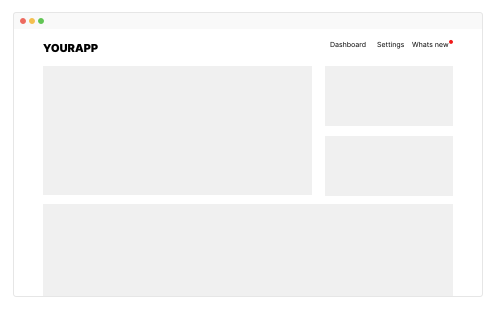
In-app notifications vs boosters
In-app notifications are standalone messages - they don't have to be tied to a changelog post. Use them for marketing campaigns, status page alerts, or any quick message. Boosters, on the other hand, amplify your changelog posts (pop-up, bar, or modal) so more users see each release. Both live in the same dashboard.
New: SSO support
SAML SSO is now available as an add-on.

10+ notification types
Every notification style your users expect
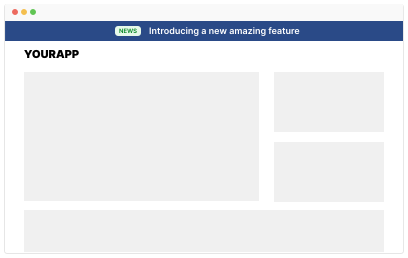
Toast popups, floating banners, slide-in panels, full modals, badge counters, and inline embeds. Choose the format that fits your UX - or combine multiple types for different messages. All managed from one dashboard.
- Toast & snackbar notifications
- Floating banners and top bars
- Slide-in panels and drawers
- Modal announcements for critical updates
- Badge counters with unread indicators
Instant delivery
Updates appear the moment you publish
No page refresh needed. No waiting for a polling interval. When you publish an update, AnnounceKit delivers it to active users in real-time. Users see the notification immediately - while they're already engaged with your product.
- Real-time delivery to active sessions
- No page refresh required
- Smart timing - only shown when the user is active
- Graceful fallback for offline users

Your brand, your rules
Notifications that feel native to your product
Match your app's design system perfectly. Custom colors, fonts, positioning, animation style, and content layout. Your users will never know these notifications come from a third-party tool - because they look and feel entirely yours.
- Custom CSS support
- Color, font, and position control
- Light and dark mode support
- Custom animation and transition styles
- White-label - no AnnounceKit branding
Targeted notifications
Show the right update to the right users
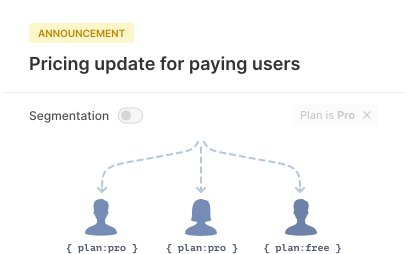
Combine in-app notifications with AnnounceKit's segmentation engine. Show enterprise features only to enterprise users. Share mobile updates only with mobile users. Every notification reaches the users who care about it.
- Segment by user properties, plan, or role
- Target by geography or language
- Conditional display rules
- A/B test notification formats
Measure impact
Know which updates your users actually see
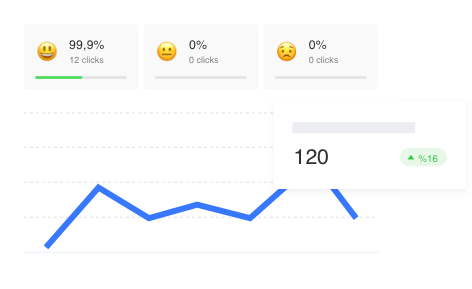
Track views, clicks, dismissals, and engagement rates for every in-app notification. Understand which update formats work best and which segments are most engaged. Data-driven communication decisions, not guesswork.
- View and click tracking per notification
- Engagement rates by segment
- Dismissal analytics
- Export data via API
Frequently asked questions
What is the best in-app notification software?
AnnounceKit is in-app notification software that delivers standalone messages - toasts, banners, slide-ins, and modals - to users while they are inside your app. Notifications arrive in real-time, are fully customizable to your brand, and can be targeted with segmentation, with no email required.
What is the difference between in-app notifications and boosters?
In-app notifications are standalone messages that don't have to be tied to a changelog post - use them for marketing campaigns, status page alerts, or any quick message. Boosters amplify your changelog posts (pop-up, bar, or modal) so more users see each release. Both live in the same dashboard.
What notification types does AnnounceKit support?
10+ notification types, including toast and snackbar popups, floating banners and top bars, slide-in panels and drawers, full modals for critical updates, badge counters with unread indicators, and inline embeds - all managed from one dashboard.
Can I customize in-app notifications to match my brand?
Yes. AnnounceKit supports custom CSS, full color, font, and position control, light and dark modes, and custom animation styles. White-label support means your users never see AnnounceKit branding.
Can I target in-app notifications to specific users?
Yes. Segment by user properties, plan, or role, target by geography or language, and set conditional display rules. Segmentation is available on the Growth plan and above.
How quickly do in-app notifications appear after publishing?
Immediately. AnnounceKit delivers notifications to active users in real-time - no page refresh and no polling interval - with a graceful fallback for offline users.