
Segmentation
One targeting engine. Every surface.
Segmentation in AnnounceKit isn't a sidebar feature - it's the layer that makes every update relevant. In-app notifications, NPS surveys, email, your changelog, your widget, and feature requests all use the same segments. Define who sees what once; it works everywhere.
No credit card required · 15-day trial · All features included
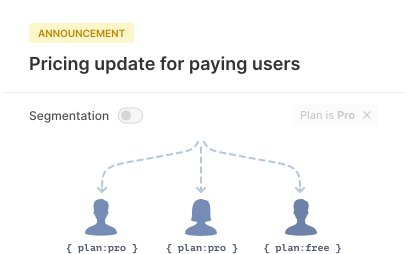
Segmentation everywhere you communicate
Same segments. In-app, email, NPS, changelog, widget, and feature requests. No duplicate rules, no guesswork.
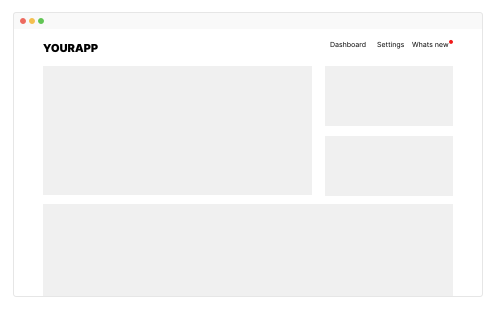
In-app widgets
Show the right posts in badge, popup, sidebar, and embed. One widget, different content per segment.
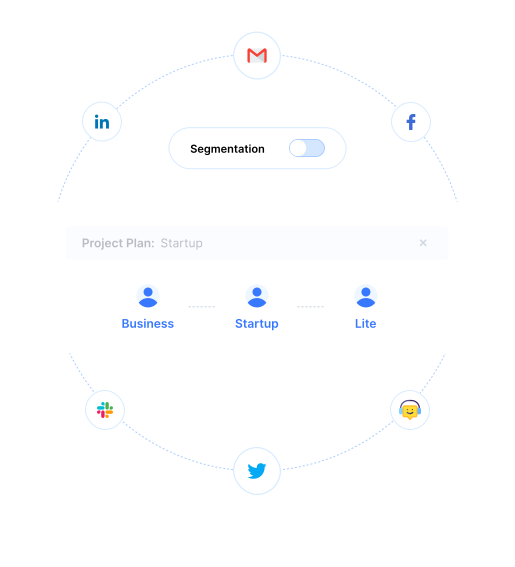
NPS surveys
Run NPS for specific cohorts - by plan, region, or tenure. Measure satisfaction where it matters.

Email delivery
Notify and digest by segment. Send the right update to the right inbox.
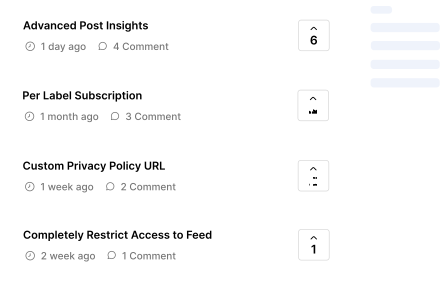
Feature requests
Control who sees which board and which requests. Align feedback with the right audience.
In-app notifications
The right update in the right widget, for the right user
When you publish a post, you choose which segments can see it. Your in-app widget - badge, popup, sidebar, or embed - then shows only the updates that match each user. Enterprise users see enterprise news; new users see onboarding; power users see advanced features. One codebase, one widget, countless personalized experiences.
- Per-post segment targeting for every widget type
- Boosters (modal, bar, overlay) targeted by segment
- Same segment rules across web and mobile SDKs
- No extra code - segments are configured in the dashboard
NPS
Survey the right users at the right time
Don't blast your entire base. Use segmentation to show NPS surveys only to the cohorts that matter - by plan, country, role, or days since signup. Measure satisfaction for enterprise vs SMB, new vs power users, or any slice you define. Exclude recently surveyed users and schedule by segment.
- Target NPS by user properties or custom fields
- Exclude recently surveyed users per segment
- Segment-level NPS analysis in the dashboard
- Same segments as widgets and email - one source of truth
Changelog & widget
Every publish is targeted. Changelog and widget stay in sync.
At publish time you pick which segments see the post. That choice applies to both your public changelog page and every in-app widget. No separate targeting for web vs in-app - one decision, consistent visibility. Hide internal or beta posts from the wrong audience; show compliance or regional updates only where relevant.
- Set segment rules when you publish
- Changelog and widgets respect the same targeting
- Optional expiry and pause per post
- Combine with labels and scheduling for full control
Feature requests
Control who sees which ideas
Feature request boards can be restricted by segment. Show one board to enterprise customers and another to SMBs. Let only logged-in users or only a specific plan see certain requests. Segmentation keeps feedback in context - the right users vote on the right ideas, and you prioritize with clear signal.
- Restrict feature request visibility by segment
- Same user properties as widgets and NPS
- Filter analytics and roadmap by segment
- Jira sync respects segment visibility
Built for flexibility: segment by what you track
Pass user properties once. Create segments. Use them everywhere.
How it works
Up to 25 custom properties. Combine conditions. One engine.
Send country, company, plan, role, language, or any custom field from your app. Build segments from these properties - e.g. "Plan is Enterprise" or "Country is in EU". Combine multiple conditions for precise targeting. Segments update automatically as user data changes, so you never maintain duplicate rules across channels.
- Segment by country, company, plan, role, or custom fields
- Combine multiple conditions (and / or)
- Segments stay in sync as user data updates
- JWT-signed user identification · GDPR compliant
Segmentation in practice
By geography
Show localized or compliance-specific updates only to relevant regions. EU users see GDPR-related posts; a specific market sees payment or feature launches. Same changelog, different experience.
By plan or role
Announce enterprise features only to enterprise customers. Show admin-only or internal posts to the right role. New users see onboarding; power users see advanced tips - in widgets, email, and NPS.
By engagement
Re-engage users who haven't opened the widget lately. Run NPS only for users active 30+ days. Target beta or early-access content to your most engaged segment.







Frequently asked questions
Where can I use segmentation in AnnounceKit?
Segmentation works everywhere: in-app widgets and boosters, NPS surveys, email notifications and digests, changelog visibility, and feature request boards. You define segments once and target posts, surveys, and content per segment.
What can I segment by?
You can segment by country, company, plan, role, language, or any custom property you pass to AnnounceKit (up to 25 fields). Combine multiple conditions for precise targeting.
Can I show different posts to different users in the same widget?
Yes. When you publish a post, you choose which segments can see it. The same widget shows different content to different users based on their segment - enterprise users see enterprise updates, new users see onboarding tips.
How do I pass user properties for segmentation?
Pass user properties when initializing the widget (e.g. user id, plan, role, country) via the JavaScript API or SDK. You can send up to 25 custom fields. Segment rules in the dashboard then filter posts and surveys by these properties.
Can I segment NPS surveys by user type?
Yes. NPS surveys use the same segmentation engine. You can show surveys only to specific segments (e.g. paying users, users by plan or tenure) and exclude recently surveyed users.
Does segmentation work with email digests?
Yes. Email digest subscribers can be segmented. You can target digest content by segment and filter who receives which digest based on the same properties used in widgets and changelog.
Can I create segments based on behavior or signup date?
You can use any property you pass - including custom fields like signup date, last login, or feature usage if you send them to AnnounceKit. Combine conditions (e.g. plan = Pro AND country = US) for precise segments.
Is segmentation available on all plans?
Yes. Audience segmentation is included on every AnnounceKit plan. You get the same targeting engine across widgets, NPS, email, changelog, and feature requests.
Can I A/B test different updates for different segments?
Yes. By targeting different segments to different posts, you can show variant messaging (e.g. enterprise vs SMB). Analytics are per segment so you can compare which updates perform better for which audience.
How does segmentation compare to AnnounceKit alternatives?
AnnounceKit uses one segmentation layer across all surfaces (widgets, NPS, email, changelog, feature requests). Many alternatives offer segmentation only in one place or charge extra. You define segments once and they apply everywhere.