
Customization
The most advanced customization in product communication
Your changelog, widgets, and emails should look and feel like your product - not a third-party tool. Custom domain, custom CSS, theme designer, and full white-label with remove branding. AnnounceKit gives you more control than any alternative.
No credit card required · 15-day trial · All features included
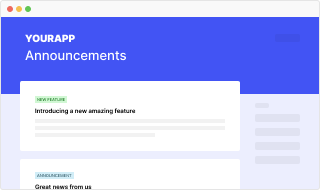
Customization that goes further than the rest
Competitors lock you into their look. We give you domain, CSS, theme designer, and full white-label - so every touchpoint is yours.

Custom domain + SSL
Your changelog on your domain with HTTPS. No announcekit.app subdomain - it's your brand, your URL.

Custom CSS & JavaScript
Full control over layout, typography, and behavior. Style the changelog and widgets to match your design system.
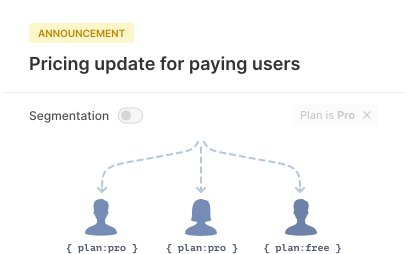
Theme Designer
No-code branding: colors, fonts, and widget appearance. Consistent look across changelog and in-app without writing CSS.
White-label & remove branding
On Enterprise: remove AnnounceKit branding from changelog, widgets, and emails. Fully your product.
Your domain, your brand
Custom domain with SSL - no vendor subdomain
Host your changelog on your own domain (e.g. updates.yourproduct.com or changelog.yourcompany.com) with automatic SSL. Users and search engines see your brand, not a generic tool URL. Multi-language, RSS, and SEO-friendly - all on your domain.
- Custom domain + automatic SSL
- No announcekit.app in your URLs
- Multi-language and RSS on your domain
- SEO-indexable so Google finds your updates
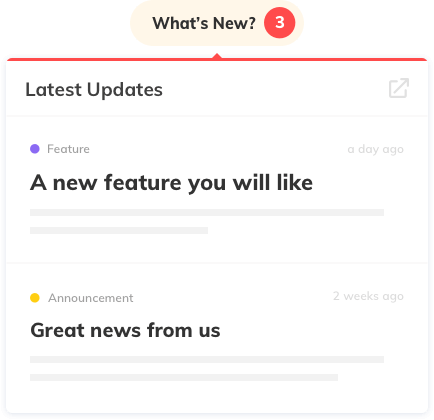
Design control
Custom CSS, JavaScript, and Theme Designer
Go beyond preset themes. Use the Theme Designer for colors and typography across changelog and widgets, or inject custom CSS and JavaScript for pixel-perfect control. Match your design system, not the other way around. Most alternatives offer limited styling - we don't.
- Theme Designer: colors, fonts, widget appearance
- Custom CSS and JavaScript for changelog and feed
- Full control over layout and behavior
- Same branding across web and in-app widgets

Enterprise
Full white-label and remove branding
On Enterprise plans, remove AnnounceKit branding entirely. Your changelog, in-app widgets, and email notifications show only your brand - no "Powered by" or vendor logos. Customers see one consistent experience; you keep full control and the most advanced customization options in the category.
- Remove AnnounceKit branding (Enterprise)
- Changelog, widgets, and emails fully white-label
- No "Powered by" or vendor attribution
- Your product, your brand, end to end
Why teams choose AnnounceKit for customization
More options, fewer limits. We built customization as a first-class feature, not an afterthought.
No locked-in look
Custom domain and custom CSS are available on all plans. You're not stuck with a vendor subdomain or a handful of themes. Style once and keep control as you scale.
Widgets match your product
Theme Designer and custom styling apply to in-app widgets too. Badge, popup, sidebar, and embed all respect your brand - same look in your app and on your changelog.
True white-label when you need it
Enterprise gets full remove-branding: changelog, widgets, and emails with zero AnnounceKit attribution. The most advanced white-label option among changelog and in-app announcement tools.





Frequently asked questions
Can I use my own domain for my changelog?
Yes. AnnounceKit supports custom domain with SSL on all plans. Your changelog and updates page live on your domain (e.g. updates.yourproduct.com) with full HTTPS.
Can I remove AnnounceKit branding?
Yes. On Enterprise plans you can enable full white-label and remove AnnounceKit branding from the changelog, widgets, and emails so everything appears as your own product.
How much can I customize the design?
You get a Theme Designer for colors and typography, plus custom CSS and JavaScript for full control. Many competitors limit styling; AnnounceKit gives you the most advanced customization options in the category.
Can I use custom CSS and JavaScript on my changelog?
Yes. You can inject custom CSS and JavaScript into your changelog page and in-app widgets. This allows full control over layout, fonts, colors, and behavior to match your brand.
Does AnnounceKit support multi-language changelogs?
Yes. You can publish posts in multiple languages and set a default language. The changelog and widgets can display the appropriate language based on user preference or locale.
What is the Theme Designer?
The Theme Designer is a visual tool in the dashboard to set colors, typography, and basic layout for your changelog and widgets without writing code. You can still override with custom CSS for advanced needs.
Can I white-label the in-app widgets?
Yes. On all plans you can style widgets to match your product. On Enterprise, you can remove AnnounceKit branding entirely so widgets show only your brand.
Is custom domain available on every plan?
Yes. Custom domain with SSL is included on all plans. You can point a subdomain (e.g. updates.yourproduct.com) to your AnnounceKit changelog.
Can I customize email notification design?
Yes. You can customize email templates so digest and notification emails match your brand. Enterprise can remove AnnounceKit attribution from emails.
How does AnnounceKit compare to others on customization?
AnnounceKit offers the most advanced customization in the category: custom domain, Theme Designer, custom CSS/JS, and full white-label with remove branding on Enterprise. Many alternatives limit styling or charge extra for custom domain.