
Integration
Changelog and widgets on your WordPress site
Add your AnnounceKit widget to WordPress with one script snippet, in your theme header or a header and footer snippet plugin. Show product updates and announcements where your visitors are.
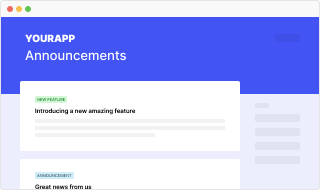








Why teams use AnnounceKit with WordPress
Changelog on your site
Embed your AnnounceKit changelog on any WordPress page with an embed widget, or link to your Portal (your own domain with the Custom Branding add-on).
Widgets and notifications
Add a badge, float, drawer or bar widget so visitors see updates without leaving your site.
One workspace, every channel
The same AnnounceKit workspace powers your WordPress site, your product and your emails. One place to publish.
Easy setup
Copy the widget snippet from your dashboard and paste it once. No plugin to install or update.
How to add AnnounceKit to WordPress
1. Create a widget
In your AnnounceKit dashboard, open Engage > Widgets, create a widget and copy its script snippet.
2. Paste the snippet
Add it to your theme header (header.php or the theme's custom code setting), or to a header and footer snippet plugin.
3. Publish
Save, reload your site and the widget shows your latest posts. New posts appear without touching WordPress again.
Frequently asked questions
How do I add AnnounceKit to WordPress?
Create a widget in your AnnounceKit dashboard (Engage > Widgets) and copy its script snippet. Paste it into your theme's header, or into a header and footer code snippet plugin, and the widget appears on every page.
Is there an AnnounceKit WordPress plugin?
No. The old AnnounceKit plugin is no longer available on WordPress.org. The script snippet does the same job and always loads the current widget.
Can I show a changelog on my WordPress site?
Yes. Use an embed widget and place its snippet where the changelog should appear, or link to your Portal. With the Custom Branding add-on, the Portal can run on your own domain.
Which widget types work on WordPress?
All of them: badge, line, float, drawer, bar and embed widgets that open as a pop-up or sidebar, plus In-app Notifications banners and pop-ups.
Where do I find the WordPress documentation?
See the WordPress page in the AnnounceKit docs for the step-by-step setup. The widget uses the same AnnounceKit workspace as your main product.