
React Component
Loading an external script inside a React app takes some care: you have to load it once, wait for it, and keep it in sync with your components. The announcekit-react component does this for you and adds the AnnounceKit widget to your React app.
Step 1
Install the component from npm (version 3.x needs React 16.8 or newer):
npm install announcekit-react
Step 2
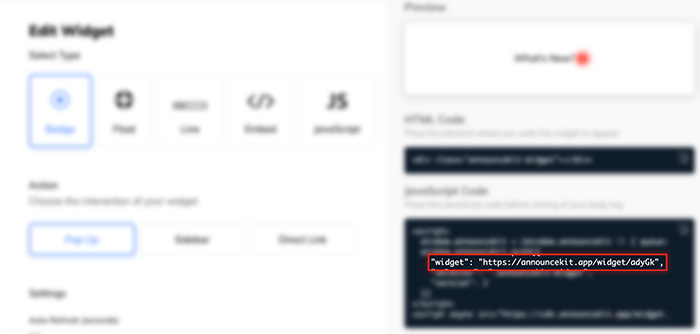
Get the URL of the widget you want to include. You can find it in the widget’s install code, as the widget key, for example https://announcekit.app/widgets/v2/34MmKA.
Step 3
Add the component to your app. Its children are the launcher: a click on them opens the widget, and Badge and Line widgets show the unread badge next to them.
import React from "react";
import AnnounceKit from "announcekit-react";

export default function App() {
  return (
    <nav>
      <ul>
        <li>
          <a href="#">Home</a>
        </li>
        <li>
          <AnnounceKit
            widget="https://announcekit.app/widgets/v2/34MmKA"
            user={{ id: "123456", email: "user@example.com", name: "John Doe" }}
            data={{ member_type: "trial_user" }}
          >
            <span>What's new</span>
          </AnnounceKit>
        </li>
      </ul>
    </nav>
  );
}
These are the properties the component accepts:
| Property | Description |
|---|---|
| widget | The URL of the widget. You can copy it when you create or edit a widget in the dashboard. |
| widgetStyle | CSS rules to fine-tune the position of the launcher. Styling docs |
| floatWidget | Set true if the widget is a Float widget. |
| embedWidget | Set true if the widget is an Embed widget. |
| lang | Language code, or “auto” to follow the browser. Language docs |
| labels | Show only posts with these labels. |
| boosters | Set false to stop In-app Notifications (banners and pop-ups) from showing on this page. |
| user | User properties (for user tracking) |
| data | Segmentation data |
| user_token | A signed user token. JWT docs |
| name | A name for the widget instance. |
| onWidgetOpen | Called when the widget is opened. |
| onWidgetClose | Called when the widget is closed. |
| onWidgetResize | Called when the widget is resized. |
| onWidgetUnread | Called when unread post count of widget has been updated. |
To control the widget from code, pass a ref and call open(), close(), unread() (a Promise of the unread count) or instance().
Please follow our GitHub repo for further updates.
Resources: