
Feature Request Tracking
Turn user feedback into your roadmap
Let users submit ideas, vote on what matters, and follow your progress. When a feature ships, announce it - all in the same platform.
No credit card required · 15-day trial · All features included







Collect
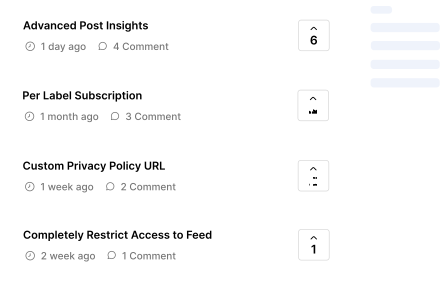
A feature request board your users will use
Users submit ideas and vote on what they want. Your team reviews, approves, and merges duplicates. Labels and categories keep everything organized.
- User voting with manual adjustments
- Comments, replies & labels
- Approval workflow
- Merge duplicate requests
- Public or private board
Plan
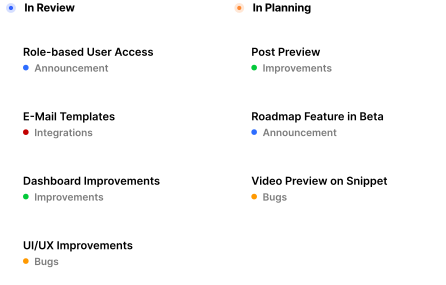
Show users what's coming
Customizable roadmap stages - In Review, In Planning, In Progress. Users see their requests move through the pipeline. Jira integration keeps engineering in sync.
- Customizable roadmap stages
- Jira integration for ticket syncing
- Public or private roadmap
Close the loop
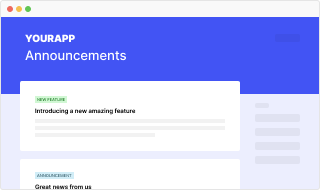
From feature request to shipped announcement
When a feature ships, announce it from the same platform. Users who voted get notified. The entire feedback-to-ship cycle lives in one place - no switching between tools.
See all features →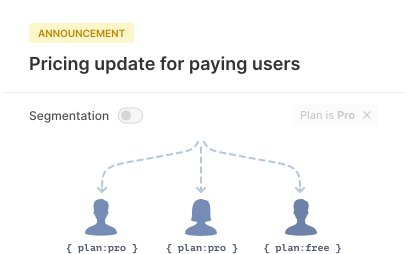
Target
Understand who wants what
Segment feature requests by user properties - plan type, company size, location, or any custom field. Prioritize based on which user segments are asking for what.
"Users get a collective page where they get to search and check if we have the right features that they need."
Why use AnnounceKit for feature requests?
Requests + Announcements
Most tools do one or the other. AnnounceKit connects feature requests to your changelog and in-app widgets.
No per-seat pricing
Add your whole product team at no extra cost. No surprises as your team grows.
Set up in minutes
No complex onboarding. Add the widget to your app with one script tag and start collecting feedback.
You asked, we built it: bulk export
Top request: custom user roles
From your votes: calendar view
Frequently asked questions
How does feature request tracking work in AnnounceKit?
Users submit ideas and vote on what they want. Your team reviews, approves, and merges duplicates. Labels and categories keep everything organized, and an approval workflow ensures quality.
Can I connect feature requests to a product roadmap?
Yes. AnnounceKit includes a product roadmap with customizable stages - In Review, In Planning, In Progress. Users see their requests move through the pipeline. The roadmap also integrates with Jira for engineering ticket syncing.
What happens when a requested feature ships?
When a feature ships, you can announce it from the same platform. Users who voted on the request get notified. The entire feedback-to-ship cycle lives in one place without switching between tools.
Can users vote on feature requests?
Yes. Users can vote on requests and add comments. You can adjust vote counts manually if needed. Votes help you prioritize what to build next.
Does AnnounceKit integrate with Jira for feature requests?
Yes. The Jira integration lets you sync roadmap stages and link feature requests to Jira tickets so engineering stays in the loop. When a ticket is done, you can announce the shipped feature from AnnounceKit.
Can I make the feature request board private?
Yes. You can make the board public (anyone with the link) or private (only logged-in users you pass to the widget). Same for the roadmap.
How do I merge duplicate feature requests?
In the dashboard you can merge duplicate requests into one. Votes and comments can be combined so you keep a single source of truth for each idea.
Can I segment feature requests by user type?
Yes. You can filter and analyze requests by segment (plan, role, company, etc.) so you see what enterprise vs SMB or power users vs new users are asking for.
Is there an approval workflow for feature requests?
Yes. You can use an approval workflow so requests are reviewed before they appear on the public board. This keeps the board clean and focused.
What is the best feature request tool for product teams?
AnnounceKit combines feature requests with your changelog and in-app widgets - so you collect feedback and announce when features ship in one platform. No per-seat fees; modular pricing and quick setup.